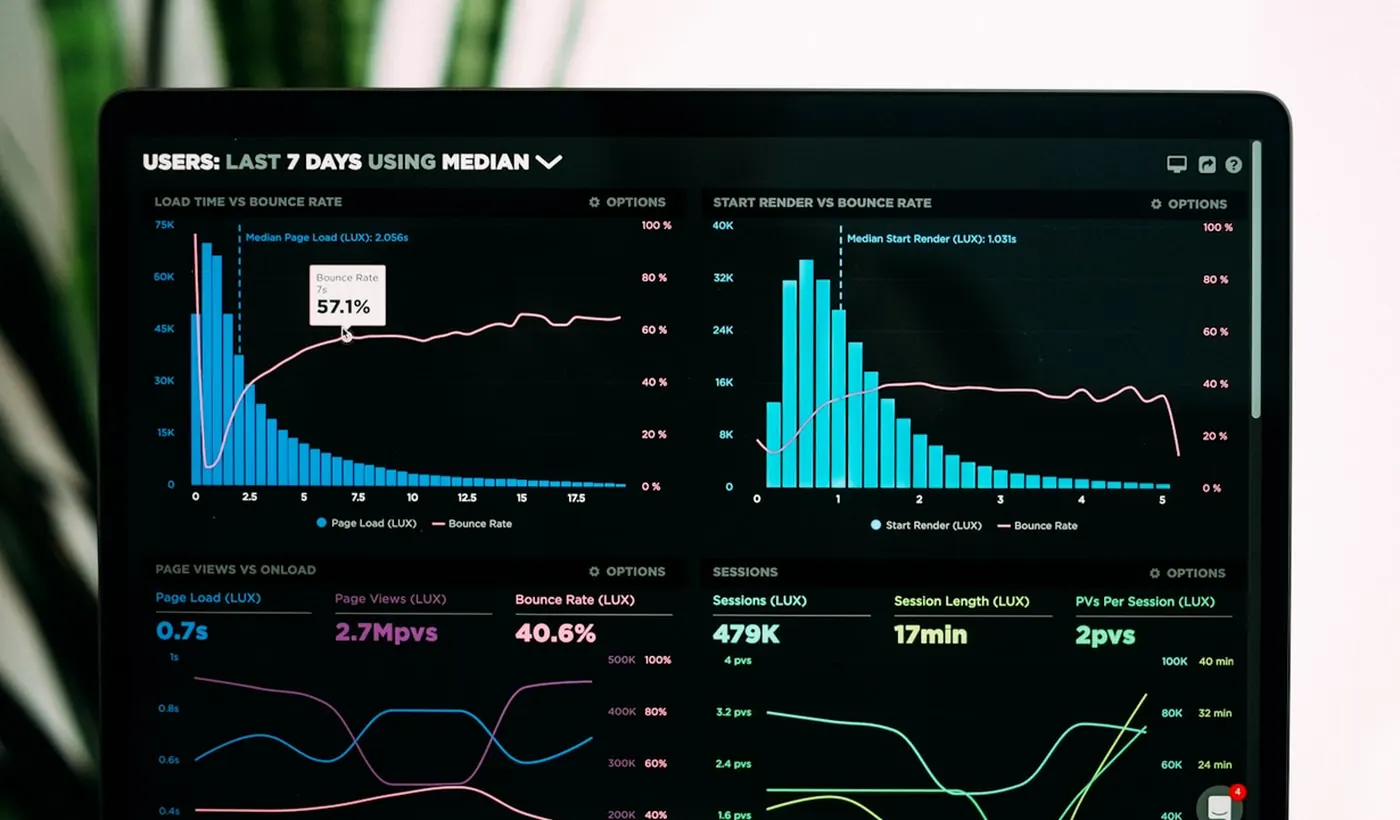
AI video generation is no longer the hard part. Choosing the right tool is. With dozens of platforms now offering text-to-video, image-to-video, and AI avatar creation, the real challenge is knowing which tool actually delivers quality worth paying for.
Pick the wrong platform, and you could end up wasting credits on low-resolution clips, inconsistent motion, or features that look impressive in demos but fail in real-world use.
To separate the hype from actual performance, we spent weeks testing the leading AI video generators in 2026 using identical prompts and practical workflows. In this guide, we break down the best AI video generators in 2026, compare their strengths and limitations, and help you find the right tool for your workflow, whether you’re a creator, marketer, filmmaker, or agency scaling video production.
How We Evaluated the Best AI Video Generators
We didn’t rank these tools off marketing pages or benchmark leaderboards alone. Every tool on this list was tested using the same set of ten prompts, ranging from simple product shots to multi-character scenes with dialogue and camera movement, run across both free and paid tiers where available.
We scored each tool on nine criteria:
- Output quality and realism: how convincing the lighting, textures, and physics look
- Prompt accuracy: how closely the output matches what was actually requested
- Motion consistency: whether objects and characters hold their shape and position across frames
- Rendering speed: time from prompt submission to a finished clip
- Editing flexibility: how much control you have after the initial generation
- Character consistency: whether a character’s face, outfit, and proportions stay stable across multiple shots
- Ease of use: how steep the learning curve is for a first-time user
- Pricing and value: what you actually get for the money, not just the sticker price
- Commercial usability: licensing terms, watermarking, and whether the output is safe to use in paid campaigns
We also tracked real-world workflow friction: queue times during peak hours, how often credits get burned on failed generations, and whether advertised “unlimited” plans actually mean what they say.
Key takeaway: Don’t trust a single number, like an Elo benchmark score, to choose a tool. The model with the best raw quality score isn’t always the best fit if it’s slow, expensive per clip, or has a clip-length cap that doesn’t match your format.
Quick Summary: Best AI Video Generators in 2026
If you only read one section, read this one.
- Best overall: Google Veo 3.1, for the strongest balance of realism, native audio, and accessibility
- Best free option: Hailuo AI (MiniMax), for usable 1080p output with no immediate paywall
- Best for professionals: Runway, for its editing suite and multi-model marketplace
- Best for beginners: Pika, for its simple interface and effects library
- Best for business teams: HeyGen, for avatar-led marketing and localization at scale
Quick Comparison Table
| Tool | Best For | Starting Price | Max Resolution | Native Audio |
| Google Veo 3.1 | Overall quality | $7.99/mo (AI Plus) | 4K | Yes |
| Runway | Professional editing | $12/mo (annual) | 4K | Add-on |
| Kling AI | Value and length | $6.99/mo | 1080p (4K on 2.0 update) | Yes |
| Luma Dream Machine | Photorealistic motion | $23.99/mo | 1080p HDR | No (Ray3) |
| Pika | Beginners, social effects | $8/mo | 1080p | Limited |
| Hailuo AI (MiniMax) | Free realistic testing | Free tier | 1080p | Yes |
| Synthesia | Enterprise training | $18/mo (annual) | 1080p | Voice only |
| HeyGen | Marketing avatars | $29/mo | 1080p | Voice only |
| Seedance 2.0 | Cinematic realism, character consistency | ~$20/mo | 2K (4K on newer builds) | Yes |
The Top 10 AI Video Generators in 2026 (Reviewed)
1. Google Veo 3.1
Veo 3.1 is Google’s flagship video generation model, built on the Veo 3 architecture and accessible through the Gemini app, Flow (Google’s AI filmmaking interface), Vertex AI, and Google AI subscriptions. After OpenAI shut down Sora in early 2026, Veo 3.1 effectively became the default benchmark for AI video quality, especially after Google rolled it out for free to every Google account through Google Vids in April 2026.
Who Is It Best For?
Marketers and content creators who need realistic, sound-synced video without managing multiple subscriptions; agencies already inside the Google ecosystem; YouTubers who want native audio baked into generation instead of adding it in post.
Key Features
- Native synchronized audio, including dialogue, ambient sound, and music, generated alongside the video
- Three model tiers (Lite, Fast, Quality) so you can trade speed for fidelity depending on the shot
- Ingredients to Video, which lets you upload up to three reference images to maintain character and object consistency across scenes
- Access via Gemini app, Flow, Vertex AI, and third-party platforms like fal.ai
Pros
- Best-in-class native audio generation among major models
- Strong prompt adherence and cinematic camera control through Flow
- Multiple access tiers make it usable for both casual and professional workflows
- Free tier access has expanded significantly in 2026
Cons
- Generation speed lags behind faster competitors like Seedance and Kling Fast
- Full 1080p/4K Quality tier access requires the $249.99/month Ultra plan
- Heavy reliance on Google’s ecosystem and credit accounting can be confusing for new users
Pricing
Google AI Plus starts at $7.99/month for Veo 3.1 Fast access. Google AI Pro is $19.99/month. Full Quality-tier access with 4K and priority processing requires Google AI Ultra at $249.99/month. API access through Vertex AI is billed per second, roughly $0.10 to $0.40 depending on tier and resolution.
Expert Insight
Veo 3.1’s audio generation is the real differentiator. Most competitors still treat sound as an afterthought, but Veo bakes dialogue and ambient noise directly into the render, which saves real post-production time. Where it struggles is pricing clarity: the gap between the cheap Plus tier and the Ultra tier needed for full Quality access is steep, and most casual users will find themselves capped at Fast mode unless they pay up.
2. Runway
Runway has evolved from an experimental AI video lab into a full production environment. In 2026, it operates less like a single-model tool and more like a multi-model marketplace, bundling its own Gen-4.5 model alongside Veo 3.1, Kling 3.0 Pro, and Seedance under one credit pool.
Who Is It Best For?
Professional editors, agencies, and freelancers who want generation and post-production editing (inpainting, motion brush, video-to-video edits) in one platform rather than juggling separate tools.
Key Features
- Gen-4.5 and Gen-4 Turbo models, plus access to third-party models like Veo 3.1 and Kling 3.0
- Aleph, an in-video editing system that lets you modify existing footage through text prompts (add rain, change lighting to golden hour) without full regeneration
- Act-Two for performance capture and character animation
- ProRes 4444 alpha channel export for compositing in tools like After Effects
Pros
- Best-in-class post-generation editing tools (Aleph, Motion Brush)
- One subscription gives access to several major third-party models
- Strong character consistency through reference images
- Professional export formats suited for compositing workflows
Cons
- Credit system is genuinely confusing; failed generations still consume credits
- Free tier is a demo, not a usable production tool (125 one-time credits, no Gen-4.5 access)
- Queue times of 10–20 minutes are common even on paid tiers
- 4K renders consume credits quickly
Pricing
Standard is $12/month (annual) or $15/month (monthly) with 625 credits. Pro is $28/month (annual) with 2,250 credits. Unlimited runs around $76/month and unlocks unthrottled “Explore Mode” generations at lower priority alongside 2,250 fast credits.
Expert Insight
Runway’s real value in 2026 isn’t just Gen-4.5, it’s that one subscription now functions as a hub for several leading models. If you were previously paying for Runway, Kling, and Veo separately, consolidating onto Runway’s Standard or Pro plan can genuinely save money. The trade-off is that credits disappear fast once you start iterating, so budget for retries.
3. Kling AI
Kling 3.0, released by Kuaishou in February 2026, currently holds some of the top benchmark scores for AI-generated human motion and is widely considered the best value option for creators who need longer clips at a lower entry price.
Who Is It Best For?
Budget-conscious creators, YouTubers, and small businesses who need clips longer than the typical 5–10 second cap and don’t want to pay enterprise prices for commercial rights.
Key Features
- Clips up to 2 minutes through video extension, far beyond most competitors’ single-generation limits
- Native multilingual audio and lip sync
- Strong text rendering for signs, logos, and on-screen brand text
- Motion Brush for precise frame-level motion direction
Pros
- Lowest entry price for commercial-use AI video among major platforms ($6.99/month)
- Excellent text fidelity, useful for product and ad content
- Long clip support without stitching multiple generations together
- Free daily credits for testing prompts before committing
Cons
- Caps at 1080p on most plans (4K rolled out on newer builds but isn’t universal)
- Credit costs rise quickly for Professional Mode and native audio combined
- Operated under Chinese data law, which may concern teams with strict data residency requirements
- No credit rollover and no refunds on failed generations
Pricing
Free tier offers 66 daily credits (720p, watermarked). Standard is $6.99/month for 660 credits. Pro is $25.99/month for 3,000 credits. Premier and Ultra scale up to $64.99 and roughly $128–$180/month for high-volume and priority processing.
Expert Insight
For under-30-clips-a-month creators, Kling is hard to beat on price-to-quality ratio. The catch is that “Professional Mode,” which is where the quality actually looks competitive with Veo or Runway, eats credits roughly 3.5x faster than Standard Mode, so the headline price is more optimistic than the real one.
4. Luma Dream Machine
Luma’s Ray3 and Ray3.14 models are known in the industry for natural camera movement and photorealistic motion, with Ray3 introducing native 16-bit HDR output, a feature no other consumer-facing model currently matches.
Who Is It Best For?
Filmmakers and post-production teams who need footage that integrates into a professional color-grading pipeline, and agencies running multi-asset campaigns through Luma’s bundled model marketplace (Luma Agents).
Key Features
- Native HDR and 16-bit EXR frame output for color grading
- Draft Mode for fast, low-cost prototyping before committing to a final render
- Access to Veo 3.1, Kling 3.0, Seedance, and ElevenLabs audio through one credit pool via Luma Agents
- Keyframe control for precise start and end frames
Pros
- Best-in-class photorealistic motion and natural camera movement
- HDR pipeline is genuinely unique among major tools
- Bundled multi-model access can be cost-effective if you’d otherwise subscribe to several tools separately
Cons
- No native audio on the core Ray3 model
- Most expensive entry point among major tools at $23.99–$30/month for a usable commercial plan
- Clips are short by default (5–10 seconds, extendable)
- Credits don’t roll over and there’s no pure unlimited tier
Pricing
Free tier gives 30 watermarked generations per month. Plus starts around $23.99–$30/month. Pro runs roughly $90/month. Top-up credits are available but don’t expire.
Expert Insight
Luma is the closest thing to a cinematographer’s tool in this list. If your output is destined for paid advertising or anything that needs to pass a brand-safety review, Ray3’s motion quality is worth the premium. If you just need fast social content, it’s overkill and overpriced for the job.
5. Pika
Pika remains the most beginner-friendly tool on this list, built around stylized effects (Pikaffects) and fast iteration rather than photorealism. It’s the tool most social-first creators reach for when they want something punchy without a learning curve.
Who Is It Best For?
Beginners, social media creators, and anyone making short-form stylized content (TikTok, Reels) where speed and ease of use matter more than cinematic realism.
Key Features
- Pikaffects: stylized transformations like crush, melt, and explode that are popular for social content
- Pikaframes for precise start-and-end frame control
- Fast generation, typically under 30 seconds per clip
- Simple, low-friction interface with minimal prompt engineering required
Pros
- Cheapest paid entry point among major tools at $8/month
- Extremely fast iteration speed
- Effects library is genuinely differentiated from competitors
- Low learning curve for first-time users
Cons
- Realism ceiling is noticeably lower than Veo, Seedance, or Kling
- 10-second maximum clip length
- No model choice; you’re locked into Pika’s own generation engine
- Limited camera control compared to Runway or Luma
Pricing
Free tier with limited daily credits and watermark. Standard plan is $8–$10/month. Higher tiers scale toward $70/month for heavier usage and watermark removal.
Expert Insight
Pika is the right tool when you need volume and speed over polish. Most professional creators we spoke with use it as a secondary tool for effects-heavy content alongside a primary, more realistic model like Seedance or Kling.
6. Hailuo AI (MiniMax)
Hailuo, built by MiniMax, has built a reputation for delivering surprisingly realistic motion from a genuinely usable free tier, making it a common first stop for creators who want to test AI video quality before paying for anything.
Who Is It Best For?
Beginners and budget-conscious creators who want to evaluate realistic AI video output without an upfront paywall, and small businesses testing concepts before committing budget.
Key Features
- 1080p output available on the free tier, unusual among competitors
- Clean, straightforward interface aimed at non-technical users
- Image-to-video and text-to-video support
- Competitive per-second API pricing for developers
Pros
- One of the most generous free tiers in the category
- Realistic output quality relative to cost
- Simple onboarding with no steep learning curve
Cons
- Clips are short, typically 6–10 seconds
- Free-tier generations can be rate-limited during busy periods
- Fewer advanced editing or camera-control tools than Runway or Luma
Pricing
Free tier available with daily generation limits. Paid plans raise resolution caps and remove rate limits, with entry pricing competitive with Pika and Kling Standard.
Expert Insight
Hailuo punches well above its price point. If your goal is simply to test whether AI video is good enough for your use case before spending money, this is the tool to start with.
7. Synthesia
Synthesia pioneered the AI avatar video category and remains the enterprise standard for corporate training, internal communications, and compliance content, with a structured editor and strong language coverage.
Who Is It Best For?
Enterprise training and L&D teams, compliance departments, and businesses that need consistent, predictable avatar presenters across long-form video (10+ minutes) rather than flashy short clips.
Key Features
- 240+ stock avatars and 160+ supported languages
- Minutes-based pricing, which is easier to budget against than credit systems
- One-click translation and voice cloning across 32 languages
- SOC 2 Type II compliance and enterprise-grade security
Pros
- Most predictable pricing model in the avatar category (minutes, not credits)
- Strong consistency across long-form videos
- Best-in-class enterprise compliance documentation
- Generous free tier for evaluation (10 minutes/month)
Cons
- Avatars are noticeably less expressive than HeyGen’s Avatar IV
- Custom avatars require at least the Starter plan
- Not built for cinematic or narrative video; strictly presenter-style content
Pricing
Free Basic plan available. Starter runs $18/month (annual) to $29/month (monthly). Creator tier runs $64–$89/month. Enterprise is custom-quoted.
Expert Insight
Synthesia’s per-minute pricing is its biggest practical advantage. HeyGen’s credit math hides real costs until you’re deep into a billing cycle; Synthesia tells you exactly what a minute of finished video costs upfront, which matters when you’re budgeting for an entire training library.
8. HeyGen
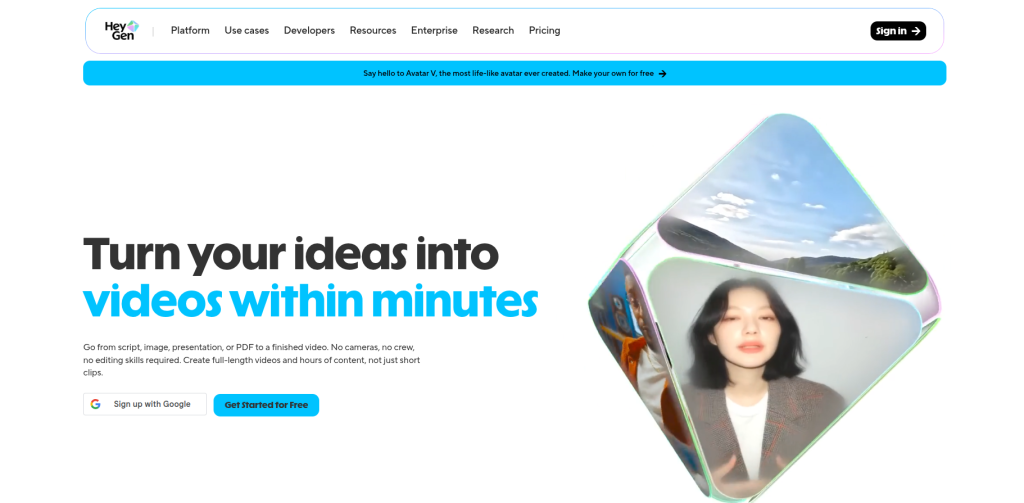
HeyGen is Synthesia’s closest competitor and has become the go-to tool for marketing teams that want the most lifelike AI avatars available, powered by its Avatar IV technology.
Who Is It Best For?
Marketing teams, content creators, and agencies producing personalized or localized marketing video at volume, especially for social and short-form formats where avatar expressiveness matters more than enterprise-grade consistency.
Key Features
- Avatar IV: motion-capture-based avatars with natural head tilts, micro-expressions, and gestures
- Real-time translation into 175+ languages with lip-sync preservation
- Digital Twins, allowing users to build a personalized avatar from a photo and voice sample
- 500+ stock avatars on the entry plan
Pros
- Most realistic avatar technology currently available; testers in hands-on comparisons frequently mistook Avatar IV output for real footage
- Strong localization and translation workflow for global campaigns
- Large stock avatar library even at the entry tier
Cons
- Credit system makes real costs significantly higher than the advertised price; Avatar IV consumes 20 credits per minute, and a realistic 10-video monthly workflow can push a $29 plan to $59 or more
- Custom avatar slots require the $149/month Business plan
- Trustpilot satisfaction scores trail G2 scores noticeably, often tied to billing transparency complaints
Pricing
Free plan offers 3 videos/month with watermark. Creator is $29/month (200 credits). Pro is $49–$99/month depending on credit volume. Business starts at $149/month.
Expert Insight
Budget for HeyGen’s real cost, not its sticker price. If you’re producing more than a handful of Avatar IV videos a month, expect to land on Pro rather than Creator, and factor that into any comparison with Synthesia’s flatter minutes-based pricing.
9. Seedance 2.0
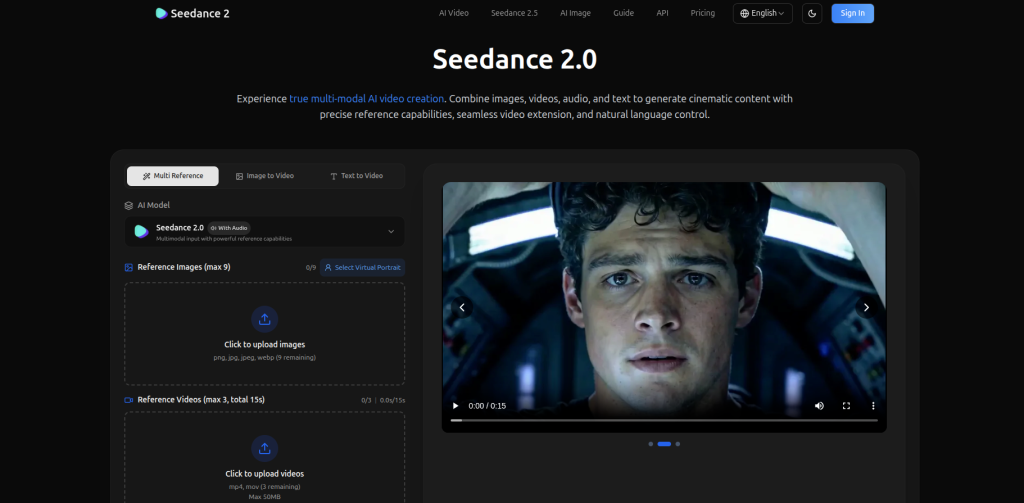
ByteDance’s Seedance 2.0, released in February 2026, topped multiple AI video benchmark leaderboards at launch and is known for exceptional character consistency and joint audio-video generation from a unified multimodal architecture.
Who Is It Best For?
Creators and brands who need strong character consistency across multiple shots and cinematic realism, particularly for narrative-style social content and product storytelling.
Key Features
- Accepts up to 9 reference images, 3 video clips, and 3 audio files per generation, the most flexible input format of any major model
- Native synchronized audio-video generation
- Multi-shot mode for sequences up to roughly 15 seconds
- 2K output, with 4K added to the model in mid-2026 updates
Pros
- Strong benchmark performance on both text-to-video and image-to-video tasks
- Generous free tier with daily refreshing credits and no watermark
- Best-in-class multimodal reference input for character and scene consistency
Cons
- Maximum 15 seconds per clip limits narrative use cases
- No LoRA support for custom fine-tuning
- Commercial licensing terms have not been clearly published by ByteDance, and the model faced a Motion Picture Association cease-and-desist over copyright concerns in early 2026
- Primary access is through Dreamina/Jimeng rather than a dedicated Western platform
Pricing
Free tier with daily refreshing credits, no watermark. Paid plans start around $18–$20/month through Dreamina, with third-party API access available through platforms like Atlas Cloud.
Expert Insight
Seedance’s free tier is genuinely the most generous on this list, watermark-free output at zero cost is rare. The unresolved commercial licensing question is the real caveat. For high-stakes client or brand work, confirm usage rights before publishing anything generated commercially.
10. PixVerse
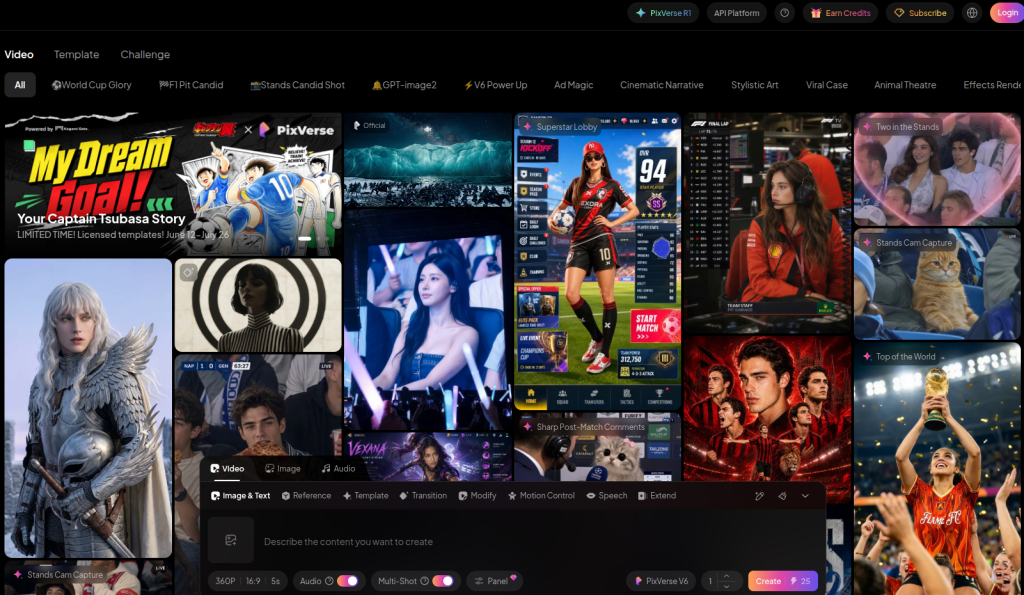
PixVerse rounds out this list as a flexible multi-model access point, giving creators a single interface to test Seedance 2.0, Kling, and other leading models without committing to separate subscriptions for each.
Who Is It Best For?
Creators and small agencies who want to compare outputs from multiple top models on the same prompt before settling on a primary tool, without paying for several full subscriptions.
Key Features
- Access to Seedance 2.0, alongside other leading video models, from one credit pool
- Promotional discounted access to premium models during rollout windows
- Straightforward credit-based pricing across Pro, Premium, and Ultra tiers
Pros
- Useful for direct side-by-side model comparison
- Lower cost of entry for testing premium models like Seedance 2.0
- Frequently updated with new model integrations as they launch
Cons
- Quality and consistency depend on the underlying model selected, not a proprietary engine
- Promotional pricing isn’t guaranteed to last
- Less suited for users who already know which model they want and don’t need comparison tools
Pricing
Credit-based plans with Pro, Premium, and Ultra tiers; promotional access to Seedance 2.0 has run as low as 70% off list price during limited windows.
Expert Insight
If you’re undecided between Seedance, Kling, and other top models, a multi-model platform like this is a smarter way to test than buying three separate subscriptions. Once you find your primary model, it’s usually cheaper to subscribe directly.
Feature, Pricing & Use-Case Comparison
Feature Comparison
| Tool | Native Audio | Max Clip Length | Reference Images | Editing Tools |
| Google Veo 3.1 | Yes (48kHz dialogue) | 8s (extendable) | Up to 3 | Flow camera controls |
| Runway | Add-on | 10s+ (60s on Gen-4) | Multiple | Aleph, Motion Brush, Act-Two |
| Kling AI | Yes | Up to 2 min | Multiple | Motion Brush |
| Luma Dream Machine | No (Ray3) | 5–10s | Keyframes | HDR/EXR export |
| Pika | Limited | 10s | Pikaframes | Pikaffects |
| Hailuo AI | Yes | 6–10s | Limited | Basic |
| Synthesia | Voice only | Unlimited (avatar) | N/A | Timeline editor |
| HeyGen | Voice only | Unlimited (avatar) | N/A | Avatar IV, translation |
| Seedance 2.0 | Yes | 15s (multi-shot) | Up to 9 images + 3 video + 3 audio | Multimodal editing |
Pricing Comparison
| Tool | Free Tier | Cheapest Paid Plan | Mid-Tier Plan |
| Google Veo 3.1 | Limited (Gemini app) | $7.99/mo | $19.99/mo |
| Runway | Yes (125 one-time credits) | $12–15/mo | $28/mo |
| Kling AI | Yes (66 daily credits) | $6.99/mo | $25.99/mo |
| Luma Dream Machine | Yes (30 watermarked/mo) | $23.99–30/mo | $90/mo |
| Pika | Yes | $8–10/mo | $30+/mo |
| Hailuo AI | Yes | Low-cost paid tier | Moderate |
| Synthesia | Yes (10 min/mo) | $18–29/mo | $64–89/mo |
| HeyGen | Yes (3 videos/mo) | $29/mo | $49–99/mo |
| Seedance 2.0 | Yes (daily credits) | ~$18–20/mo | Higher via API |
Best Use-Case Comparison
| Use Case | Recommended Tool |
| Cinematic ads with sound | Google Veo 3.1 |
| Long-form narrative clips | Kling AI |
| Post-production editing | Runway |
| Photorealistic product shots | Luma Dream Machine |
| Fast social content | Pika |
| Free quality testing | Hailuo AI |
| Corporate training | Synthesia |
| Localized marketing video | HeyGen |
| Character-consistent storytelling | Seedance 2.0 |
Workflow & Use Cases
Beginners: Start on a free tier (Hailuo or Kling) to learn prompting basics before paying for anything. Generate the same prompt three or four times to understand how the model interprets small wording changes.
Professionals and filmmakers: Use Luma or Runway for hero shots that need to hold up to scrutiny, and a faster, cheaper model like Kling or Veo’s Lite/Fast tier for storyboarding and previsualization before committing credits to a final render.
Marketing teams: A practical workflow looks like this: draft concepts in Pika or Hailuo for speed, generate final cinematic assets in Veo 3.1 or Seedance for the hero video, and use HeyGen or Synthesia for any presenter-led explainer or localization needs.
YouTubers: Veo 3.1’s native audio generation saves the most production time for narrated content, since you’re not adding voiceover and sound effects in a separate pass.
Agencies and business teams: Multi-model platforms (Runway’s bundled access, Luma Agents, or PixVerse) tend to make more financial sense than five separate subscriptions, particularly for teams producing across several formats and clients each month.
Best Practices for Better AI Video Output
Prompt writing: Be specific and descriptive rather than conversational. Use active verbs for subject motion (“the athlete sprints,” not “the athlete is running”), specify camera movement explicitly (“tracking shot,” “low angle, slow pan right”), and describe the visual style directly (cinematic, vintage, high-key lighting). Avoid stacking too many ideas into one prompt; one primary action per generation produces more coherent results.
Scene control: Use reference images wherever the platform supports them. Models like Veo’s Ingredients to Video and Seedance’s multimodal references dramatically improve character and object consistency across multiple generations, which matters most for any multi-shot or branded content.
Editing optimization: Generate in a fast, cheap mode first (Veo Lite, Kling Standard, Runway Turbo) to validate composition and motion before spending premium credits on a high-resolution final render. Most professional creators we spoke with reserve their top-tier model setting for the final 10–20% of their output.
Rendering optimization: Disable audio generation if you plan to add a separate voiceover or licensed music track in post; most platforms charge a meaningful premium for native audio. Avoid generating in 4K for anything destined for social platforms that compress to 1080p anyway.
Common mistakes to avoid: Treating the first generation as final (most usable clips take 3–5 iterations), underestimating credit consumption on “unlimited” plans that actually throttle speed instead of capping output, and skipping a commercial licensing check on tools with unclear usage rights.
Limitations & Considerations
AI video generation has matured fast, but it still has real limits worth understanding before you build a workflow around it.
Hallucinations and inconsistent physics: Even top-ranked models occasionally produce extra fingers, objects that merge or disappear between frames, or motion that defies basic physics. This is improving but not solved.
Licensing concerns: Not every platform has clear commercial usage terms. Seedance 2.0, for example, faced a cease-and-desist from the Motion Picture Association in early 2026 over copyrighted character generation, and ByteDance has not published explicit commercial redistribution rights for its outputs. Always check a platform’s terms of service before using generated video in paid client work.
Costs at scale: Per-second and credit-based pricing can look cheap for a single clip and then balloon once you account for retries. Most workflows need 3–5 generations to land a usable final clip, so budget accordingly rather than trusting the headline per-video price.
Rendering delays: Queue times during peak hours remain a real friction point, particularly on Runway and Kling, where 10–20 minute waits are common even on paid tiers.
Ethical concerns: Deepfake-adjacent capabilities, particularly in avatar and face-reference tools, raise real concerns around consent and misuse. Most major platforms now have content filters blocking recognizable real faces or copyrighted characters, but enforcement varies by tool.
Vendor risk: The Sora shutdown is a useful reminder that this category is still volatile. A tool that’s a market leader in January can be discontinued by April. Avoid building business-critical workflows around a single vendor without a backup plan.
Final Verdict
The AI video generator market in 2026 looks meaningfully different than it did even six months ago. Sora’s exit removed one of the category’s biggest names, and Google, Kuaishou, and ByteDance have filled that gap with Veo 3.1, Kling 3.0, and Seedance 2.0 respectively, each with a genuinely different strength.
If you want one tool that does almost everything well, Google Veo 3.1 is the safest choice, particularly for anyone who values native audio and doesn’t want to manage multiple subscriptions. If budget and clip length matter more than raw polish, Kling AI delivers the best value in the category right now. Runway remains the strongest pick for anyone who needs serious post-generation editing control, not just generation. For avatar-led marketing and training content, the choice comes down to expressiveness versus predictability: HeyGen for the former, Synthesia for the latter.
Looking ahead, expect clip lengths to keep extending (ByteDance’s upcoming Seedance 2.5 is targeting native 30-second generations), and expect pricing to keep shifting as compute costs and competition both intensify. The biggest lesson from 2026 so far isn’t about any one tool’s features, it’s that this market moves fast enough that building a workflow around a single vendor is risky. Test broadly, keep your workflow model-agnostic where you can, and reassess your stack every few months rather than locking into a single platform for the year.
Frequently Asked Questions
What is the best free AI video generator in 2026?
Hailuo AI (MiniMax) currently offers the most usable free tier, generating 1080p output without an immediate paywall, though clips are short and rate-limited during peak times.
What is the best AI video generator for YouTube?
Google Veo 3.1 is the strongest fit for YouTube content because of its native synchronized audio, which saves significant post-production time on narrated or dialogue-driven videos.
Is there a completely free AI video generator with no watermark?
Seedance 2.0’s free tier offers daily refreshing credits with no watermark, making it one of the more generous free options currently available, though commercial licensing terms remain unclear.
What happened to Sora?
OpenAI discontinued the Sora app and web experience on April 26, 2026, citing high compute costs and low revenue relative to its user base. The Sora API is scheduled to shut down entirely by September 24, 2026.
Which AI video generator is best for realistic human motion?
Kling AI and Luma’s Ray3 model are currently considered the strongest for realistic human motion, with Kling also leading on multilingual lip sync.
What is the cheapest paid AI video generator?
Kling AI’s Standard plan at $6.99/month is currently the lowest-priced commercial-use tier among major platforms.
Can I use AI-generated video for commercial projects?
Most platforms allow commercial use on paid tiers, but terms vary. Always check the specific licensing language; some tools, including Seedance 2.0, have unresolved copyright questions that make commercial use riskier.
Which AI video tool is best for talking-head or avatar videos?
HeyGen leads on avatar realism and expressiveness; Synthesia leads on enterprise compliance and consistency for long-form training content.
How long can AI-generated video clips be?
Most models cap single generations between 5 and 15 seconds. Kling AI is a notable exception, supporting extensions up to 2 minutes through its video extension feature.
Do AI video generators support 4K resolution?
Some do. Google Veo 3.1’s Quality tier supports 4K, Runway supports 4K on higher plans, and Seedance 2.0 added 4K output to its core model in mid-2026, though it consumes credits significantly faster than standard resolution.