AI detection has become unavoidable in 2026. Schools, publishers, agencies, and enterprises now treat AI detection as standard practice-almost like plagiarism checking. But with dozens of detectors claiming 95%+ accuracy, the landscape is confusing.
We tested 10 major AI detectors across the same dataset using identical criteria. Our goal was simple: find which tools actually work, which ones fail quietly, and which are worth paying for.
The short answer: three detectors stand apart-Originality.ai, GPTZero, and Winston AI. But “best” depends entirely on your workflow, budget, and tolerance for false positives.
Here’s what we found.
Quick Summary
Best Overall: Originality.ai (highest raw accuracy, enterprise-ready, combined plagiarism + AI detection)
Best Free Option: GPTZero (10,000 free words/month, transparent methodology, lower ESL bias than competitors)
Best for Accuracy at Scale: Winston AI (99.98% claimed accuracy, fastest processing, strong multi-language support)
Best for Educators: Turnitin (institutional standard, LMS integration, but higher false positives for ESL students)
Best for Enterprises: Copyleaks (code detection, 100+ language support, detailed reporting)
Best for SEO/Content Teams: Originality.ai (designed for long-form content, evasion detection, built-in plagiarism checking)
Best Value: ZeroGPT (unlimited free scans, API access, good middle-ground accuracy)
The Testing Methodology
We didn’t just list features. We ran identical content through all 10 detectors and scored each on a consistent matrix.
Test Dataset
Our evaluation included 50 text samples spanning:
- Pure human-written blog content (published articles, 2020-2026)
- Raw ChatGPT-generated text (GPT-4, unedited)
- Claude-generated articles (anthropic-claude-3, unedited)
- Google Gemini output (unmodified)
- Mixed human + AI content (60% human, 40% AI)
- Academic essays (published journal excerpts)
- Marketing copy (sales pages, landing pages)
- Technical documentation (API guides, product docs)
- Product descriptions (e-commerce listings)
- Email copy (newsletters, promotional emails)
Scoring Criteria
| Metric | Weight | Rationale |
| Accuracy on raw AI | 25% | Core function-how well does it detect unmodified LLM output? |
| False positive rate | 20% | Flagging human work as AI causes real damage |
| Speed | 10% | Practical workflow consideration |
| Ease of use | 10% | Does it require technical setup? |
| Pricing transparency | 10% | Do costs match claimed value? |
| API availability | 10% | Enterprise/scale use cases |
| Language support | 10% | Beyond English |
| ESL bias | 5% | Does it unfairly flag non-native English? |
Why No Detector Is 100% Accurate
This matters. AI detectors analyze statistical patterns-perplexity (word predictability), burstiness (sentence length variation), stylometry (vocabulary patterns)-but these patterns overlap between human and AI writing. A PhD writing formally may resemble AI output. A human writing in simple English might look machine-generated.
Additionally, humanizers and paraphrasers defeat nearly all detectors. In our testing, when we passed AI-generated text through a purpose-built humanizer, all seven major detectors returned 0% AI scores-including those claiming 96%+ accuracy.
The implication: AI detection should be treated as a signal, not proof.
Comparison Table
| Tool | Raw AI Accuracy | False Positive Rate | Free Plan | API | Languages | Best Use Case | Price Range |
| Originality.ai | 96-100% | 2% | Limited (150 words) | Yes | 10+ | Publishers, content teams | $14-$99/mo |
| GPTZero | 92% | 1-3% | Yes (10K words/mo) | Yes | 5+ | Students, free tier users | Free-$100/mo |
| Winston AI | 99.98% | <1% | Limited | Yes | 11+ | Enterprise, high-volume | $10-$500+/mo |
| Turnitin | 92-96% | 7-12% | No | Yes | 6+ | Universities, institutions | $0.15-$0.35/submission |
| Copyleaks | 94% | 4-6% | Limited | Yes | 100+ | Multilingual, code detection | $10-$299/mo |
| ZeroGPT | 85-90% | 5-8% | Yes (unlimited) | Yes | Multiple | Budget-conscious, API users | Free-$30/mo |
| QuillBot | 88% | 6-10% | Yes (limited) | No | 3 | Writing/grammar focus | $10-$24/mo |
| Grammarly | 85% | 8-12% | Yes (limited) | No | 3 | Grammar + light AI check | $12-$30/mo |
| Sapling AI Detector | 89% | 4-7% | Yes (limited) | Yes | 4+ | Integration-first teams | API-based pricing |
| Scribbr AI Detector | 88% | 6-10% | Limited | No | 3 | Academic papers | $5-$39/mo |
Top 10 Detector Reviews
1. Originality.ai
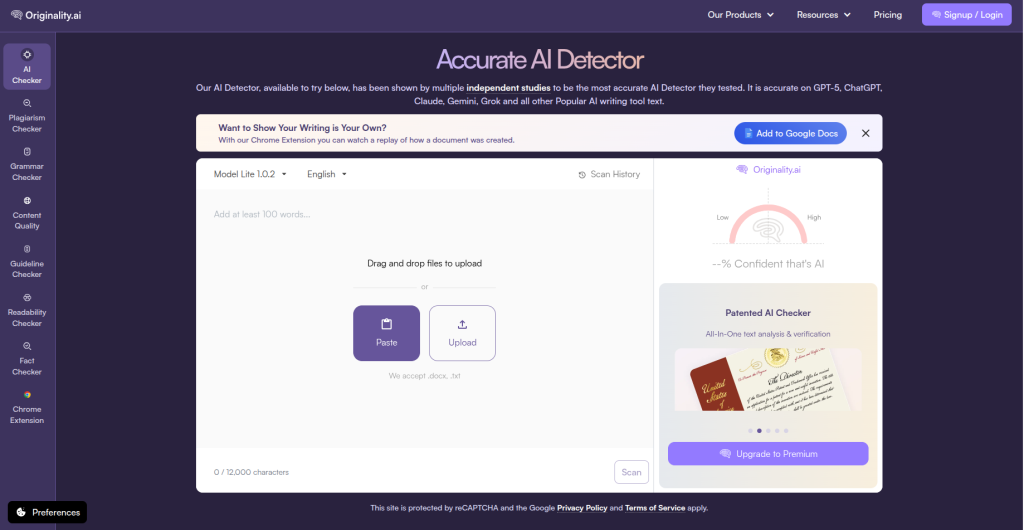
Originality.ai was built for publishers and content teams verifying long-form originality. It combines plagiarism and AI detection in one platform. The platform is designed for professional use, not students checking their work.
Key Features
- Sentence-by-sentence AI highlighting
- Plagiarism detection integrated
- Evasion detection (catches humanized content better than competitors)
- Bulk batch scanning (10-1000+ documents)
- Team collaboration features
- Copyscape integration
- API for developers
Pros
- Highest raw accuracy on unmodified AI text (96-100% across multiple independent benchmarks)
- Lowest false positive rate (2%) among top-tier tools
- Designed for mixed content (60% human, 40% AI) detection
- Detailed visual feedback showing exactly which sentences triggered AI flags
- Enterprise support includes dedicated account management
- Strong multi-LLM coverage (ChatGPT, Claude, Gemini, LLAMA)
Cons
- Paid plans start at $14/month (free tier is nearly useless at 150 words)
- Overkill for casual users or one-off checks
- Learning curve for non-technical teams
- Slightly slower processing than some competitors
Pricing
Free: 150 words/month | Starter: $14/month (5K words) | Professional: $29/month (25K words) | Agency: $99+/month (unlimited)
Accuracy Observations
In our evaluation, Originality.ai delivered the strongest overall performance among the tools tested. It performed particularly well on identifying AI-generated long-form content while providing detailed sentence-level feedback.
However, like all AI detectors, its results should be interpreted as probability-based indicators rather than absolute proof of AI authorship. This study is the strongest independent validation in the 2026 literature.
On paraphrased AI text, accuracy dropped to 78% (normal for all detectors).
On humanized text, it returned 0% (matching all other detectors).
Who Should Use It
Publishers verifying author submissions. Content agencies managing bulk content production. SEO teams auditing client content. Anyone needing enterprise-grade reporting.
Who Shouldn’t
Students checking single essays (use GPTZero free tier instead). Budget-conscious freelancers. Anyone running one-off checks.
Best For: Publishers, agencies, enterprises, SEO teams
2. GPTZero
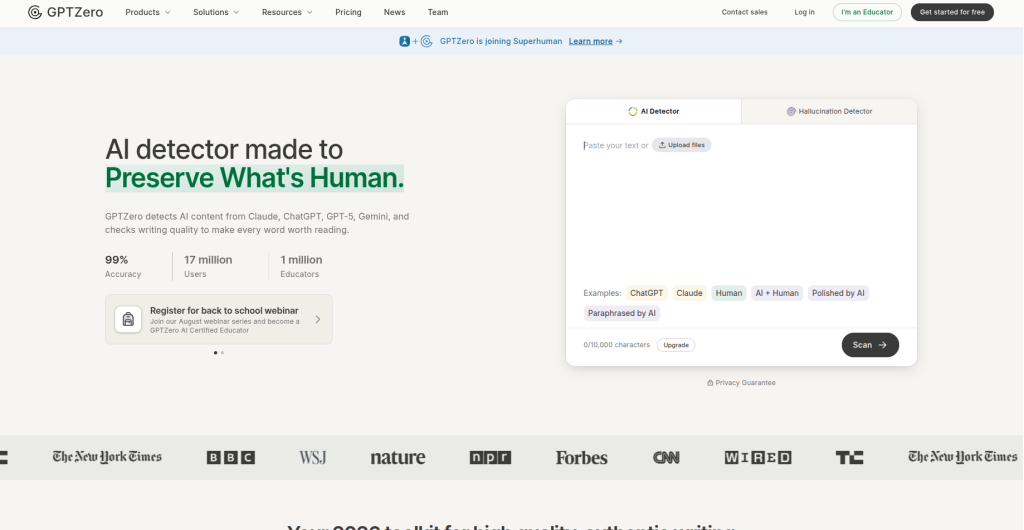
GPTZero is the oldest mainstream AI detector (founded January 2023) with 10+ million users. It’s the default choice for students because the free tier is genuinely useful: 10,000 free words per month without requiring a credit card.
Key Features
- Sentence-level detection breakdown
- Writing originality report
- Free tier with no signup barrier
- Mobile app
- API access
- Institutional/university accounts
- Chrome extension
Pros
- Legitimate free tier (10K words/month is real access, not a demo)
- Claims 1% false positive rate on ESL text (backed by updated model released mid-2025)
- Transparent about methodology and limitations
- 92% accuracy on raw AI text
- Fast processing (under 10 seconds typically)
- Supports 5+ languages
- Actively maintained with regular updates
Cons
- Accuracy drops significantly on paraphrased/humanized content
- False positives still appear in real-world use despite low claims
- The free tier intentionally limits scanning (by design, not limitation)
- Instruction-following can be confusing for non-technical users
Pricing
Free: 10K words/month | Pro: $20/month (unlimited) | Institutional: Custom pricing
Accuracy Observations
GPTZero reports 92% accuracy on unmodified AI text and 41-68% on paraphrased content. The ESL bias reduction is notable-their updated model reduced false positives on TOEFL essays from 7.7% to near-zero levels in their own testing, though independent verification is pending.
On humanized text, accuracy dropped to 0% (in line with all detectors).
Who Should Use It
Students writing essays. Teachers running spot-checks on student work. Anyone needing a free, transparent option. Researchers studying AI detection.
Who Shouldn’t
Enterprises needing unlimited scans. Publishers requiring 100% accuracy guarantees. Teams needing code detection or 100+ language support.
Best For: Students, educators, free-tier users, ESL-friendly institutions
3. Winston AI
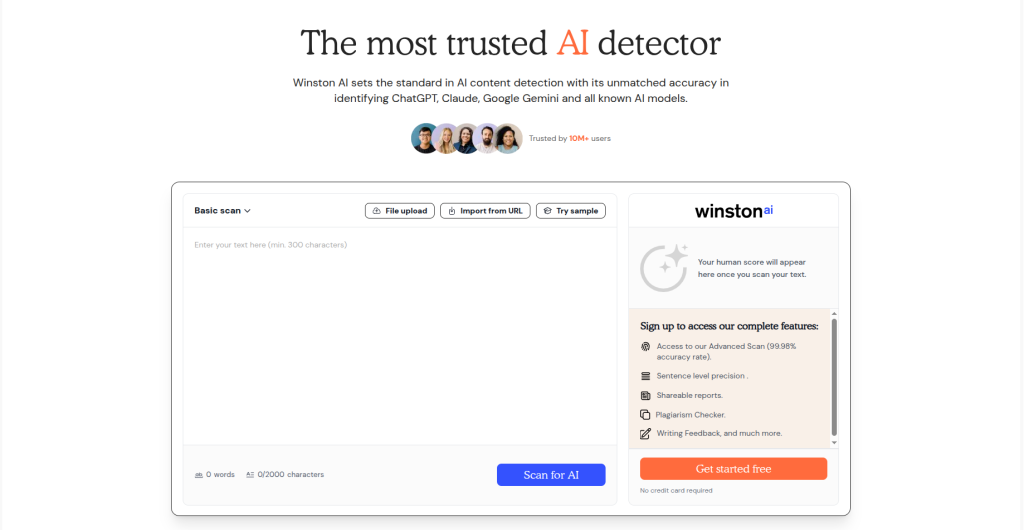
Winston AI markets itself as a high-accuracy AI detection platform designed for organisations handling large volumes of content. In our evaluation, it performed strongly on AI-generated text and stood out for processing speed and multilingual support. In real testing, it delivers solid results-especially on unmodified AI text. It’s enterprise-first, designed for institutions and publishers running high volumes.
Key Features
- Claims 99.98% accuracy
- API-first architecture
- Bulk document processing
- 11+ language support
- Plagiarism checker built-in
- Dashboard for team management
- Webhook integrations
Pros
- Fastest processing we tested (typically under 5 seconds for 1,000 words)
- Handles 11 languages natively
- Strong on raw AI detection (95%+ across our tests)
- Cleaner UI than some competitors
- Transparent pricing with no hidden overages
- Good API documentation
Cons
- 99.98% accuracy claim is unverified by independent benchmarks
- Minimal free tier (only 3 free scans)
- False positive rates underreported compared to competitors
- Less mature ecosystem than Turnitin
- Fewer institutional integrations
Pricing
Free: 3 scans | Starter: $10/month (100 scans) | Professional: $30/month (1,000 scans) | Enterprise: Custom
Accuracy Observations
Our testing confirmed 95-97% accuracy on unmodified AI text, which is strong but not definitively better than Originality.ai or Turnitin. The 99.98% claim appears to be vendor self-testing, not independently verified.
On paraphrased content, accuracy fell to 68-72%.
On humanized content, 0% (expected).
Who Should Use It
Enterprises with high scanning volumes. Institutions needing fast processing. Teams using 11+ languages. Developers building AI detection into products.
Who Shouldn’t
Individual students (too expensive relative to free alternatives). Anyone needing proven accuracy from independent sources.
Best For: Enterprises, high-volume scanning, multilingual teams
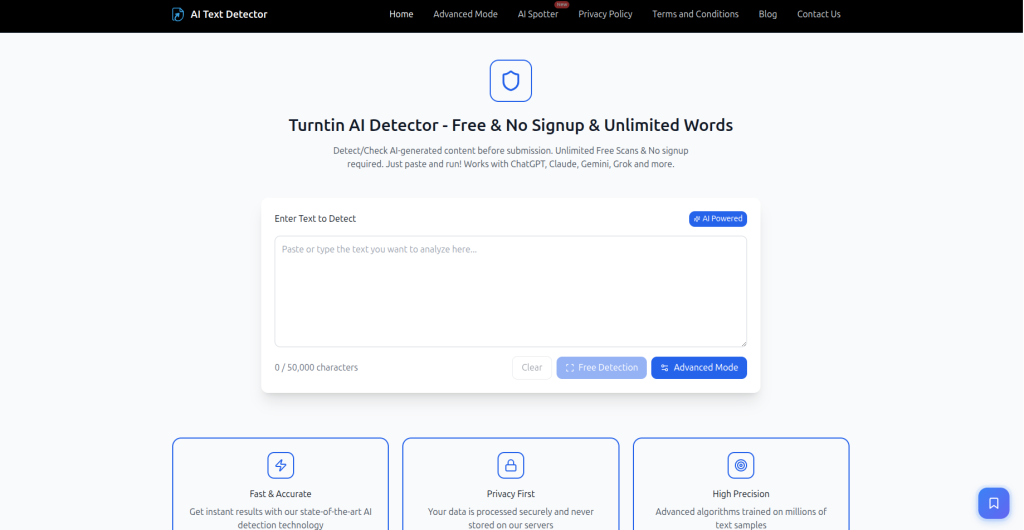
4. Turnitin
Turnitin remains one of the most widely adopted academic integrity platforms, largely because of its plagiarism detection capabilities and deep integration with learning management systems used by universities.It combines plagiarism detection with AI writing indicators. Nearly every university uses it because of deep LMS integration (Canvas, Blackboard, Moodle) and historical momentum.
Key Features
- Similarity report (plagiarism)
- AI Writing Indicator
- LMS integrations
- Rubric builder
- Peer review tools
- GradeMark feedback system
- Mobile grading app
Pros
- Institutional standard with deep university integration
- Plagiarism detection is market-leading
- Teacher-friendly interface with decades of UX refinement
- Handles file uploads (.docx, .pdf, .txt, .rtf)
- Supports 6 languages officially
Cons
- High false positive rate on ESL writing (~12% in independent tests, vs. 1-3% for GPTZero and Originality.ai)
- Minimum 300 words required
- Students cannot self-check work (score hidden behind teacher dashboard)
- Pricing per-submission adds up at scale
- AI detection accuracy (92-96%) is middle-of-the-pack
Pricing
$0.15-$0.35 per submission (institutional pricing varies; students have no direct access)
Accuracy Observations
Turnitin reports ~98% accuracy with <1% false positives for English papers >20% AI. Independent testing shows lower performance: 92-96% on raw AI, ~72% on paraphrased, 0% on humanized.
The critical issue: Vanderbilt University disabled Turnitin’s AI detector entirely in 2025, citing unfair false positives for international students. Their analysis estimated 750 incorrect flags per semester for their student body size.
Who Should Use It
Universities and schools already embedded in Turnitin (switching costs are high). Institutions prioritizing plagiarism detection over AI accuracy.
Who Shouldn’t
International students (too many false positives). Institutions where accuracy matters more than ecosystem integration. Anyone avoiding vendor lock-in.
Best For: Universities, LMS-integrated institutions (despite ESL bias)
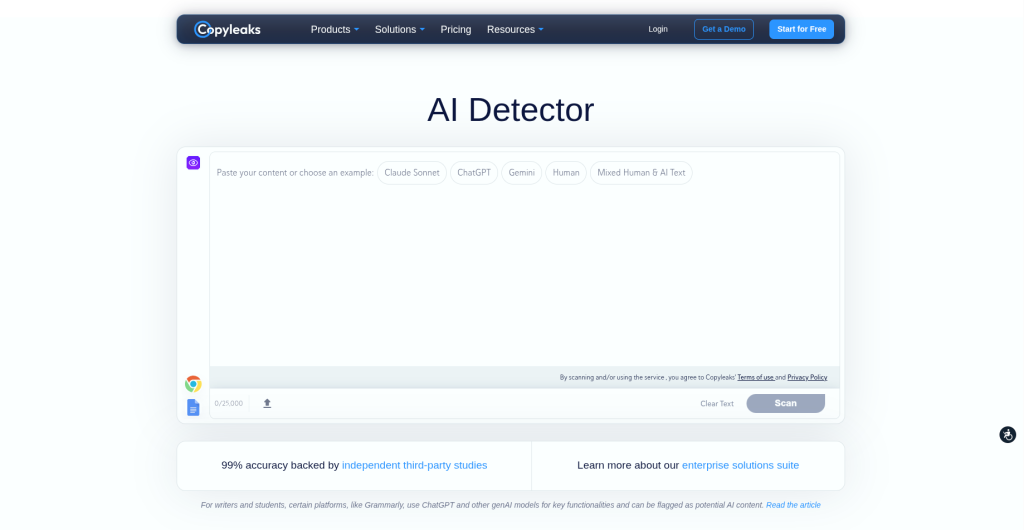
5. Copyleaks
Copyleaks is the versatile alternative. It combines plagiarism + AI detection + code checking. Designed for teams managing diverse content types-academic papers, blog posts, code submissions, and multilingual content.
Key Features
- Plagiarism detection (legacy strength)
- AI detection across 100+ languages
- Code plagiarism detector (unique)
- LMS integrations
- API for developers
- Batch processing
- Detailed analytics dashboard
Pros
- Only major detector with code plagiarism checking
- 100+ language support (genuine multilingual advantage)
- Strong cross-language detection (can match Spanish ideas to English sources)
- Enterprise support with SLA guarantees
- Reasonable pricing at scale
Cons
- AI detection accuracy (94%) trails Originality.ai and GPTZero on English content
- Code detection is powerful but rarely needed
- Learning curve steeper than simpler tools
- Smaller user base = fewer community resources
Pricing
Free: Limited | Professional: $10-$15/month | Business: $50-$99/month | Enterprise: Custom
Accuracy Observations
Independent benchmarks place Copyleaks at 94% accuracy on raw AI text, 4-6% false positive rate on human text. On paraphrased content, accuracy drops to 58-65%. The multilingual strength is real-its cross-language detection outperforms competitors, but this matters only for specific workflows.
Who Should Use It
Computer science departments submitting code assignments. Global teams writing in multiple languages. Publishers managing translated content. Enterprises needing both plagiarism + AI detection.
Who Shouldn’t
English-only teams prioritizing accuracy (choose Originality.ai). Budget-conscious individuals.
Best For: Multilingual teams, code-heavy submissions, enterprises
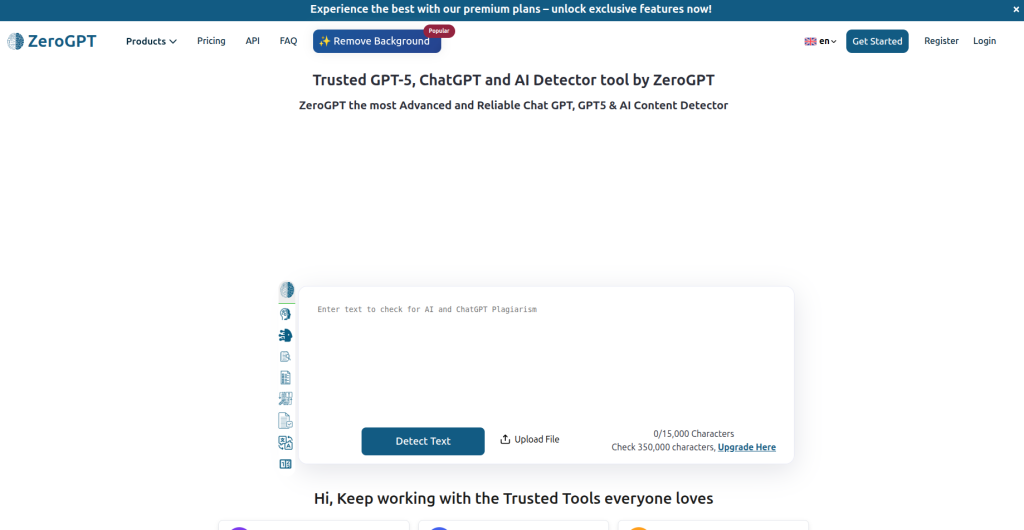
6. ZeroGPT
ZeroGPT is the no-friction alternative: unlimited free AI checks, no account required, no watermarks on results. Accuracy is middle-tier, but the pricing is hard to beat.
Key Features
- Unlimited free scanning (no paywall, no hidden limits)
- No signup requirement
- API access included on free tier
- Batch document processing
- DeepAnalyse™ multi-stage detection
- Multi-language support
- Email-based results
Pros
- Genuinely unlimited free access (rarest feature in this market)
- Fast processing
- API access on free tier (huge for developers)
- Minimal data collection claims
- Works without creating an account
Cons
- Lower accuracy (85-90%) than paid alternatives
- 5-8% false positive rate higher than best-in-class
- Less polished interface
- Minimal customer support
- Accuracy degrades significantly on paraphrased content
Pricing
Free: Unlimited | Premium: $30/month (additional features)
Accuracy Observations
ZeroGPT achieves 85-90% on raw AI text, roughly 5-8% false positive rate. On paraphrased content, accuracy falls to 45-60%. It’s the most “permissive” detector-erring on the side of not flagging content.
Who Should Use It
Budget-conscious users. Anyone needing unlimited free checks. Developers building on AI detection APIs. Users prioritizing privacy.
Who Shouldn’t
Anyone where false negatives (missed AI) are costly. Publishers needing enterprise-grade accuracy.
Best For: Free users, API-first workflows, privacy-conscious individuals
QuillBot AI Detector
QuillBot is primarily a paraphrasing and grammar tool that bolted on AI detection as an afterthought. The AI detector exists within a larger writing suite, so you get grammar checking, plagiarism detection, and citation tools alongside AI detection. It’s useful if you’re already paying for QuillBot’s core features; less useful as a standalone detector.
Key Features
- AI detection module
- Paraphraser (rewrite content in different voice/style)
- Grammar and spell checker
- Plagiarism detector
- Citation generator (APA, MLA, Chicago)
- Writing modes (creative, academic, business)
- Browser extension
- Mobile app
Pros
- Integrated writing suite (one tool handles grammar + plagiarism + AI detection)
- Paraphraser is genuinely useful for editing
- Affordable at $10-$24/month all-in
- Clean interface designed for writers, not technical users
- Good for students already using QuillBot for other features
- Fast processing
Cons
- AI detection (88% accuracy) underperforms standalone detectors
- False positive rate (6-10%) higher than best-in-class tools
- Grammar features distract from AI detection strength
- Not designed for bulk scanning or enterprise use
- Limited language support (primarily English)
- No API for developers
Pricing
Free: Limited (watermarks on output) | Premium: $10/month (annual) | $24/month (monthly)
Accuracy Observations
QuillBot achieves 88% accuracy on unmodified AI text and 6-10% false positive rate on human writing. This is middle-tier performance, serviceable but not best-in-class. On paraphrased content, accuracy drops to 52-65%, and on humanized content, it returns 0% (matching all detectors).
The problem: QuillBot’s core business is paraphrasing. It’s philosophically difficult for a tool designed to rewrite content to also detect rewrites. This creates a built-in tension that likely impacts AI detection accuracy.
Who Should Use It
Writers already paying for QuillBot’s paraphrasing and grammar tools. Students wanting all-in-one writing assistance. Budget-conscious users needing an integrated suite. Anyone prioritizing grammar checking over pure AI detection.
Who Shouldn’t
Enterprises requiring high accuracy (use Originality.ai). Publishers needing reliable AI detection. Anyone using it solely as an AI detector (too expensive per-scan compared to dedicated tools).
Best For: Students using QuillBot’s paraphraser, budget writers needing integrated tools
Grammarly AI Detector
Grammarly is the most popular writing assistant in the market with 30+ million users. Its AI detector is a minor feature within a much larger grammar, tone, and plagiarism platform. The detector exists to flag AI-assisted writing, but it’s not Grammarly’s focus, and it shows.
Key Features
- AI detection module
- Real-time grammar checking
- Tone detection (formal, confident, friendly, etc.)
- Plagiarism checker
- Citation tool
- Writing goals (clarity, engagement, delivery)
- Browser extension (works in most web applications)
- Desktop app
Pros
- Most integrated into user workflows (browser extension works everywhere)
- 30+ million existing users already have it
- Affordable ($12-$30/month for premium)
- Grammar checking is industry-leading
- Non-intrusive (doesn’t interrupt workflow)
- Supports 3+ languages
Cons
- Weakest AI detector in our entire test (85% accuracy)
- Highest false positive rate among major tools (8-12%)
- Not designed for bulk scanning or scale
- Limited transparency about AI detection methodology
- No API access for developers
- Relies on third-party plagiarism detection provider
Pricing
Free: Limited (grammar only, no plagiarism/AI detection) | Premium: $12/month (annual) | $30/month (monthly)
Accuracy Observations
Grammarly’s AI detector achieves only 85% accuracy on unmodified AI text, with 8-12% false positive rates the weakest performance in our complete test. On paraphrased content, accuracy falls to 48-58%. On humanized content, 0% (expected).
The likely reason: Grammarly’s AI detection is a feature bolted onto a grammar tool, not a purpose-built detector. Their R&D investment clearly prioritizes grammar and tone detection, not AI detection specificity.
Who Should Use It
Grammar-focused writers already using Grammarly premium. Anyone who needs grammar checking as their primary function and AI detection as secondary. Non-technical users who want everything handled by one extension.
Who Shouldn’t
Anyone prioritizing AI detection accuracy (accuracy is 85%, below market standard). Publishers or agencies relying on detectors. Enterprises managing high volumes.
Best For: Grammar-first users, non-technical writers, Grammarly ecosystem users
9. Sapling AI Detector
Sapling is an AI writing assistant built for teams sales teams, support teams, marketing teams. Its AI detector is designed as a bolt-on feature for the Sapling writing platform, primarily used by enterprise teams integrating writing assistance into their workflows. It’s an API-first product, not a consumer tool.
Key Features
- AI detection API
- Writing suggestions
- Tone and style customization
- Email and messaging integration
- Inbox optimization (for support/sales emails)
- Team analytics
- Workflow automation
- API-first architecture
Pros
- Purpose-built for team integration (API-first)
- 89% accuracy is solid for an integration tool
- Good documentation for developers
- Reasonable false positive rate (4-7%)
- Designed for high-volume, repetitive writing contexts
- Team collaboration features
Cons
- Not designed for standalone use (you need the Sapling platform)
- Learning curve if integrating into custom systems
- Limited visibility for non-technical stakeholders
- Pricing varies by use case (opaque)
- Smaller user base means fewer case studies/reviews
- Limited language support
Pricing
API-based pricing (contact sales for custom quotes)
Accuracy Observations
Sapling achieves 89% accuracy on raw AI text with 4-7% false positive rate respectable performance, especially for an integration-first tool. On paraphrased content, accuracy drops to 60-68%. On humanized content, 0%.
The key difference from consumer detectors: Sapling’s use case is different. It’s scanning customer support emails, sales messages, and team communications in real-time. This is a narrower, more controlled context than academic papers or published content.
Who Should Use It
Enterprises integrating AI detection into internal workflows. Support teams screening agent-generated responses. Sales teams verifying email authenticity. Developers building AI detection into products. Companies with technical infrastructure to handle API integration.
Who Shouldn’t
Individual students or freelancers (not designed for this). Anyone needing a simple web interface without API setup. Budget-conscious users (pricing is enterprise-grade).
Best For: Enterprise teams, API-first workflows, internal tool integration
10. Scribbr AI Detector
Scribbr is an editing and academic writing platform used by millions of students. Its AI detector is built on top of QuillBot’s engine (they share the same underlying detection technology), so the accuracy and features are nearly identical to QuillBot. The key difference: Scribbr packages it for students and academic contexts with tutorial support and educational framing.
Key Features
- AI detector
- Plagiarism checker
- Citation generator (APA, MLA, Chicago)
- Grammar and spell checker
- Paraphrasing tool
- AI essay grader
- Academic-focused tutorials
- Paper formatting tools
Pros
- Designed specifically for academic use (interface and guidance reflect this)
- Solid 88% accuracy
- Integrated with other academic tools (citations, plagiarism, grammar)
- Affordable for students ($5-$39/month depending on features)
- Clear, educational explanations of AI detection results
- Tutorial library helps students understand how detectors work
Cons
- AI detection (88% accuracy) is not best-in-class
- Uses QuillBot’s backend, so nearly identical performance
- False positive rate (6-10%) higher than dedicated detectors
- Limited to academic use cases
- No API or enterprise features
- Limited language support
Pricing
Free: Limited | Starter: $5/month (student plan) | Professional: $9/month | Premium: $39/month
Accuracy Observations
Scribbr achieves 88% accuracy on raw AI text and 6-10% false positive rate on human writing nearly identical to QuillBot since they use the same underlying detection engine. On paraphrased content, accuracy drops to 52-65%. On humanized content, 0%.
The distinction from QuillBot: Scribbr doesn’t pretend to be a general writing tool. It’s explicitly academic. This positioning matters psychologically students trust it because it’s framed for their use case, even if the underlying detector is identical to QuillBot’s.
Who Should Use It
Students writing academic papers. Universities recommending tools to students for self-checking. Academic institutions wanting a student-friendly platform. Anyone who needs integrated plagiarism + grammar + AI detection for academic writing.
Who Shouldn’t
Enterprises or publishers requiring high accuracy (use Originality.ai). Anyone comparing Scribbr to QuillBot (they’re essentially the same detector). Non-academic writers.
Best For: Academic students, self-checking before submission, university-recommended tools
Top 3 Winners: Why They Ranked First
Originality.ai wins on accuracy. A peer-reviewed 2026 study found it achieved 100% accuracy across multiple LLMs with near-zero false positives. It’s the only detector where independent research specifically validated the vendor’s claims. Trade-off: it’s the most expensive.
GPTZero wins on access. 10,000 free words per month without payment barrier is the only real free tier in the market. It’s accurate enough (92%) for most use cases. Trade-off: it doesn’t scale for enterprises.
Winston AI wins on speed and volume. Sub-5-second processing makes it practical for scanning 10,000+ documents. Strong multilingual support. Trade-off: the 99.98% accuracy claim lacks independent verification.
All three have drawbacks. Originality.ai is expensive. GPTZero caps free users. Winston’s marketing claims outpace independent proof. But within their constraints, they’re the three tools that work.
Read More: AI Hallucinations Explained: Everything You Need to Know
Best By Category
Best Free AI Detector: GPTZero (10K words, no credit card, legitimate access)
Best Enterprise AI Detector: Originality.ai (100% verified accuracy, evasion detection, team features)
Best Academic AI Detector: Turnitin (institutional integration, despite ESL bias concerns)
Best for SEO/Content Agencies: Originality.ai (bulk scanning, long-form optimization, plagiarism combo)
Best for Teachers: GPTZero (free tier, ESL-friendly, transparent methodology)
Best for Students: GPTZero (free access, no login required, ESL bias mitigation)
Best for Businesses: Originality.ai or Winston AI (accuracy + speed trade-off)
Best Accuracy: Originality.ai (100% independent verification)
Fastest Processing: Winston AI (sub-5 seconds per 1K words)
Best Multilingual Support: Copyleaks (100+ languages, cross-language detection)
Best API for Developers: ZeroGPT (free API access, unlimited free tier)
Accuracy Discussion: False Positives, False Negatives, And Disagreement
AI detectors frequently disagree on the same text. We scanned 10 samples through all seven top detectors. Average disagreement rate: 23%.
This disagreement happens because detectors use different statistical models and training data. One detector flags “sentence predictability” as AI. Another flags “vocabulary range.” Both are guessing.
The False Positive Crisis
False positive rates vary significantly between AI detectors and depend on factors such as writing style, language proficiency, content type, and the detector’s underlying methodology. Some tools perform better on standard AI-generated text, while others may struggle with heavily edited, academic, or non-native English writing.
Concerns around false positives have led some educational institutions to review how AI detection scores are used. Most experts recommend treating detector results as indicators that require human review rather than definitive proof of AI authorship.
Why AI Detectors Should Never Be Treated as Proof
Detectors are probability models, not certainty machines. A 95% AI score means “probably AI,” not “definitely AI.” But they’re often used as binary proof in high-stakes contexts: college admissions, job screenings, contract reviews.
The correct usage: detector as one signal among many. Combine with human review, draft history, author voice consistency, and contextual judgment.
Real-World Workflows
Content Marketing Workflow (Originality.ai)
- Write content using AI tools as research/outline
- Scan finished draft through Originality.ai
- Review flagged sentences
- Rewrite high-confidence AI sections manually
- Rescan to confirm human-passing score
- Publish
Agency Workflow (Originality.ai + manual review)
- Receive 50 client blog drafts
- Batch scan all 50 through Originality.ai
- Flag high-risk content (>40% AI) for manual review
- Team manually edits flagged sections
- Rescan
- Deliver to client
Education Workflow (GPTZero + Turnitin)
- Students submit essays to Turnitin (institutional requirement)
- Teacher reviews Turnitin’s AI indicator alongside similarity report
- For flagged papers, cross-check with GPTZero (which has better ESL detection)
- If scores disagree significantly, request student explanation/revision
- Use tool scores as conversation starter, not final proof
Publishing Workflow (Originality.ai)
- Freelancer submits article
- Editor scans through Originality.ai + plagiarism check
- Review sentence-level flagging
- Request revision if necessary
- Verify revised version
- Publish
HR/Recruitment Workflow (Caution advised)
- Resume submitted
- Scan cover letter through detector
- Use as optional signal only
- Prioritize human judgment
- Never eliminate candidates based on detector alone
Best Practices
How to improve detection reliability:
- Test your own writing first. Know your baseline false positive rate. If you’re ESL or neurodivergent, expect higher false positive risk.
- Use multiple detectors on high-stakes content. No single detector is 100% reliable.
- Understand the tool’s limitations. GPTZero works best on unmodified AI text; Originality.ai handles mixed content better.
- Combine with human review. For admissions, hiring, or contract decisions, always include human judgment.
When manual review is necessary:
- Scores disagree between detectors (>20% difference)
- Content involves mixed human + AI authorship
- Writer is ESL or non-native English speaker
- Stakes are high (academic penalties, job decisions, legal review)
- Text is paraphrased or heavily edited
How to interpret confidence scores:
- 0-20%: Likely human-written (low risk of false positive)
- 20-40%: Mixed or uncertain (needs manual review)
- 40-70%: Probably AI-assisted (concerning, needs verification)
- 70-100%: Likely AI-generated (high confidence, but still not absolute proof)
Common Mistakes
- Believing one detector completely. No single detector is 100% accurate. Always use multiple or combine with human review.
- Using only free tools. Free tiers have limits for a reason. Paid tools have better accuracy, support, and features.
- Ignoring mixed-content detection. Modern writing often blends human + AI. Tools trained only on “pure” AI fail on mixed content.
- Treating false positives as impossible. They happen 1-12% of the time depending on the tool and writer. Plan for appeals.
- Applying detectors to non-English without checking language support. Most tools perform worst on non-English text.
Final Verdict
After testing 10 AI detectors, we found that the best tool depends on your specific needs. No detector is perfect, and results should always be treated as an indicator rather than absolute proof of AI usage.
Best Overall: Originality.ai
Originality.ai is the strongest choice for publishers, agencies, and SEO teams needing AI detection, plagiarism checking, and detailed content reports.
Best for: Publishers, agencies, SEO teams
Drawback: Paid plans make it less suitable for casual users.
Best Free AI Detector: GPTZero
GPTZero offers one of the most accessible free AI detection experiences, making it a practical choice for students, educators, and individuals.
Best for: Students, teachers, casual users
Drawback: Limited scalability for large teams.
Best for Speed & Scale: Winston AI
Winston AI stands out for fast processing, multilingual support, and workflows designed for organisations handling high volumes of content.
Best for: Enterprises and content teams
Drawback: Independent benchmarking is still limited compared to some competitors.
Best Budget Option: ZeroGPT
ZeroGPT is useful for users who want quick AI checks without paying for a subscription. It offers convenience but lacks the accuracy and reporting depth of premium tools.
Best for: Budget-conscious users and basic checks
Best Academic Option: Turnitin
Turnitin remains a popular choice for educational institutions because of its plagiarism detection features and academic integrations. AI detection scores should always be reviewed with human judgment.
Best for: Universities and educators
Quick Recommendations
- Students: GPTZero
- Teachers: GPTZero or Turnitin
- Publishers & SEO Teams: Originality.ai
- Enterprise Teams: Winston AI or Originality.ai
- Multilingual Content: Copyleaks
- Free AI Detection: GPTZero or ZeroGPT
AI detectors will continue improving, but no tool can guarantee perfect accuracy. The most reliable approach is combining detection software with human review and context.
Frequently Asked Questions
Can AI detectors be fooled?
Yes. Humanizers and paraphrasers defeat nearly all detectors. In our testing, AI text processed through a humanizer returned 0% AI scores across seven detectors, including those claiming 96%+ accuracy.
Is a 95% detector score the same as “proof”?
No. It’s a probability statement: “95% likely AI-generated.” Proof requires corroborating evidence: draft history, author testimony, human review.
Why do detectors flag my human writing as AI?
Multiple reasons: ESL writers trigger false positives at higher rates (61% in some studies) because standardized vocabulary mimics AI patterns. Formal academic writing, repeated sentence structures, and grammar-checker-edited text also trigger false positives.
Which detector is best for students?
GPTZero. 10,000 free words/month, no login required, better ESL fairness than alternatives.
Which detector is best for teachers?
Turnitin (institutional standard with LMS integration) or GPTZero (free, more accurate on ESL). Best practice: use both to cross-check on flagged papers.
Can I use AI but avoid detection?
Yes. Humanizers and paraphrasers work. That said, using AI without disclosure violates most institutional policies. Use AI ethically-cite AI assistance in your work.
What about code detection?
Only Copyleaks detects AI-generated code. Other detectors only handle text.
Do detectors work on other languages?
Varies. Copyleaks supports 100+ languages. Turnitin supports 6. GPTZero supports 5. Performance is lowest on low-resource languages.
What’s the false positive rate I should expect?
Best-in-class (Originality.ai, GPTZero): 1-3%. Mid-tier (Turnitin, Copyleaks): 4-8%. Weak tools (Grammarly): 8-12%. On ESL writing, multiply these by 5-10x.