
New Siri AI Supported Devices at a Glance
| Device | Compatibility |
| iPhone | iPhone 15 Pro and later, iPhone 16 all models, iPhone 17 all models |
| iPad | iPad Pro (M1+), iPad Air (M1+), iPad mini (A17 Pro) |
| MacBook | MacBook Air (M1+), MacBook Pro (M1+), MacBook Neo (A18 Pro) |
| Mac Desktop | iMac (M1+), Mac mini (M1+), Mac Studio (M1 Max+), Mac Pro (M2 Ultra) |
| Apple Watch | Series 9 or later, SE 3, Ultra 2 or later with watchOS 27 |
What Is the New Siri AI?
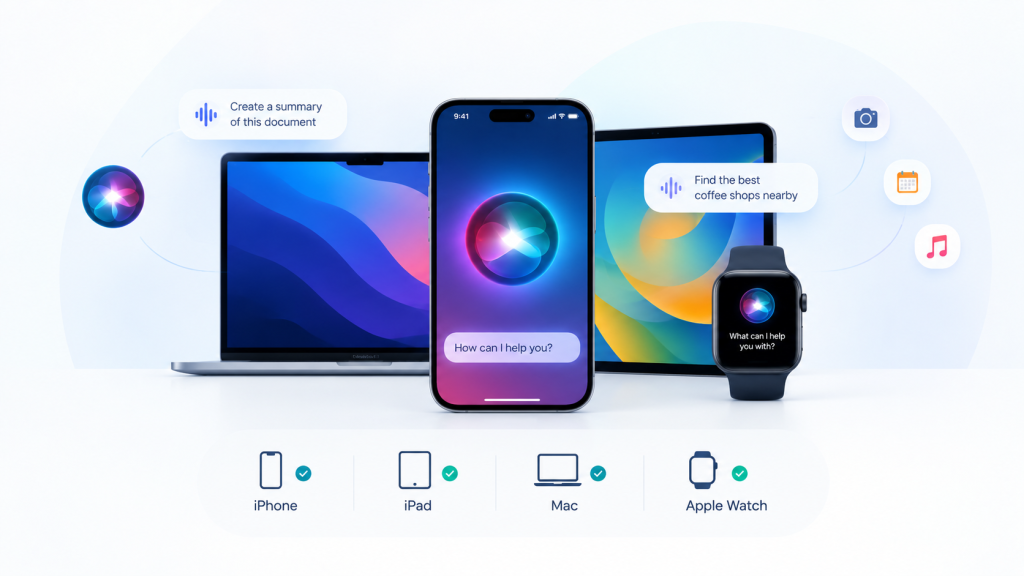
Traditional Siri arrived as a command-based voice assistant, responding to basic requests like setting timers, checking weather, and launching apps. The new Siri AI transforms this interaction model entirely. Powered by Apple Intelligence, the new Siri AI is a conversational assistant with deeper context awareness, broader knowledge capabilities, and meaningful integration across Apple’s ecosystem. Unlike its predecessor, Siri AI understands open-ended questions, personalizes responses based on your data, recognizes what’s on your screen, performs multi-app actions, and accesses broader world knowledge. The biggest shift: Siri moves from a tool for quick commands to a personal AI assistant you can engage in natural conversations with.
Read More: AI Computer Assistants vs Chatbots: What’s the Difference?
New Siri AI vs Old Siri: What Has Changed?
| Traditional Siri | New Siri AI |
| Basic voice commands | Natural, conversational interactions |
| Limited personal context | Understands your personal information |
| Single-app actions | Cross-app coordination |
| Basic factual answers | Broader world knowledge |
| No screen understanding | Recognizes onscreen content |
| No conversation history | Dedicated Siri app with conversation history |
The biggest change is that Siri becomes contextual and capable of understanding what you’re asking, what’s displayed on your screen, and which information matters across Apple’s apps.
New Siri AI Supported Devices
Siri AI Supported iPhones
Siri AI is available on:
- iPhone 17 Pro Max
- iPhone 17 Pro
- iPhone Air
- iPhone 17
- iPhone 17e
- iPhone 16 Pro Max
- iPhone 16 Pro
- iPhone 16 Plus
- iPhone 16
- iPhone 16e
- iPhone 15 Pro Max
- iPhone 15 Pro
All of these models run iOS 27 or later with support for Apple Intelligence.
Siri AI Supported iPads
Siri AI works on:
- iPad Pro (M1 and later)
- iPad Air (M1 and later)
- iPad mini (A17 Pro)
These devices require iPadOS 27 and must have Apple Intelligence enabled.
Siri AI Supported Macs and MacBooks
Supported models include:
- MacBook Neo (A18 Pro)
- MacBook Air (M1 and later)
- MacBook Pro (M1 and later)
- iMac (M1 and later)
- Mac mini (M1 and later)
- Mac Studio (M1 Max and later)
- Mac Pro (M2 Ultra)
All require macOS 27 and Apple Intelligence compatibility.
Siri AI-supported Apple Watch
With watchOS 27, Siri AI comes to:
- Apple Watch Series 12
- Apple Watch Series 11
- Apple Watch Series 10
- Apple Watch Series 9
- Apple Watch SE 3
- Apple Watch Ultra 4
- Apple Watch Ultra 3
- Apple Watch Ultra 2
The newest models (Series 12 and Ultra 4) also support Audio Intelligence features like Siri Recap and Live Rewind, though these remain in beta as of September 2026.
What Can the New Siri AI Do?
Natural Conversations
Ask Siri open-ended questions and engage in back-and-forth dialogue. You can brainstorm ideas, ask for advice, or explore topics in depth without repeating your request.
Personal Context
Siri AI searches your personal data, messages, emails, photos, and notes to answer your questions. Ask “Show me photos from my Tokyo trip,” and Siri retrieves them from years ago without needing specific details.
Onscreen Awareness
Siri understands what’s displayed on your screen and can help you interact with or learn more about it. Point to an address and ask Siri for directions, or highlight text and request a summary.
Cross-App Actions
Siri performs multi-app workflows. Edit a message you just sent, add a song to your workout playlist, create reminders from emails, or adjust home settings, all in one request.
Broader World Knowledge
Siri taps online sources to answer questions about virtually any topic. Get travel recommendations, recipe ideas, current events, or educational information instantly.
Dedicated Siri App
A new Siri app brings all your conversations into one place. Start a conversation on your iPhone and continue it on your iPad. Pin favorite conversations for quick access.
Visual Intelligence
On iPhone, iPad, and Mac, use Visual Intelligence to ask Siri about what you see. Take a screenshot, circle an item, and ask “What is this?” Siri can identify objects, provide nutritional info, search for products, and more.
What Are Siri Recap and Live Rewind?
Siri Recap
Siri Recap automatically creates high-level summaries of conversations after you enable it. Instead of recording full transcripts, Apple Intelligence generates a title and key points, which are saved to the Siri app for later review. This allows you to stay present in conversations while still capturing the essential details. Users control when Siri Recap is active and can enable or disable it anytime.
Live Rewind
Available on Apple Watch Series 12 and Ultra 4, Live Rewind shows the previous 15 seconds of a conversation as text. Double-press the Digital Crown to activate it. You can ask Siri about the captured content or save it to review later in the Siri app. An audible chime confirms when Live Rewind is active, protecting the privacy of those around you.
Both features arrive in beta later in 2026 and require an Apple Intelligence-enabled device.
When Is the New Siri AI Available?
Siri AI rolled out as a beta feature on September 14, 2026, with iOS 27, iPadOS 27, macOS 27, and watchOS 27. Initial availability is in English only. Support for French, Japanese, Korean, Portuguese, and Spanish is coming in October 2026.
Key availability notes:
- Siri AI arrives as a beta feature, not a full release
- English availability starts first
- Other languages coming in October 2026
- Not initially available in the EU on iOS, iPadOS, and watchOS
- Siri Recap and Live Rewind come in beta later this year
- Some features are subject to daily usage limits for processing
Siri AI Privacy and Limitations
Apple Intelligence prioritizes privacy through on-device processing for basic requests and Private Cloud Compute for complex tasks. This means Siri can understand your personal data without Apple storing it on servers.
Audio Intelligence features (Siri Recap and Live Rewind) do not record audio. Raw audio is processed in isolated hardware compartments and deleted immediately. Users can opt in or out of each feature individually.
Regional and language limitations apply: Siri AI is not available to users under 13, has limited EU availability, and some features require paired Apple Intelligence-enabled devices.
Frequently Asked Questions
What is the new Siri AI?
The new Siri AI is a conversational AI assistant powered by Apple Intelligence. It understands personal context, performs cross-app actions, recognizes onscreen content, and accesses broader world knowledge.
Which iPhones support the new Siri AI?
iPhone 15 Pro and later models all support Siri AI, including iPhone 16, iPhone 16e, iPhone 17, and iPhone Air models.
Does iPhone 15 support the new Siri AI?
Only iPhone 15 Pro and iPhone 15 Pro Max support Siri AI. Standard iPhone 15 models are not compatible.
Which iPads support Siri AI?
iPad Pro with M1 or later, iPad Air with M1 or later, and iPad mini with A17 Pro support Siri AI.
Which MacBooks support Siri AI?
MacBook Air, MacBook Pro (M1 and later), and the new MacBook Neo all support Siri AI.
Which Apple Watches support Siri AI?
Apple Watch Series 9 or later, Apple Watch SE 3, and Apple Watch Ultra 2 or later support Siri AI with watchOS 27.
What is Siri Recap?
Siri Recap creates summaries of conversations with titles and key points. Users can review these summaries later in the Siri app while staying present during conversations.
What is Live Rewind on Apple Watch?
Live Rewind shows the previous 15 seconds of conversation as text when you double-press the Digital Crown. You can save or ask Siri questions about the content.