Google AI Mode excels at broad web research with real-time citations and integrated search results. ChatGPT Search offers deeper conversational exploration with memory and follow-up capabilities. Choose Google AI Mode for quick answers and verified sources; choose ChatGPT Search for in-depth research and sustained conversations.
Key Takeaways
- Best Overall: Google AI Mode for breadth and real-time accuracy; ChatGPT Search for conversational depth
- Best for Research: ChatGPT Search with follow-up memory; Google AI Mode for current events
- Best for Everyday Search: Google AI Mode (faster, integrated with Google)
- Best for Students: ChatGPT Search (sustained research sessions with memory)
- Best for Professionals: Google AI Mode for verified sources; ChatGPT Search for complex analysis
- Best for Speed: Google AI Mode (instant indexing)
- Best for Source Quality: Google AI Mode (direct web integration with citations)
What Is Google Ai Mode?
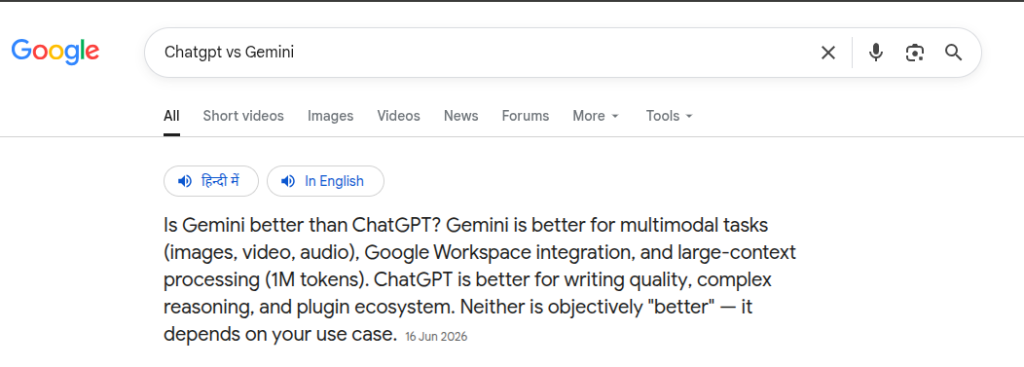
Google AI Mode represents Google’s direct response to conversational search evolution. Officially introduced as part of Google’s AI Overviews initiative, AI Mode transforms traditional search into an AI-first experience while maintaining Google’s foundational strength: access to the entire web in real time.
How It Works
When you search in AI Mode, Google’s AI systems synthesize information across multiple web sources and present a unified answer alongside traditional search results. Unlike traditional search where you receive 10 blue links, AI Mode serves an AI-generated summary powered by current web data, followed by source citations and related searches.
The system works by:
- Understanding your search query’s intent
- Crawling real-time web data across indexed pages
- Synthesizing information from multiple sources
- Generating a concise, cited response
- Displaying source links for verification
- Offering related searches and follow-up suggestions
AI Mode vs AI Overviews
Confusion exists around terminology. Google AI Overviews is the broader feature rolling out across Search. AI Mode is the dedicated interface emphasizing AI-first results. Think of AI Overviews as the feature; AI Mode as the search mode optimized for it.
Key Features
- Real-time web indexing (answers reflect current information)
- Direct source citations with clickable links
- Integration with Google Search’s ranking algorithm
- Support for complex, multi-part queries
- Visual elements and knowledge panels
- Mobile-optimized interface
- Voice search compatibility
- Contextual follow-up suggestions
Pros
- Instant access to current information (stock prices, breaking news, weather)
- Citations lead directly to source material
- Leverages Google’s 25+ year search dominance
- Faster than traditional search for many queries
- Seamless integration with Gmail, Maps, and Google services
- Proven accuracy for factual queries
- No login required for basic features
Cons
- Conversational memory doesn’t persist between sessions
- Limited ability to dive deep into sustained research threads
- Relies on indexed web pages (deep archives may be incomplete)
- AI Mode availability varies by region and device
- Cannot maintain context across multiple days of research
- May deprioritize certain query types (requires testing)
- Citation quality depends on source credibility
What Is ChatGPT Search?
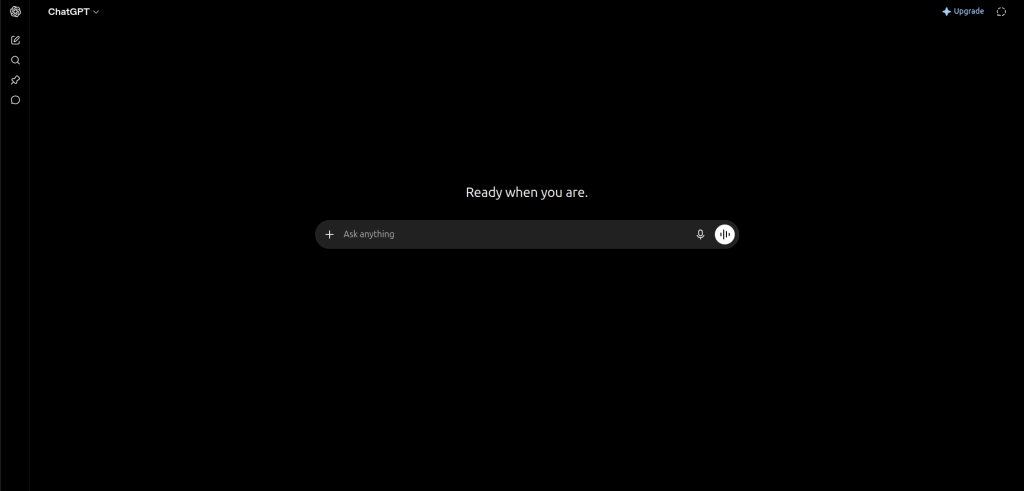
OpenAI’s ChatGPT Search, launched late 2024, represents a fundamentally different approach to AI-powered searching. Rather than retrofitting search onto an existing engine, OpenAI built search capabilities directly into ChatGPT’s conversational architecture.
Search Functionality
ChatGPT Search lets you toggle real-time web browsing directly within ChatGPT’s chat interface. When enabled, ChatGPT accesses current web information and incorporates it into responses. This happens transparently within the conversation flow, without redirecting to a separate search engine.
Real-Time Browsing
The tool can:
- Access current websites and pages in real time
- Read live data, articles, and pages you specify
- Incorporate recent news, data, and trends into responses
- Process multimodal content (text, images, tables from web pages)
- Reference specific URLs you provide
- Maintain accuracy for time-sensitive queries
Citation System
ChatGPT generates citations for web-sourced information. However, citations work differently than Google AI Mode. Rather than clickable links presented first, ChatGPT embeds citations within response text. You can click citations to see the source material, but they’re secondary to the conversational answer.
Follow-Up Conversations
The core advantage: sustained conversation context. ChatGPT remembers previous exchanges within a conversation. Ask a research question, receive an answer, pose three follow-ups, and ChatGPT maintains awareness of your original intent and previous responses.
Memory (Conversation-Based)
ChatGPT’s conversation history persists within a single chat thread. Multi-day memory features vary by subscription tier, but the same conversation can span weeks if not archived.
Search Workflow
- Ask a question (search is triggered automatically for certain queries)
- ChatGPT browses the web if needed
- Receives AI-generated answer with conversational context
- Ask follow-up questions without re-explaining your intent
- Refine results through dialog
- Export or save findings
Advantages
- Deep conversational exploration without context reset
- Natural language follow-ups maintain research momentum
- ChatGPT’s reasoning capabilities add analytical depth
- Subscription unlock advanced models (GPT-4, o1)
- Can provide synthesis across multiple sources
- Better for complex, multi-faceted research questions
- Memory preserves research context across sessions (with paid plans)
- Can help structure research and identify gaps
Limitations
- Requires active web browsing toggle
- Citation presentation feels secondary to the answer
- Free tier has limited browsing capability
- Requires OpenAI account
- May not always access time-sensitive data optimally
- Conversational format slower than quick-answer searches
- Regional restrictions on browsing availability
- Search results still depend on ChatGPT’s knowledge training
Google AI Mode vs ChatGPT Search: Detailed Comparison
Features Comparison Table
| Feature | Google AI Mode | ChatGPT Search |
| Real-time web access | Yes, integrated | Yes, toggleable |
| Persistent citations | Yes, prominent | Yes, embedded |
| Conversational follow-ups | Limited context | Full conversation memory |
| Speed of response | Fastest (milliseconds) | Moderate (1-3 seconds) |
| Voice search | Yes | Limited |
| Image upload for search | No | Yes (multimodal) |
| Login required | No | Yes |
| Free tier availability | Yes (limited) | Yes (limited) |
| Citation clickability | Direct to source | Direct to source |
| Multi-turn memory | None | Yes (within chat) |
| Advanced reasoning | Standard | Enhanced (paid tiers) |
| Mobile experience | Native | Web/app |
Search Accuracy & Reliability
Google AI Mode Accuracy
Google AI Mode benefits from 25+ years of search algorithm refinement. The ranking system that determines which sources are cited has been battle-tested across billions of queries.
For factual queries (population statistics, historical dates, technical specs), Google AI Mode demonstrates high accuracy. It pulls from Google’s indexed web, meaning sources are ranked and verified through years of user interaction data.
However, accuracy depends entirely on source quality. If the top-ranked pages contain outdated information, Google AI Mode may reflect that bias.
ChatGPT Search Accuracy
ChatGPT’s browsing capability adds recent information to a model trained on data through early 2024. This hybrid approach combines ChatGPT’s reasoning strengths with real-time data.
ChatGPT sometimes excels at synthesizing information across multiple sources, identifying patterns humans might miss. However, it can hallucinate or misinterpret source material, especially when sources are ambiguous or contradictory.
Accuracy testing shows ChatGPT Search performs well for synthesis tasks (comparing options, identifying trends) but less reliably than Google AI Mode for single-fact verification.
Winner for Accuracy: Google AI Mode for factual verification; ChatGPT Search for analytical synthesis.
Real-Time Information
Google AI Mode
Real-time data flows directly through Google’s search index. Breaking news, stock prices, weather, sports scores, and social trends appear instantly in AI Mode responses. The system is optimized for currency.
Response lag between event and indexing is typically under one minute for major news.
ChatGPT Search
ChatGPT searches the web when you ask time-sensitive questions, but it doesn’t have the same indexing pipeline as Google. Response times are slower, and very recent information (within hours) may be less reliable.
Winner: Google AI Mode for real-time data.
Source Citations
Google AI Mode’s Citation Approach
Citations appear prominently before the answer, listed as numbered sources or inline links. Clicking any citation takes you directly to the relevant section of the source page. The design prioritizes source verification.
Google surfaces citations from its top-ranked pages, which theoretically means higher-authority sources. The citation system is transparent and auditable.
ChatGPT Search’s Citation Approach
Citations appear inline within ChatGPT’s response. Rather than a dedicated “Sources” section, each claim includes a bracketed citation number. You click to see the source, but citations feel secondary.
This design prioritizes conversational readability over source prominence. For academic rigor or fact-checking, you must manually verify claims by clicking citations.
Winner: Google AI Mode if source verification is critical; ChatGPT Search if conversational flow is priority.
User Experience
Google AI Mode UX
Familiar Google interface. If you use Google Search, AI Mode feels natural. The AI-generated summary appears at the top, followed by traditional search results. You can toggle between “All results” and “AI” views.
Mobile experience mirrors desktop closely. Response times are nearly instantaneous.
ChatGPT Search UX
Requires login. The chat interface is minimalist and conversational. Web search feels like an add-on feature rather than the core experience.
The experience is more engaging for back-and-forth research but requires more active participation (typing follow-up questions) compared to Google’s scan-and-click model.
Winner: Google AI Mode for speed and familiarity; ChatGPT Search for engagement and interaction.
Follow-Up Questions
Google AI Mode
Google suggests related searches and follow-up questions at the bottom of AI summaries. These are clickable suggestions, not true conversational memory.
If you click a related search, it treats your follow-up as a new, separate search. Context from your original query doesn’t carry forward meaningfully.
ChatGPT Search
ChatGPT maintains full conversation context. Ask a research question, get an answer, then ask “Can you elaborate on the third point?” and ChatGPT understands exactly which point you mean without re-context.
This persisting context enables research workflows where each follow-up builds naturally on previous exchanges.
Winner: ChatGPT Search for sustained research sessions.
Search Speed
Google AI Mode: 200-800ms (depends on query complexity)
ChatGPT Search: 2-5 seconds (includes web browsing time)
Winner: Google AI Mode by a significant margin.
Research Quality
For academic and professional research:
Google AI Mode provides reliable, sourced starting points. The curated sources are ranked by established relevance signals. Ideal for establishing baseline knowledge quickly.
ChatGPT Search enables deeper analysis and synthesis. Its reasoning capabilities identify connections across sources that humans might miss. Better for generating novel insights from existing research.
Winner: Depends on research type. Google AI Mode for literature review preparation; ChatGPT Search for analytical synthesis.
Conversational Search Depth
Google AI Mode treats each search independently. Sophisticated reasoning across multiple research threads requires multiple searches.
ChatGPT Search lets you develop complex ideas across dozens of exchanges. You can hypothesize, test assumptions, and refine understanding conversationally.
Winner: ChatGPT Search for conversational depth.
Personalization
Google AI Mode: Limited personalization. Results reflect your search history minimally. Geographic signals (based on IP) influence results.
ChatGPT Search: Can be personalized if you’ve set preferences, but defaults to minimal personalization. You can instruct ChatGPT to tailor responses to your role or context.
Winner: ChatGPT Search offers more explicit personalization options.
Mobile Experience
Google AI Mode: Seamless on mobile. Responsive design, fast loading, one-handed navigation.
ChatGPT Search: Functional via web or app. The chat interface adapts to mobile but feels less natural than Google’s vertical list design.
Winner: Google AI Mode for mobile.
Voice Search
Google AI Mode: Integrates with Google Assistant and native voice search features.
ChatGPT Search: Limited voice capability (available on app via OpenAI’s voice interface).
Winner: Google AI Mode.
Multimodal Search
Google AI Mode: Primarily text-based. Can process images you upload for visual search, but AI Mode itself is text-centric.
ChatGPT Search: You can upload images or screenshots and ask ChatGPT to find related information, extract data, or analyze visual content. More versatile for multimodal research.
Winner: ChatGPT Search for multimodal queries.
Pricing & Availability
Google AI Mode
- Free (limited AI Overviews, with ads)
- Google One Premium ($20/month, unlocks faster AI features)
- Gradually rolling out; not available in all countries
ChatGPT Search
- Free plan (limited browsing)
- ChatGPT Plus ($20/month, unlimited browsing + GPT-4)
- ChatGPT Pro ($200/month, o1 model access)
- Available in most regions
Winner: Tie (both offer free tiers with limitations).
Real-World Use Cases
For Students
Google AI Mode: Ideal for quickly answering homework questions, understanding concepts, finding current events for essays. The speed and direct citations make it efficient for quick research.
ChatGPT Search: Better for writing research papers. You can develop arguments across multiple exchanges, ask ChatGPT to critique your thesis, refine ideas conversationally, and access sources for each claim.
Recommendation: Use Google AI Mode for quick fact-checking; ChatGPT Search for deep paper research.
For Researchers
Google AI Mode: Excellent for literature review initiation. Quickly identify major research areas, find authoritative sources, understand current state-of-the-art.
ChatGPT Search: Superior for synthesis and analysis. Develop complex research questions, identify gaps in existing literature, generate hypotheses.
Recommendation: Use both. Start with Google AI Mode to map the landscape, then ChatGPT Search to explore deeper questions.
For Seo Professionals
Google AI Mode: Critical for understanding how Google interprets queries and surfaces AI-generated answers. Informs content strategy for answer box optimization.
ChatGPT Search: Less directly relevant, but useful for analyzing competitor content and understanding how AI interprets topic authority.
Recommendation: Prioritize Google AI Mode for SEO optimization insights.
For Content Writers
Google AI Mode: Shows you how your content could appear in AI summaries. Helps identify gaps in coverage.
ChatGPT Search: Useful for researching topics, verifying claims, finding different angles and perspectives on stories.
Recommendation: Use ChatGPT Search for research, Google AI Mode to see how your content ranks in AI results.
For Developers
Google AI Mode: Quick debugging and syntax verification. Real-time documentation and Stack Overflow integration through search results.
ChatGPT Search: More effective for complex problem-solving. Can explain code, identify bugs through dialog, and suggest architectures conversationally.
Recommendation: ChatGPT Search for development research; Google AI Mode for quick reference.
For Businesses
Google AI Mode: Monitor competitive landscape, track market trends, understand customer sentiment through real-time search insights.
ChatGPT Search: Analyze business problems, develop strategies, synthesize market research across multiple sources.
Recommendation: Use both as complementary business intelligence tools.
For Marketing Teams
Google AI Mode: Keyword research and SERP analysis. Understand how search results are formatted and what content ranks.
ChatGPT Search: Campaign ideation, audience analysis, content strategy development.
Recommendation: Google AI Mode for search-focused strategy; ChatGPT Search for creative development.
For Shopping & Product Research
Google AI Mode: Quick product comparisons, price checking, review aggregation across retail sites.
ChatGPT Search: In-depth analysis of options with real-time availability and detailed pros/cons synthesis.
Recommendation: Use Google AI Mode for price/availability; ChatGPT Search for detailed analysis.
For Travel Planning
Google AI Mode: Current flights, hotel availability, weather, real-time travel alerts.
ChatGPT Search: Itinerary planning, restaurant recommendations, detailed destination analysis.
Recommendation: Use both together (Google for logistics, ChatGPT for strategy).
For Product Comparisons
Google AI Mode: Side-by-side specification comparison, aggregated reviews, current pricing.
ChatGPT Search: Detailed analysis of tradeoffs, use-case-specific recommendations, long-term value assessment.
Recommendation: Google AI Mode first to establish baselines, ChatGPT Search for nuanced analysis.
For Coding Questions
Google AI Mode: Syntax lookup, documentation, error message interpretation.
ChatGPT Search: Debugging assistance, architecture consultation, pattern explanation.
Recommendation: ChatGPT Search for learning; Google AI Mode for reference.
For Learning & Skill Development
Google AI Mode: Quick fact-checking and terminology verification.
ChatGPT Search: Structured learning through Socratic questioning, building understanding across multiple concepts, identifying knowledge gaps.
Recommendation: ChatGPT Search as primary tool for learning.
For Daily Searches
Google AI Mode: What’s the weather, who won the game, quick news updates.
ChatGPT Search: Unnecessary for basic daily searches; overkill unless you’re researching something substantial.
Recommendation: Google AI Mode exclusively.
Read More: AI Hallucinations Explained
Workflow Comparison: Researching “Effective Leadership In Remote Teams”
Using Google AI Mode
- Search “effective leadership in remote teams 2024”
- Google returns AI summary citing 4-5 sources (Harvard Business Review, McKinsey, Forbes)
- Read 2-minute summary
- Browse suggested related searches: “remote team communication,” “asynchronous leadership”
- Click a related search if you want to explore a subtopic
- Total time: 3-5 minutes
- Outcome: High-level understanding, multiple verified sources
Using ChatGPT Search
- Ask “What are the most effective leadership strategies for managing remote teams?”
- ChatGPT browses web and synthesizes 5-10 sources into conversational response
- You ask follow-up: “How does this differ from traditional in-office leadership?”
- ChatGPT provides nuanced comparison with specific examples
- Ask: “Can you recommend frameworks or models I should study?”
- ChatGPT suggests specific researchers and methodologies
- Ask: “What are the most common mistakes remote leaders make?”
- You’ve now built a comprehensive research foundation through dialog
- Total time: 10-15 minutes
- Outcome: Deep understanding, personalized to your context, sources embedded throughout
Key Workflow Differences
Google AI Mode optimizes for speed and efficiency. Best for: “I need the answer now.”
ChatGPT Search optimizes for depth and exploration. Best for: “I’m researching this and need to understand it thoroughly.”
Pros & Cons Comparison
Google AI Mode
Pros
- Fastest response times
- Real-time information for current events
- Prominent, auditable source citations
- No login required
- Integrated with Google services
- Proven accuracy for factual queries
- Mobile-optimized
- Accessible globally (with regional variations)
Cons
- No conversation memory between searches
- Limited follow-up context
- Feature availability varies by region
- Cannot handle multimodal input (images, files)
- Less sophisticated reasoning compared to advanced LLMs
- Relies on indexed web (historical data may be incomplete)
ChatGPT Search
Pros
- Sustained conversation context
- Advanced reasoning and synthesis
- Multimodal input (images, files, screenshots)
- More personalization options
- Better for complex, multi-part questions
- Can maintain research context across days
Cons
- Slower response times
- Requires login
- Free tier has limited browsing
- Citations feel secondary
- Can hallucinate or misinterpret sources
- Requires active participation (more typing)
- Limited voice search capability
- Regional restrictions on web browsing
Best Practices For AI Search
Verify Important Information
Never accept any AI search answer as definitive for critical decisions. Click citations and verify source material independently. AI systems occasionally misinterpret or misrepresent sources.
Best Practice: For healthcare, legal, or financial decisions, always verify with professional sources.
Cross-Check Citations
Read the source material, not just the AI summary. An AI system might accurately quote a source but quote it out of context.
Best Practice: Skim cited sources to ensure the AI’s summary accurately represents the source’s intent.
Use Follow-Up Prompts Strategically
With ChatGPT Search, ask clarifying questions. “Can you elaborate?” “What evidence supports this?” “Are there counterarguments?”
Best Practice: Treat AI search as a thinking partner, not an authority.
Compare Multiple Sources
Don’t rely on a single AI search result. Ask the same question multiple ways or use both Google AI Mode and ChatGPT Search.
Best Practice: Aim for 3-5 independent sources for any important finding.
Combine Both Tools for Complex Research
Use Google AI Mode to establish baseline knowledge and identify authoritative sources. Then use ChatGPT Search to explore deeper analytical questions.
Best Practice: Sequential research workflow: Google AI Mode, then ChatGPT Search.
Understand AI Limitations
Both tools can:
- Hallucinate citations (cite sources that don’t exist or don’t support the claim)
- Misinterpret ambiguous sources
- Reflect bias in indexed content
- Miss very recent information (especially ChatGPT)
- Struggle with niche or specialized topics
Best Practice: Assume AI answers are starting points, not conclusions.
Cite Your Sources
If using AI search for professional or academic work, cite the original sources, not the AI summary. The AI is a research tool, not the authority.
Best Practice: Link to original sources in your work, not to AI summaries.
Common Mistakes to Avoid
1. Blindly Trusting AI Answers
AI-generated responses can sound convincing even when they’re incorrect or incomplete.
Solution: Verify important information using the original sources.
2. Ignoring Source Quality
Not all cited sources are equally reliable. A blog post isn’t the same as official documentation or peer-reviewed research.
Solution: Prioritize authoritative and primary sources whenever possible.
3. Relying on AI Summaries Alone
AI summaries are useful starting points but shouldn’t replace thorough research, especially for important decisions.
Solution: Read the original sources and compare multiple references before drawing conclusions.
4. Using a Single Search Query
The way you phrase a question can significantly change the results you receive.
Solution: Search using different keywords and compare responses across multiple queries or tools.
5. Overlooking AI Limitations
AI tools can miss recent updates, reflect biases in their training data, or misunderstand your intent.
Solution: Provide clear context, use AI as a research assistant rather than a final authority, and cross-check information from multiple perspectives.
Limitations Of AI Search
Hallucinations and Confabulations
AI systems occasionally generate plausible-sounding information that’s completely fabricated. Google AI Mode’s integration with real-time sources reduces this risk; ChatGPT Search still hallucinates occasionally.
Real Example: An AI might cite a study that doesn’t exist or misrepresent a study’s findings.
Missing or Incomplete Citations
Sometimes AI systems generate answers without citing all sources. This is especially true for ChatGPT Search.
Real Example: ChatGPT synthesizes information from three sources but only explicitly cites one.
Regional Availability Gaps
Google AI Mode isn’t available everywhere. ChatGPT Search’s web browsing is restricted in certain regions.
Impact: Users in some countries lack access to these tools or receive degraded functionality.
Privacy Considerations
Google AI Mode sends search queries to Google (same as traditional Google Search). ChatGPT Search requires login and sends queries to OpenAI.
Consideration: For sensitive research, consider privacy implications.
Accuracy Limitations
Even Google AI Mode, with real-time web access, can’t catch every factual error on the web. Popular misinformation can rank highly.
Example: A widely-repeated falsehood might rank higher than the truth.
Real-Time Data Limitations
Google AI Mode is nearly instantaneous but sometimes misses information published within the past few minutes. ChatGPT Search has longer lag times.
Search Bias
Both systems reflect bias in:
- Indexed content (majority perspectives over minority)
- Source ranking algorithms (popular sources over obscure)
- AI training data (historical bias in training)
AI-Generated Mistakes
Complex reasoning questions sometimes produce confident-sounding wrong answers. AI struggles with:
- Quantitative comparisons (math errors)
- Causal relationships (confusing correlation)
- Counterfactuals (“what would happen if…”)
- The Future of AI Search
- AI-First Search
- Google and OpenAI are shifting from traditional link-based search to AI-generated answers. As AI summaries become more prominent, SEO strategies will increasingly focus on optimizing content for AI-powered search experiences.
- Agentic AI & Personalization
- The next generation of AI search will do more than answer questions—it will help complete tasks like planning trips, comparing products, and making reservations. Search results are also expected to become more personalized based on user preferences and context.
- Smarter Search Experiences
- Google is expanding AI across Search with better reasoning, multimodal capabilities, and improved citations. OpenAI is focusing on stronger reasoning, richer web search, longer conversation memory, and deeper integrations with productivity tools.
- What This Means
- Rather than replacing traditional search overnight, Google AI Mode and ChatGPT Search will continue to evolve for different strengths—Google leading in real-time information and discovery, while ChatGPT excels at conversational research and complex problem-solving.
Final Verdict
Choose Google AI Mode If You:
- Need answers fast (breaking news, quick facts)
- Want verified citations prominently displayed
- Prioritize access to current information
- Prefer familiar search interfaces
- Require real-time data (stocks, weather, sports)
- Don’t want to create an account
- Are doing casual research
- Perform voice searches frequently
- Value source credibility over reasoning
Choose ChatGPT Search If You:
- Need to explore ideas conversationally
- Perform sustained research sessions
- Want advanced reasoning and synthesis
- Prefer maintaining context across multiple questions
- Are writing, analyzing, or developing complex ideas
- Benefit from AI’s ability to identify connections
- Want to upload images or documents for context
- Are learning a new subject deeply
- Need the AI to help refine your thinking
Use Both Together If You:
- Conduct professional research
- Work in academia
- Create content based on research
- Make business decisions requiring thorough analysis
- Want confidence in accuracy through multiple perspectives
- Have time to cross-check findings
Frequently Asked Questions
Is Google AI Mode better than ChatGPT?
No single tool is universally better. Google AI Mode excels for speed, real-time accuracy, and source verification. ChatGPT Search excels for reasoning, conversational depth, and complex analysis. The best tool depends on your specific task.
Does Google AI Mode replace Google Search?
No. Google AI Mode is one search mode within Google Search. You can toggle between “All,” “News,” “Images,” and “AI” views. Traditional search results remain available.
Which AI search engine is more accurate?
Google AI Mode typically demonstrates higher accuracy for factual queries due to real-time web indexing. ChatGPT Search is more accurate for analytical and synthesis tasks. Accuracy varies by query type.
Which is better for research?
For literature review and initial research: Google AI Mode. For deep analysis and idea development: ChatGPT Search. For comprehensive research: use both together.
Which tool provides better citations?
Google AI Mode displays citations more prominently and makes verification easier. ChatGPT Search embeds citations within responses. Google AI Mode wins for citation clarity, but both provide access to sources.
Which AI search tool is faster?
Google AI Mode is significantly faster (200-800ms responses) compared to ChatGPT Search (2-5 seconds). Google’s speed advantage is substantial for quick searches.
Which AI search engine should students use?
For quick homework help: Google AI Mode. For research papers and deep learning: ChatGPT Search. For best results: use both complementarily.
Can I use both tools simultaneously?
Yes, you can use Google AI Mode and ChatGPT Search on different devices or browser tabs. Some users maintain both open for comparison research.
Do these tools replace traditional search?
No. All three—traditional Google Search, Google AI Mode, and ChatGPT Search—serve different needs. Traditional search remains essential for some query types.
What’s the difference between Google AI Overviews and Google AI Mode?
AI Overviews is the feature showing AI-generated answers. AI Mode is the search mode optimizing for AI Overviews. They’re related but distinct.