
Every AI assistant claims to transform how you work. Most of them deliver something narrower: a slightly faster way to draft an email or a convenient shortcut buried in a menu you rarely visit. Microsoft Copilot is different from those, but not always in the way Microsoft’s marketing suggests. Embedded across Word, Excel, PowerPoint, Outlook, and Teams, it has genuine potential to change daily workflows for people who live inside the Microsoft 365 ecosystem. The question worth asking in 2026, when AI tools compete hard for your attention and budget, is not whether Copilot is impressive. It’s whether it’s worth it for your specific situation.
This review gives you a straight answer.
What Is Microsoft Copilot?

Microsoft Copilot is an AI assistant integrated across the Microsoft 365 suite and Windows. Built on OpenAI’s GPT models through Microsoft’s Azure OpenAI partnership, Copilot differs from standalone AI chatbots in one major way: it works with your organization’s real data through Microsoft Graph. That means it can understand your emails, documents, meeting history, calendar, chats, and project files.
In practice, this makes a real difference. If you ask Copilot to draft a client proposal in Word, it doesn’t just generate a generic template. Instead, it pulls relevant context from recent client emails, past proposals stored in SharePoint, and notes from your latest Teams meeting to create something far more tailored to your actual workflow.
One thing that often confuses potential buyers, however, is that “Microsoft Copilot” isn’t a single product—it’s an umbrella term for several related offerings.
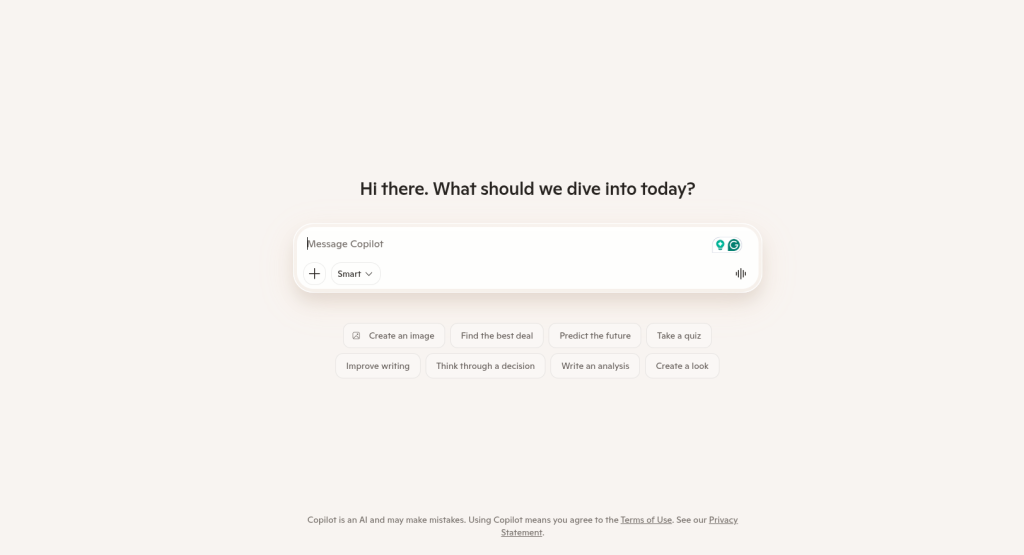
The short version: Copilot is not one product with one pricing model. The free Copilot version costs nothing and functions primarily as a web-based AI assistant. For personal productivity features inside Office, Microsoft 365 Premium became the consumer plan after Copilot Pro was retired in late 2025. Meanwhile, Microsoft 365 Copilot is the enterprise version designed to access and work with organizational data.
This naming overlap isn’t just a minor branding issue—it’s one of the product’s most frustrating aspects. The free version is essentially a capable AI chatbot, while the enterprise version is a deeply integrated workflow assistant. They share the same name, but beyond that, they’re fundamentally very different products.
Features in Practice
Word and Document Workflows
Word is where Copilot delivers some of its strongest value. Give it a prompt like “Write a project status report for our Q1 ERP rollout,” and it can generate a structured draft using context from emails, Teams chats, and SharePoint files. Its summarization capabilities are equally useful—large contracts, reports, or policy documents can be condensed into clear summaries, making it especially valuable for legal, compliance, and operations teams.
Excel
Excel highlights both Copilot’s strengths and weaknesses. It handles formula generation, trend analysis, and chart creation well when prompted in plain English. However, accuracy drops with complex financial models or multi-sheet dependencies, so analysts still need to verify outputs carefully.
PowerPoint
You can prompt Copilot to create a presentation or generate slides from a document. On the surface, it feels powerful as you go from zero to a draft deck in minutes. But once you start refining the output, the limitations become obvious. The slides often follow repetitive layouts, with generic content structured just enough to fill space, and the messaging does not always flow logically from one slide to the next.
This reflects a broader pattern with Copilot: it is excellent at producing first drafts but still needs human refinement before the output is presentation-ready.
Outlook and Teams
These are arguably where Copilot delivers the most consistent everyday value. Copilot in Outlook can draft emails, summarize inbox threads, and prepare for meetings, with agentic features currently in Frontier preview. Copilot in Teams summarizes meetings in real time, generates action items, and recaps missed calls.
For anyone who spends hours weekly on email triage and meeting follow-up, this is where the time savings feel tangible rather than theoretical. The meeting summary feature in particular works well, pulling names, decisions, and action items into a clean post-meeting record without requiring any manual note-taking.
Real-World Performance
Copilot performs best on structured tasks such as summarization, drafting, and data extraction—the areas where most enterprise users spend significant time. Because its outputs are grounded in Microsoft Graph data, hallucinations are generally less frequent than with many standalone AI chatbots, though verification is still necessary for critical work.
Real-world deployments suggest the strongest productivity gains come from document-heavy and communication-heavy teams. However, Copilot becomes less effective in mixed-tool environments. Teams relying heavily on Slack, Notion, or Google Workspace may find its value limited, since Copilot primarily understands the Microsoft side of their workflow.
Pricing: What You’ll Actually Pay
This is where Microsoft Copilot gets genuinely complicated. Here is the clearest breakdown available as of June 2026:
| Plan | Price | Who It’s For |
| Free Copilot | $0 | Anyone needing basic AI chat via web |
| Microsoft 365 Premium | ~$19.99/month | Individual consumers needing Office + AI |
| Copilot Business | $18/user/month (promotional through Dec 2026) | SMBs under 300 users |
| Microsoft 365 Copilot (Enterprise) | $30/user/month | Larger organizations on E3/E5 |
The critical detail many buyers miss is that each Copilot tier requires a qualifying Microsoft 365 base license, and the combined per-seat cost is often two to three times higher than the add-on price alone.
For a 100-person organization on Microsoft 365 Business Standard ($12.50/user) adding Copilot Business ($18/user), the all-in monthly cost is $30.50 per user, or roughly $36,600 annually. That’s before training, implementation, or any agent usage costs.
Microsoft announced base license price increases effective July 2026, so even if you don’t change your Copilot plan, your total cost will rise.
Is the paid plan worth it? For organizations with high documentation volume, regular meeting loads, and teams already disciplined in Microsoft 365 adoption, yes. For smaller teams or those still testing AI workflows, the promotional Copilot Business pricing at $18/user makes the entry point more reasonable, and the December 2026 deadline for that promotional rate is worth factoring into your procurement timing.
Who Gets the Most Value: Use Cases
Office professionals doing proposal writing, contract summarization, and internal report generation see the strongest returns. The combination of Word drafting with organizational context and Outlook triage is a genuine time multiplier.
Business analysts benefit most from the Excel natural language querying and the Teams meeting recap features, though they’ll need to verify complex formula outputs.
Marketers and content teams using Microsoft 365 will find Copilot useful for drafting briefs, summarizing research documents, and repurposing content across formats. The PowerPoint generator works best when converting an existing Word document into slides rather than building from a bare prompt.
Developers should note that Microsoft Copilot is not primarily built for coding workflows. While it offers basic coding assistance, tools such as GitHub Copilot, Claude, or ChatGPT generally provide stronger support for complex development and debugging tasks.
Students using Microsoft 365 through their institution will find the document summarization and writing assistance features useful, though the most relevant features require a paid plan their institution may or may not provide.
How Copilot Compares to ChatGPT, Claude, and Gemini
| Capability | Microsoft Copilot | ChatGPT | Claude | Gemini |
| Office Suite Integration | Excellent | Limited | Limited | Strong (Google Workspace) |
| Writing Quality | Good | Very Good | Excellent | Good |
| Coding Assistance | Moderate | Strong | Excellent | Good |
| Research / Reasoning | Good | Strong | Excellent | Strong |
| Context Window | Moderate | Very Large | Very Large (200K+) | Very Large (1M) |
| Free Tier Value | Basic | Moderate | Generous | Generous |
| Enterprise Data Grounding | Excellent | Limited | Limited | Strong (Google) |
The comparison above reflects a core truth: ChatGPT leads in versatility, Claude consistently produces the most nuanced and well-structured writing, Gemini handles long documents and Google Workspace workflows, and Copilot’s advantage is native Office integration that no competitor matches.
The right tool depends heavily on your existing workflow. Teams already working inside Google Workspace may find Gemini more natural, while users prioritizing deep reasoning, coding, or long-form writing often prefer ChatGPT or Claude.Microsoft Copilot is a compelling option for organizations looking to drive productivity gains across the entire business without compromising on security.
If you use Microsoft 365 as your primary work environment, Copilot’s integration advantage is real and difficult to replicate with any other tool. If you don’t, the gap closes considerably.
Pros and Cons
Limitations Worth Knowing
Copilot’s biggest limitations are cost, adoption friction, and ecosystem dependency. Despite strong early interest, many organizations struggle to scale usage after pilot programs, especially when employees work across tools Copilot cannot fully access.
The true cost is also higher than the advertised add-on price because a qualifying Microsoft 365 license is required. Beyond licensing, successful adoption often demands training and change management—without that investment, Copilot can easily become underused.
Best Practices for Getting More Out of Copilot
Getting better results from Copilot comes down largely to how you prompt it. Vague prompts produce vague outputs. Specific, structured prompts with context about audience, format, and purpose produce outputs that need far less revision.
A few practical tips that make a noticeable difference:
- In Word, specify tone, audience, and desired length in your initial prompt. “Draft a 300-word executive summary for a non-technical CFO audience, based on this Q2 report” will consistently outperform “summarize this.”
- In Excel, break complex requests into steps. Ask Copilot to identify trends first, then create a chart, rather than asking for both simultaneously.
- In Teams, enable meeting transcription before a call so Copilot has a complete record to work from when generating summaries.
- For Outlook, use Copilot’s coaching feature on important outbound emails rather than auto-drafting them entirely. It surfaces tone and clarity issues without replacing your judgment.
Final Verdict
Microsoft Copilot in 2026 is a genuinely capable AI productivity tool for the right user. Inside the Microsoft 365 ecosystem, it is the best-integrated AI assistant available, and its agentic capabilities, now generally available across Word, Excel, and PowerPoint, represent a meaningful step beyond the simple prompt-and-response tools of a year ago.
The bigger question is not whether Copilot works—it does. The real question is whether your organization is structured in a way that allows you to benefit from it. If your team runs its work through Teams, SharePoint, Outlook, and Office apps, Copilot makes meaningful daily tasks faster and produces outputs grounded in your actual organizational context. That is a real competitive advantage over any standalone AI assistant.
If your organization uses a mixed or non-Microsoft stack, if your budget doesn’t comfortably absorb the combined base plan and add-on costs, or if your team lacks a structured onboarding plan, Copilot is more likely to become shelfware than a productivity multiplier. The adoption data supports that conclusion.
Final recommendation: Pilot Copilot with a focused team of 20 to 50 users before committing to an enterprise rollout. Measure actual time saved on specific tasks rather than general satisfaction. Invest in role-specific prompt training, not just feature demonstrations. If the pilot shows measurable returns in your environment, scale. If it doesn’t, the promotional December 2026 deadline should not pressure you into a deployment your team isn’t ready to use.
Frequently Asked Questions
Is Microsoft Copilot free?
A basic free tier exists for web-based chat. However, the Office app integrations that make Copilot genuinely useful in Word, Excel, Outlook, and Teams require a paid plan and an underlying Microsoft 365 subscription.
Is Microsoft Copilot better than ChatGPT?
It depends entirely on your workflow. Copilot is better for business writing within Microsoft 365, while ChatGPT offers broader versatility, stronger creative capabilities, and a larger plugin ecosystem. For Microsoft-centric work, Copilot wins. For general-purpose AI use, ChatGPT or Claude typically offer more flexibility.
Can Copilot write PowerPoint presentations?
Yes. It can generate slides from a prompt or from an existing document. Copilot works best when converting existing content into slides rather than creating presentations from scratch. Expect to spend time refining layouts, narratives, and branding after the initial generation.
Is Copilot useful for Excel?
For basic analysis, trend spotting, and formula generation, yes. For complex multi-sheet financial modeling or advanced data transformations, it serves as a starting point rather than a complete solution.
What is the difference between Copilot free and Microsoft 365 Copilot?
Copilot Chat is the free tier, offering web-grounded AI chat and limited capabilities within select apps. It does not connect to your organization’s internal data. Microsoft 365 Copilot provides full integration with your emails, files, Teams conversations, and calendar via Microsoft Graph, along with advanced features across all Microsoft 365 apps.
How much does Microsoft 365 Copilot cost?
The enterprise add-on is $30 per user per month on an annual term. For organizations up to 300 users, Microsoft 365 Copilot Business is $18 per user per month promotionally through December 2026. A qualifying Microsoft 365 base plan is required either way.
Does Copilot hallucinate?
Yes, though less frequently than general-purpose chatbots because of its grounding in Microsoft Graph. You should still verify any specific facts, figures, or legal language it produces before using them in important documents.
Who should not use Microsoft Copilot?
Organizations using Google Workspace as their primary environment, teams whose critical data lives outside Microsoft tools, and individuals or small businesses who cannot justify the combined cost of a Microsoft 365 base plan plus the Copilot add-on.
Can Copilot summarize Teams meetings?
Yes, and this is one of its strongest features. Copilot in Teams summarizes meetings in real time, generates action items, and recaps missed calls. Meeting transcription must be enabled for best results.
Does Copilot work without a Microsoft 365 subscription?
No. Microsoft 365 Copilot requires a qualifying base plan. It is not sold on its own.