
Choosing between Claude Code and Cursor isn’t about finding the “better” AI coding assistant–it’s about finding the one that best matches your development workflow.
Although both tools can generate, edit, and refactor code, they take fundamentally different approaches. Claude Code is built around autonomous, agent-driven development, making it ideal for large codebases, complex refactoring, and terminal-first workflows. Cursor, on the other hand, enhances the familiar VS Code experience with fast inline completions, visual editing, and AI-powered pair programming.
As both platforms have evolved rapidly, the gap between them has narrowed, but their strengths remain distinct. The right choice depends on whether you prioritize autonomous execution, coding speed, repository size, team workflows, or developer experience.
In this comparison, we’ll break down Claude Code and Cursor across features, performance, pricing, AI capabilities, and real-world use cases so you can confidently choose the right tool–or decide whether using both offers the best of both worlds.
Quick Verdict: Claude Code vs Cursor
| Category | Winner | Why |
| Overall Best | Tie (context-dependent) | Each dominates different workflows |
| AI Pair Programming | Cursor | Real-time visual feedback, inline edits |
| Autonomous Tasks | Claude Code | Agent-first design, deep codebase understanding |
| Large Refactoring | Claude Code | 1M token context, multi-file coordination |
| Daily Coding Speed | Cursor | Supermaven autocomplete, instant feedback |
| Terminal Workflows | Claude Code | Native CLI, no context switching |
| Enterprise Teams | Claude Code | Skills, MCP servers, scalable agents |
| Beginners | Cursor | Familiar VS Code interface, less overwhelming |
| Budget-Conscious | Cursor (small projects) / Claude Code (large) | Pricing varies by usage pattern |
| Best Hybrid Setup | Use Both | $40/month combined beats either alone |
Claude Code vs Cursor at a Glance
| Attribute | Claude Code | Cursor |
| Company | Anthropic | Anysphere |
| Interface | Terminal, VS Code, JetBrains, Desktop, Web | VS Code fork (GUI) + CLI (2026) |
| Core Model | Claude Sonnet 4 (Opus 4.6 for Pro) | GPT-5, Claude, Gemini (model picker) |
| Context Window | Up to 1M tokens | ~200K tokens (max mode) |
| Agent Mode | Native (agentic-first design) | Composer + new agent mode (2026) |
| MCP Support | First-class (primary extension layer) | Supported (2025+) |
| Git Integration | Built-in terminal execution | Native GitHub integration + CLI |
| Free Plan | Yes (limited) | Yes (limited) |
| Pro Pricing | $20/month (or pay-as-you-go) | $20/month |
| Enterprise | $100-200/month (rate-limited) | $200/month + custom models |
| Best For | Autonomous coding, complex refactoring, large codebases | Everyday editing, visual feedback, pair programming |
What is Claude Code?
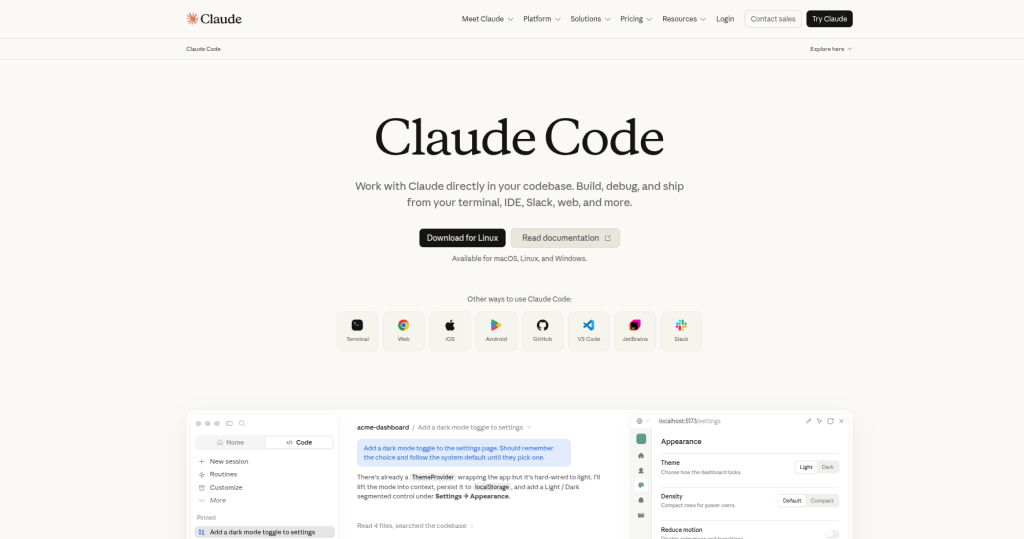
Claude Code is Anthropic’s agentic coding assistant, delivered as a command-line tool introduced in 2025 to provide developers with a “native” way to leverage Claude models within software workflows.
How it works: You type natural language commands or goals. Claude Code analyzes your codebase, plans multi-step tasks, and executes them autonomously-reading files, making edits, running tests, and committing code without asking for confirmation on each step.
Strengths:
- 1M token context window enables complex multi-file architecture changes and autonomous task execution
- Skills and plugins compose into reusable team-wide workflows
- Native terminal execution (no IDE switching)
- MCP support as primary tool extension surface with larger first-party MCP catalog
- IDE integrations (VS Code, JetBrains) without being locked to one
Ideal users: Backend developers, DevOps engineers, teams needing scalable autonomous workflows, developers who live in the terminal.
What is Cursor?

Cursor is an AI-native code editor and fork of VS Code with integrated AI including inline completion, chat panel, and background agents.
How it works: You code normally in VS Code. Cursor wraps it with AI: Tab completions predict your next edit, Composer edits multiple files at once, and you maintain full visual control via diffs before accepting changes.
Strengths:
- Supermaven autocomplete-acquired in 2024-delivers the most accurate next-edit predictor in the industry
- Familiar VS Code experience (lower learning curve)
- Composer evolved from sidebar chat into a multi-file agent capable of running tests and editing across the workspace
- Model picker (Claude, GPT, Gemini, custom endpoints)
- Cursor Rules for per-repo guidance
Ideal users: Full-stack developers, designers coding UI, developers who prefer visual IDE workflows, teams requiring real-time collaboration.
Claude Code vs Cursor: Feature Comparison
Code Generation & Architecture
Claude Code: Excels at multi-file architecture changes with 1M token context providing vast room for entire repositories. You describe a complex system; Claude Code generates connected files with proper imports and state management.
Cursor: Composer moved from sidebar chat to multi-file agent capability, but emphasizes visual feedback and inline control. You see each diff before accepting.
Winner: Claude Code (larger context, less back-and-forth for architecture).
Autocomplete & Real-Time Assistance
Claude Code: Command-based (you invoke tasks). No inline predictions.
Cursor: Supermaven autocomplete represents the most accurate next-edit predictor in the industry.
Agent Mode & Autonomous Execution
Claude Code: Moved into a self-maintaining agent platform with subagents, slash commands, plugin marketplace, and deep integration across terminal, IDE, and desktop.
Cursor: Shipped a CLI in January 2026 with agent modes and cloud handoff. Agent capability exists but is newer.
Repository Understanding & Large Codebases
Claude Code: 1M context window reads entire large repos at once. Understands file relationships globally.
Cursor: Efficiently manages long contexts through summarization and memory features, but often prunes context for performance.
Git Integration & PR Generation
Claude Code: Executes git commands natively via terminal. Can auto-commit and push.
Cursor: Added native GitHub integration and opened model picker. Integrated PR workflows through Composer.
Model Context Protocol (MCP) Support
Claude Code: MCP is the agent’s primary tool extension surface with larger first-party MCP catalog.
Cursor: MCP support is solid but treated as one option among several, sitting alongside native tools.
Winner: Claude Code (deeper MCP integration).
Collaboration & Team Features
Claude Code: Skills + plugins compose into reusable team-wide workflows.
Cursor: Individual-focused; real-time IDE features work in pair programming but not designed for async team workflows.
Winner: Claude Code (for team-scale operations).
IDE Experience & Familiarity
Claude Code: Terminal-first (CLI), but now runs in VS Code, has a desktop app, and launched a browser-based IDE at claude.ai/code.
Cursor: VS Code-based GUI with syntax highlighting and familiar file trees.
Winner: Cursor (for traditional IDE comfort).
Coding Performance & Real-World Experience
Speed on Small Tasks
Cursor wins. Supermaven autocomplete feels instant. Tab predictions reduce typing.
Claude Code trade-off: Slower on tiny tasks (requires natural language prompts), faster on 20+ file refactors.
Accuracy on Architecture Decisions
Claude Code wins. Larger context means it understands your entire codebase structure. Less likely to miss file dependencies.
Cursor caveat: Context pruning can miss cross-file relationships in large projects.
Handling Long Prompts & Complex Instructions
Claude Code. 1M token window means you can paste entire design docs, API specs, and existing patterns. Claude Code ingests all of it.
Cursor can run into context rot-where the model’s understanding of earlier context degrades as conversations get longer.
Debugging & Error Recovery
Tie, but different approaches:
- Claude Code: Executes, hits error, auto-retries with fix (autonomous recovery).
- Cursor: Shows error output; you interpret and prompt next fix (manual recovery, but faster feedback loop).
Refactoring Quality at Scale
Claude Code. Complex refactoring and codebase-wide analysis favor Claude Code due to its 1M token context window.
For example: refactoring a large monolithic application into multiple services requires understanding relationships across dozens of files-an area where Claude Code’s larger context window provides an advantage.
Agent Capabilities Compared
| Capability | Claude Code | Cursor |
| Autonomous Execution | Yes (agent-first) | Yes (Composer mode, newer) |
| Multi-Step Planning | Built-in | Via prompting |
| Tool Calling | MCP servers + native tools | Native tools + MCP (2025+) |
| Terminal Commands | Native execution | Via agent (indirect) |
| Memory Across Sessions | Plugins + Skills | Limited |
| Subagents | Supported | Not yet |
| Long-Running Tasks | Can run for minutes | Limited by IDE session |
| Iterative Refinement | Learns from failures | Requires manual prompting |
| API Integration | Via MCP | Via tools |
| Workflow Automation | Skills marketplace | Rules + prompting |
Claude Code vs Cursor for Different Developers
| Developer Type | Best Choice | Why |
| Beginners | Cursor | Familiar VS Code interface, less overwhelming |
| Students | Cursor | Free tier, fast feedback, learning-friendly |
| Solo Freelancers | Cursor (small projects) / Claude Code (large) | Project size determines complexity |
| Full-Stack Web Developers | Cursor | Real-time UI feedback, frontend speed matters |
| Backend Engineers | Claude Code | Terminal comfort, server architecture focus |
| DevOps / Infrastructure | Claude Code | Terminal-native, script automation |
| AI Engineers | Claude Code | MCP integration, agent customization |
| Startup Technical Founders | Both | Cursor for speed, Claude Code for scaling |
| Enterprise Teams | Claude Code | Skills, scalable workflows, audit trails |
| Open-Source Contributors | Claude Code | Git automation, large repo understanding |
Read More: Google AI Mode vs. ChatGPT: Which Is Better For Search?
Pricing Comparison
| Tier | Claude Code | Cursor |
| Free | Limited (basic agent) | Limited (basic editing) |
| Pro | $20/month (or usage-based) | $20/month |
| Pro+ | N/A | $60/month (advanced models) |
| Enterprise/Ultra | $100-200/month (rate-limited ceiling) | $200/month (credit-based) |
| Overage Model | Weekly rate-limit ceiling | Credit depletion (can burn $10-20/day) |
Critical pricing insight: Cursor’s credit system, updated June 2025, depletes based on which model you use, with heavy users reporting $10-20 daily overages and Some power users have reported unexpectedly high usage costs when using premium models extensively without spend limits.
Best value: Cursor Pro ($20/month) for small projects. Claude Code for anything requiring 50+ file reads monthly.
Pro tip: Enable spend limits on Cursor immediately if upgrading past Pro.
Pros & Cons
Claude Code
Pros:
- Up to a 1M-token context window, among the largest available in commercial AI coding tools.
- True agent-first design (autonomous execution)
- Terminal-native (no context switching)
- MCP integration as primary extension
- Scales to team workflows via Skills
- No visual bloat (lighter, faster)
Cons:
- Terminal-first interface has learning curve for GUI-native developers
- No inline autocomplete (slower for small edits)
- Slower per-token cost on small tasks
- Less visual feedback (trust required)
- Newer ecosystem (fewer integrations than VS Code)
Cursor
Pros:
- Supermaven autocomplete (industry-leading predictions)
- VS Code familiarity (massive adoption base)
- Real-time visual diffs (confidence on changes)
- Fast for everyday coding
- Friendlier for beginners
- Model picker (choose Claude, GPT, Gemini per task)
Cons:
- Context pruning on large repos
- Agent mode newer (fewer battle-tested workflows)
- Credit system can surprise with overage bills
- IDE-dependent (heavier, slower on large projects)
- Less autonomous (requires manual prompting)
Can You Use Claude Code and Cursor Together?
Yes. Most experienced developers now do.
Typical hybrid workflow:
- Morning editing (Cursor): Open PR, fix bugs, review code-Tab completions handle small edits.
- Mid-morning deep work (Claude Code): Refactor authentication module (20 files)-Claude reads all files at once, plans changes, executes autonomously.
- Testing (Cursor): Run tests, review Composer diffs visually.
- Deploy (Claude Code): Generate deployment scripts, run smoke tests via terminal agent.
Cost: $40/month combined ($20 each Pro tier).
When NOT to combine: If you’re on a strict budget or only do small edits, Cursor alone suffices. If you only do large autonomous tasks, Claude Code alone works. But for mixed workflows, both earn their cost.
Alternatives Worth Considering
- GitHub Copilot: Mature, VS Code-native, but less autonomous agent capability.
- Windsurf: Emerging contender, strong in codebase analysis.
- JetBrains AI Assistant: IDE-native for IntelliJ ecosystem, solid but less cutting-edge.
- Continue: Open-source, extensible, self-hosted option (no rate limits).
Best Practices for Each Tool
Claude Code
- Load context upfront: Paste API specs, design docs, and existing patterns—leverage the 1M window.
- Use slash commands: Learn /refactor, /test, /architect shortcuts.
- Enable MCP servers: Wire GitHub, Notion, Slack for autonomous workflows.
- Batch requests: Combine 5 small tasks into one prompt (more efficient tokens).
- Review before approving: Even autonomous execution should be visually reviewed before commits.
Cursor
- Use Cursor Rules: Define project conventions, linting preferences, naming standards per-repo.
- Tab completions over chat: Trust Supermaven for small edits; save Composer for multi-file changes.
- Set spend limits: Protect against credit burn.
- Context awareness: Break large tasks into multiple sessions to avoid context rot.
- Mix models: Use GPT-5 for speed, Claude for reasoning on complex problems.
The Final Verdict
Choose Claude Code if you:
- Work on large codebases (50+ files frequently)
- Need autonomous execution (delegate tasks, review results)
- Use terminal/CLI workflows
- Build backend systems or DevOps automation
- Manage team workflows (need Skills or MCP scaling)
Choose Cursor if you:
- Do daily editing and small fixes
- Want real-time visual feedback
- Prefer familiar VS Code experience
- Build UI/frontend code
- Need fast onboarding (beginners or teams)
Use both if you:
- Are a senior developer or technical founder
- Mix small edits with large refactors
- Want best-of-both-worlds workflows
- Have budget for $40/month combined
Frequently Asked Questions
Is Claude Code better than Cursor?
No single “better” exists. Claude Code dominates autonomous, multi-file work. Cursor dominates real-time, visual editing. Many senior developers use both-Claude Code for heavy lifting, Cursor for daily editing.
Which is faster for everyday coding?
Cursor. Supermaven autocomplete’s real-time predictions beat Claude Code’s terminal-based prompting for small edits.
Which is cheaper?
For small projects: Cursor ($20/month Pro). For large codebases (50+ file reads/month): Claude Code (pay-as-you-go beats credit system).
Which is better for beginners?
Cursor. Familiar VS Code interface, instant feedback, less intimidating than terminal agents.
Does Cursor use Claude models?
Cursor now offers a model picker where you can choose Claude, GPT, Gemini, or custom endpoints per task.
Can Claude Code replace Cursor?
For autonomous tasks, yes. For everyday editing and visual feedback, Cursor is faster.
Which works better with VS Code?
Cursor (native fork). Claude Code is integrated into VS Code but remains terminal-first.
Which handles large repositories better?
Claude Code. 1M token context enables complex multi-file analysis.
Which is best for startups?
Both. At a combined $40/month, using both delivers more than either alone.
Can I use both simultaneously?
Yes. Switch between them based on task type: Cursor for edits, Claude Code for refactors.