
If you’re a student in 2026, you’re living in the perfect moment to leverage artificial intelligence for academic success. The best AI tools for students have evolved far beyond basic chatbots—they now handle everything from transcribing lectures to writing essays, solving complex math problems, and even helping you prepare for exams. The real question isn’t whether AI can help you study; it’s which tools fit your specific academic needs.
This comprehensive guide ranks the most effective AI tools for students across multiple use cases. Whether you’re juggling assignments, researching for a thesis, or trying to finally understand calculus, there’s an AI solution that can genuinely transform your workflow. The challenge is choosing from hundreds of options. That’s why we’ve tested, evaluated, and ranked the best AI tools specifically for academic work in 2026.
Quick Summary: Best AI Tools for Students at a Glance
Top Overall Picks:
- ChatGPT – Best all-around AI assistant for homework help and brainstorming
- Claude – Most thoughtful responses for complex essays and research
- Google Gemini – Best for quick answers and integration with Google Workspace
- Perplexity AI – Best for research with cited sources
- GitHub Copilot – Essential for computer science students
- Grammarly – Best for writing improvement and essay editing
- Google NotebookLM – Best for turning notes into study guides
- Photomath – Best for step-by-step math help
- Otter.ai – Best for transcribing lectures and creating notes
Quick Decision Matrix:
- Need homework help? ChatGPT
- Need research with sources? Perplexity AI
- Need better writing? Grammarly
- Need math solved? Photomath
- Need lecture notes? Otter.ai
- Need coding help? GitHub Copilot
What Students Actually Need AI For in 2026
Before diving into specific tools, let’s understand the real academic challenges that AI solves for students today.
AI Chat & Homework Help
remains the most obvious use case. You’re stuck on a problem set at 11 PM, your TA isn’t responding, and you need a breakdown of how to approach the assignment. Modern AI chatbots don’t just give you answers—they explain concepts, offer multiple solution approaches, and adapt to your learning style. The key is using them to understand material, not to skip learning entirely.
Notes & Lecture Summaries
are where students waste incredible amounts of time. You’re frantically typing during a 50-minute lecture, capturing fragments, then spending hours organizing everything. AI transcription and summarization tools now capture full lectures, extract key points, and organize them by topic automatically. This transforms how quickly you can review material before exams.
Academic Research
used to mean hours in the library hunting for peer-reviewed papers. Today’s AI research tools find relevant studies, summarize findings, and even cite sources properly. For research papers and thesis work, this cuts research time dramatically while ensuring you’re working with credible academic sources.
Writing & Essay Assistance
doesn’t mean letting AI write your essays. Instead, tools help with structure, grammar checking, tone improvement, and plagiarism detection. They’re like having a writing tutor available 24/7 who can improve your drafts without doing the thinking for you.
Exam Preparation & Flashcards
become infinitely more efficient when AI helps. Instead of manually creating flashcard decks, AI generates practice questions from your notes, identifies weak areas, and creates personalized study plans. This targeted approach means higher scores with less cramming.
PDF & Document Analysis
saves hours when you’re reading dense academic papers. AI tools summarize PDFs, extract key information, answer questions about documents, and even compare multiple sources. This is invaluable for literature reviews and research synthesis.
Coding & Programming Help
is massive for computer science, engineering, and data science students. AI coding assistants not only help debug problems but teach you why code works, suggest optimizations, and help you learn languages faster.
Math & STEM Problem Solving
goes beyond just getting answers. Modern math AI tools show step-by-step solutions, explain concepts visually, and help you understand why methods work—not just how to apply formulas.
The Best AI Tools for Students: Ranked Reviews
ChatGPT – Best Overall AI Assistant for Students
What It Does:
ChatGPT is a conversational AI that answers virtually any question, explains concepts, helps brainstorm ideas, and provides instant homework help across subjects. It understands context, can analyze multiple solutions to problems, and adapts its explanations based on your level.
Who It’s Best For:
Every student benefits from ChatGPT. Whether you’re in high school, college, or graduate school, this tool works across subjects—from history essays to physics problems to code debugging.
Key Strengths:
- Natural conversation feel makes learning engaging
- Available on desktop, mobile, and web
- Can upload images and documents for analysis
- Free version is genuinely useful; paid version (ChatGPT Plus) adds priority access and GPT-4 capability
- Excellent for brainstorming, outlining, and concept explanation
Real Student Workflow:
Sarah, a college sophomore, uses ChatGPT to understand lecture concepts she missed. She asks follow-up questions until the concept clicks, then uses ChatGPT to generate practice questions based on what she’s learning. It’s like having a tutor who never gets tired.
Limitations:
- Knowledge cutoff means it doesn’t know very recent events
- Can sometimes provide confident-sounding but incorrect information
- Not ideal for real-time research with current sources
- Can’t access websites directly
Pricing: Free version available; ChatGPT Plus costs $20/month
Claude – Best for Deep, Thoughtful Analysis and Essay Work
What It Does:
Claude is Anthropic’s AI assistant, known for producing unusually thoughtful, nuanced responses. It excels at analyzing arguments, helping with essay structure, and tackling complex academic problems. Claude can process longer documents and maintains better context through conversations.
Who It’s Best For:
Perfect for humanities students, research-focused learners, and anyone writing analytical essays or thesis work. Also excellent for students who need AI that thinks through problems carefully rather than rushing to answers.
Key Strengths:
- Exceptionally good at writing analysis and criticism
- Can process entire research papers and books (up to 100,000+ tokens)
- Better at following complex instructions
- Strong ethical reasoning makes it ideal for philosophy and social science
- Low hallucination rate compared to alternatives
Real Student Workflow:
Marcus, a philosophy major, uses Claude to analyze arguments in primary texts. He pastes passages, asks Claude to identify logical structures and potential flaws, then uses those insights to strengthen his own arguments. For his thesis draft, Claude helps with organization while he does the original thinking.
Limitations:
- Slightly slower response time than ChatGPT
- Learning curve for accessing premium versions
- Requires more specific prompting for best results
Pricing: Free version (limited); Claude Pro ($20/month) for increased usage
Perplexity AI – Best for Research with Cited Sources
What It Does:
Perplexity combines AI conversation with real-time web search and source citations. It’s like asking a question and immediately getting an answer with links to the sources. This is essential for academic research where proper citation and source verification matter.
Who It’s Best For:
Excellent for research papers, literature reviews, and any assignment requiring verified sources. Perfect for fact-checking claims before including them in academic work.
Key Strengths:
- Always provides source citations (critical for academics)
- Real-time web search means current information
- Clear distinction between different sources
- Can search academic databases and journals
- Free version is feature-rich
Real Student Workflow:
James is writing a research paper on climate policy. Instead of googling and manually checking sources, he asks Perplexity specific questions about recent climate legislation. Each answer includes links to the actual sources, saving him hours verifying citations.
Limitations:
- Less conversational than ChatGPT
- Can’t process uploaded documents in free version
- Occasionally still includes incorrect information despite sources
Pricing: Free version available; Perplexity Pro ($20/month)
Google Gemini – Best for Students Already Using Google Workspace
What It Does:
Google’s AI assistant integrates seamlessly with Gmail, Docs, Slides, and Drive. It can analyze documents you’ve shared, help draft emails, outline presentations, and answer questions while you work.
Who It’s Best For:
Students using Google Classroom, Google Workspace, or planning presentations and collaborative documents. Particularly useful for group projects.
Key Strengths:
- Seamless integration with tools you already use
- Can access Google Docs and Sheets directly
- Excellent for outline and presentation generation
- Helps improve writing in real-time within Google Docs
- Free with most Google accounts
Real Student Workflow:
Priya uses Google Gemini directly in her Google Docs to outline essays before writing, then uses it to improve grammar and clarity during editing. When preparing a group presentation, it helps create slide outlines and speaking points within Google Slides.
Limitations:
- Less advanced than ChatGPT for complex problem-solving
- Limited free version
- Integration advantage only applies if using Google tools
Pricing: Free (limited); included with Workspace subscriptions
GitHub Copilot – Best for Coding and Programming Students
What It Does:
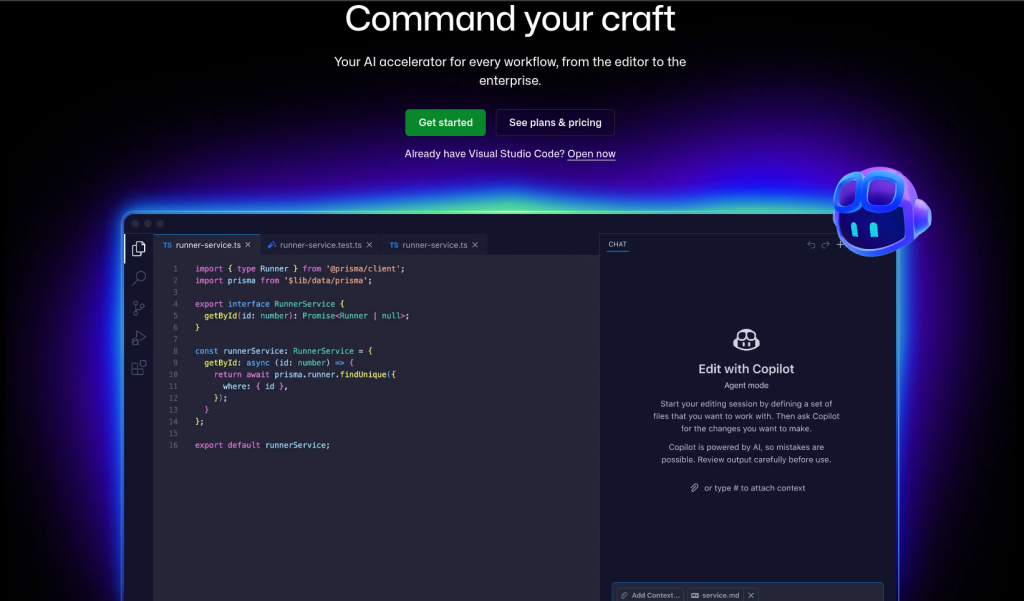
Copilot Ai is an AI pair programmer that suggests code completions, writes functions, debugs errors, and explains code logic. It’s like having an experienced programmer sitting next to you.
Who It’s Best For:
Computer science, engineering, and data science students. Anyone learning to code or working on programming assignments.
Key Strengths:
- Integrates directly into code editors (VS Code, JetBrains, etc.)
- Learns your coding style and adapts suggestions
- Excellent for learning language syntax and patterns
- Speeds up repetitive coding tasks
- Helps you understand what code does
Real Student Workflow:
Dev is learning Python for data science. When stuck on syntax or unsure how to structure a function, Copilot suggests completions. Beyond the code itself, he uses Copilot’s explanations to understand patterns, gradually improving his independent coding ability.
Limitations:
- Only helpful for coding tasks
- Can suggest imperfect or insecure code (requires review)
- Steep learning curve for effective prompting
- Paid subscription required
Pricing: $10/month; free for students through GitHub Education
Grammarly – Best for Writing Quality and Academic Essays
What It Does:
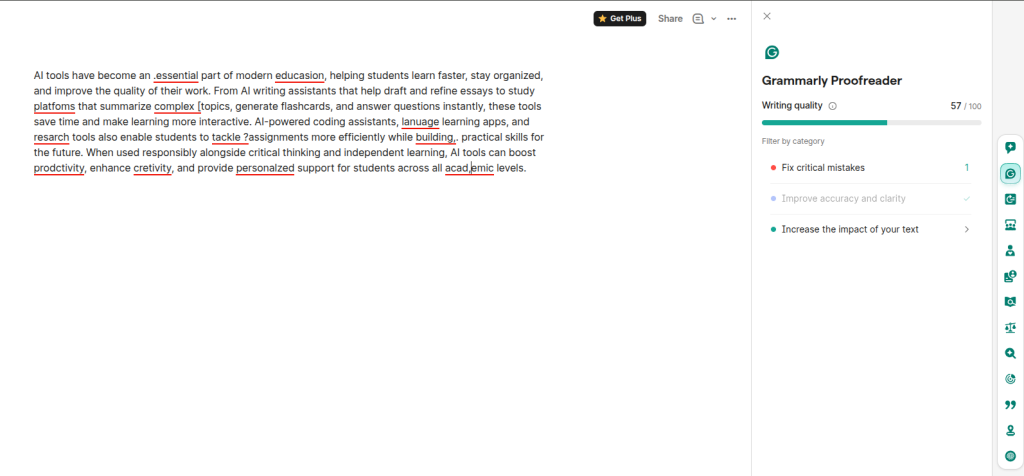
Grammarly analyzes your writing in real-time, catching grammar, spelling, and punctuation errors while offering style improvements. It also checks for plagiarism and helps you match the right tone for academic writing.
Who It’s Best For:
Every student writing essays, reports, or research papers. Especially valuable if English isn’t your first language.
Key Strengths:
- Works across websites and applications you already use
- Real-time feedback as you type
- Plagiarism checker for peace of mind
- Explains writing suggestions clearly
- Tone detection helps match academic voice
Real Student Workflow:
Sofia writes her essay in Google Docs with Grammarly running. As she types, Grammarly flags awkward phrasing and suggests clearer alternatives. When she’s done drafting, she uses the plagiarism check to ensure every source is properly cited.
Limitations:
- Free version has fewer features
- Can be overly zealous with suggestions
- Doesn’t catch logical errors or weak arguments
- Requires paid subscription for full features
Pricing: Free (limited); Premium $12/month or $144/year
Google NotebookLM – Best for Converting Notes into Study Materials
What It Does:
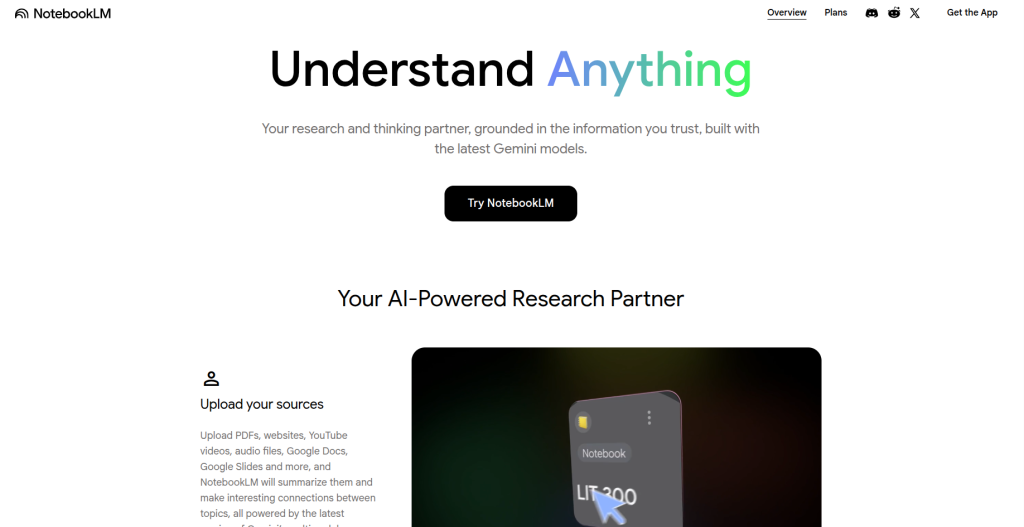
NotebookLM turns your notes, documents, and research into interactive study tools. It generates summaries, creates flashcards, synthesizes information across sources, and produces audio study guides.
Who It’s Best For:
Students drowning in notes who need better ways to synthesize and study material. Perfect for exam preparation and organizing research.
Key Strengths:
- Transforms scattered notes into organized study guides
- Generates practice quiz questions automatically
- Creates audio “guide” versions of notes (recently added)
- Synthesizes information across multiple sources
- Helps identify gaps in understanding
Real Student Workflow:
Carlos uploads his week’s class notes into NotebookLM. Within minutes, he has a study guide highlighting key concepts, plus automatically generated practice questions. The audio guide lets him review material while running or cooking.
Limitations:
- Relatively new, still adding features
- Works best with well-organized input notes
- Can’t replace original studying and understanding
- Limited free version
Pricing: Free tier available; Google One AI Premium ($20/month)
Photomath – Best for Math and STEM Problem Solving
What It Does:
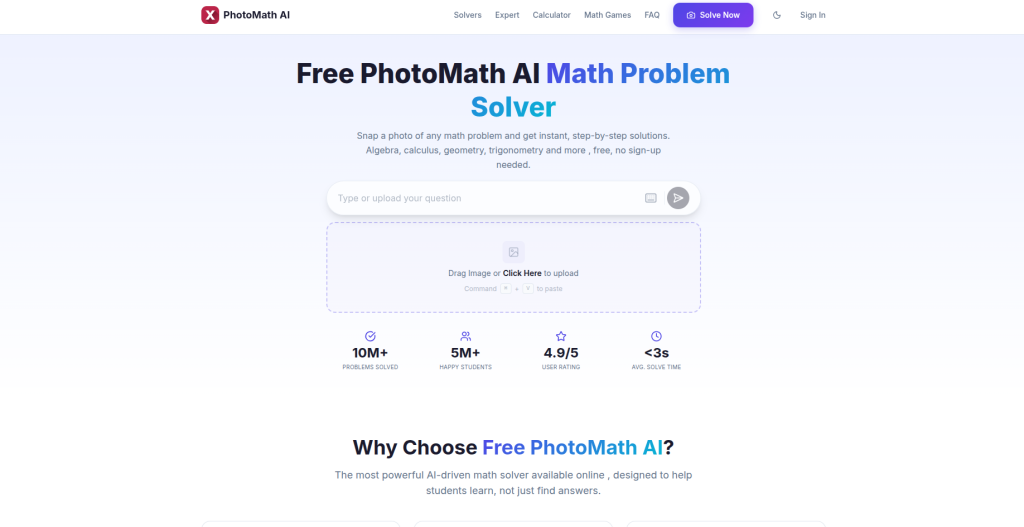
Photomath solves math problems by analyzing photos, showing step-by-step solutions, and explaining concepts. It covers algebra, calculus, statistics, and chemistry—most STEM subjects students struggle with.
Who It’s Best For:
Any student taking math or STEM courses. High school students preparing for standardized tests. College students tackling advanced mathematics.
Key Strengths:
- Can photograph problems directly or type them
- Step-by-step solutions teach you the method
- Explains concepts visually
- Covers extensive range of subjects
- Available offline
Real Student Workflow:
Jason is struggling with calculus derivatives. He takes a photo of a practice problem, Photomath shows the solution, and crucially—he sees each step and the reasoning behind it. By working through several problems this way, he finally understands how derivatives work.
Limitations:
- Doesn’t work for word problems requiring context
- Can enable shortcuts if used without understanding
- Requires discipline to learn rather than just copy answers
- Premium version needed for full features
Pricing: Free (limited); Premium $11.99/month or $74.99/year
Otter.ai – Best for Lecture Transcription and Note-Taking
What It Does:
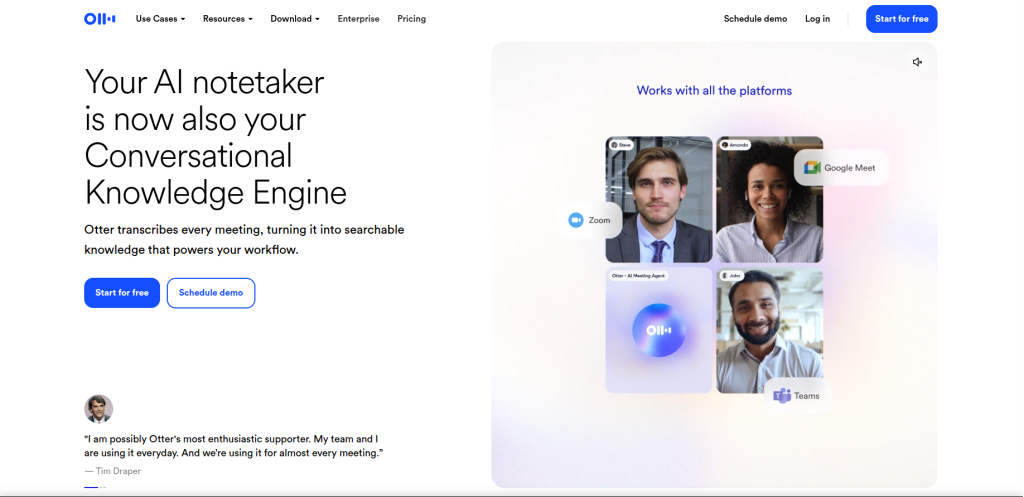
Otter.ai records lectures, automatically transcribes them with high accuracy, and creates searchable notes. You can search your entire lecture archive and export organized notes.
Who It’s Best For:
Students in lecture-based classes who struggle to keep up with note-taking. Anyone who wants to focus on listening rather than frantic typing.
Key Strengths:
- Captures full lectures accurately
- Searchable transcript means finding specific topics easily
- Generates key points automatically
- Integrates with Zoom and other platforms
- Creates shareable notes for study groups
Real Student Workflow:
Emma stops frantically typing during chemistry lectures. Instead, Otter.ai records and transcribes everything. After class, she reviews the transcript, highlights key concepts, and uses the auto-generated summary to study. This approach lets her actually listen and engage rather than scramble to write everything down.
Limitations:
- Requires professor permission in many cases
- Accuracy can vary depending on audio quality
- Takes time to review full transcripts
- Paid plan needed for most features
Pricing: Free (limited to 600 minutes/month); Plus $9.99/month
Learn how to make AI-generated content sound more human
Read our complete Gemini vs ChatGPT for coding comparison.
Best AI Tools by Student Need
Best AI for Chat & Homework Help: ChatGPT and Claude
When you need someone to explain a concept you didn’t understand in class, ChatGPT is the first choice for speed and accessibility. Ask it to explain photosynthesis like you’re twelve, and it will. Ask for multiple approaches to a calculus problem, and it provides several methods with explanations.
Claude becomes your second choice for deeper, more nuanced help—especially for essay-based subjects. If you’re trying to understand why a historical event happened or analyze a literary theme, Claude’s responses have greater depth and reasoning. It’s worth checking both for complex academic problems.
Pro tip: Use these tools to understand concepts, not to outsource your thinking. The best workflow is: struggle with a problem, ask the AI for hints or explanations, then solve it yourself. This builds actual understanding.
Best AI for Notes & Lecture Summaries: Otter.ai and Google NotebookLM
Otter.ai captures your entire lecture, transforming hours of typing into a searchable archive. If you’ve ever spent three hours organizing messy notes after class, this tool changes your life. Upload an Otter.ai transcript to Google NotebookLM, and you suddenly have a study guide, flashcards, and practice questions generated automatically.
This combination removes the worst part of studying—note organization—so you can focus on actual learning.
Best AI for Academic Research: Perplexity AI and Google Scholar (with ChatGPT as backup)
Perplexity AI is specifically designed for research because it cites sources directly. When you need to verify a claim or find relevant research papers, Perplexity gives you answers with links to the actual sources. This is research-grade—appropriate for academic writing.
For additional verification, use ChatGPT or Claude to summarize academic papers and explain research findings in plain language. This workflow—finding sources in Perplexity, understanding them via ChatGPT—is remarkably efficient.
Best AI for Writing & Essay Assistance: Grammarly and Claude
Grammarly handles technical writing—grammar, spelling, tone, and plagiarism checking. It’s your editor, improving clarity without changing your ideas.
Claude helps with the thinking part. Use it to outline essays, test arguments for logical flaws, and improve structure. The combination is powerful: Claude helps you write better, Grammarly helps you write clearly.
Best AI for Exam Preparation & Flashcards: Google NotebookLM and Quizlet
Google NotebookLM generates practice questions and study guides automatically from your notes. Upload class notes and it creates comprehensive study materials.
Combine this with Quizlet AI, which generates flashcard decks from your study materials. The two together create a complete exam prep system: organize notes in NotebookLM, turn them into flashcards in Quizlet, then quiz yourself repeatedly. Spacing repetition plus AI-generated questions = higher scores.
Best AI for PDF & Document Analysis: ChatGPT and Claude
Both ChatGPT and Claude can analyze PDFs and documents you upload. When you need to understand a dense research paper, upload it and ask questions: “What are the main findings? What methodology did they use? Does this conflict with earlier research on this topic?”
Claude is particularly strong here because it can handle longer documents and maintains better context. Upload an entire thesis and ask it to identify gaps in your own research thinking.
Best AI for Coding & Programming Help: GitHub Copilot and Claude
GitHub Copilot is integrated into your code editor—the obvious choice for coding students. When you’re stuck on a function or trying to remember syntax, Copilot suggests solutions right in your IDE.
When Copilot’s suggestions aren’t enough, Claude excels at explaining code logic and suggesting better approaches. “Why doesn’t this code work?” gets explanations that help you learn.
Best AI for Math & STEM Problem Solving: Photomath and Wolfram Alpha
Photomath is best for step-by-step solutions you can follow and learn from. Take a photo of a calculus problem and watch the solution unfold.
Wolfram Alpha is better for verification and alternative approaches. Type in an equation or problem and Wolfram Alpha provides different solution methods and visualizations. Together, these tools cover any STEM problem a student encounters.
Comparison Table: Quick Reference for Choosing Tools
| Use Case | Best Tool | Why | Free Version? |
| General homework help | ChatGPT | Fast, conversational, versatile | Yes |
| Deep analysis essays | Claude | Thoughtful, nuanced reasoning | Yes (limited) |
| Research with sources | Perplexity AI | Citations built-in | Yes |
| Writing quality | Grammarly | Real-time grammar and style | Yes (limited) |
| Lecture notes | Otter.ai | Automatic transcription | Yes (limited) |
| Study guides | Google NotebookLM | Auto-generates from notes | Yes |
| Coding help | GitHub Copilot | Integrated in your editor | Free for students |
| Math solutions | Photomath | Step-by-step explanations | Yes (limited) |
| Quick facts | Google Gemini | Google Workspace integration | Yes |
Best Practices for Using AI Tools Effectively
1. Use AI to Learn, Not Shortcut
The best students use AI as a tutor, not a cheat code. When you get an answer from ChatGPT, ask yourself: Do I understand why this answer is correct? If not, follow up with clarifying questions until it clicks.
2. Cross-Reference Your Sources
When using Perplexity or ChatGPT for research, verify important claims in the original sources. AI sometimes misinterprets research findings. Check the actual paper before including it in your work.
3. Combine Multiple Tools
Don’t rely on a single tool. A complete workflow might look like:
- Otter.ai records the lecture
- Google NotebookLM creates a study guide
- Grammarly improves your essay
- ChatGPT explains concepts you’re stuck on
- Photomath helps with math problems
4. Review and Edit AI-Generated Content
Never submit AI-generated writing directly. Use it as a starting point, then rewrite in your own voice. Your professor can tell the difference between your thinking and AI generation.
5. Respect Academic Integrity
Know your school’s AI policies. Some institutions forbid AI use; others require disclosing it. Check your syllabus and ask your professor when in doubt.
6. Use AI for Understanding, Then Practice Independently
After an AI tool explains something, practice doing it yourself without AI. This is how you actually learn and prepare for exams where you can’t use these tools.
Limitations and Realistic Expectations
AI tools are powerful, but they have genuine limitations students should understand.
Hallucinations and Incorrect Information:
ChatGPT, Claude, and Gemini sometimes provide confident-sounding but factually incorrect information. This is particularly dangerous in academic work. Always verify important claims, especially in research. Never cite something without checking the source.
Plagiarism and Academic Integrity Concerns:
Using AI to write your essays violates academic integrity policies at most institutions. The tools are best used for brainstorming, editing, and understanding—not generating content you submit as your own work.
Over-Reliance Reduces Learning:
The biggest risk is using these tools as shortcuts instead of learning aids. Students who ask ChatGPT for answers without struggling first often learn less than peers who use the tools after attempting problems independently.
Subject Limitations:
While these tools are broadly capable, they’re not experts in everything. A tool excellent at humanities essays might be weaker at advanced mathematics. Use specialized tools (like Photomath for math) for subject-specific work.
Data Privacy and Account Security:
When using these tools, you’re uploading your notes, homework, and research. Be mindful of what sensitive information you share. Avoid uploading personal information, social security numbers, or anything private.
Time Sink Potential:
While these tools save time, it’s easy to spend hours tweaking AI outputs or asking follow-up questions. Set boundaries on how much time you spend in the tools versus actual learning and studying.
Final Verdict: Choosing Your AI Toolkit
The best AI toolkit depends on your academic needs, but every student benefits from having multiple tools. Here’s our recommendation by student type:
For High School Students: Start with ChatGPT (free version), Photomath for math, Grammarly for essays, and Otter.ai for lectures. This combination covers every major need without overwhelming complexity.
For College Students: Add Perplexity AI for research, Claude for essays, and Google NotebookLM for exam prep. This expanded toolkit handles the increased complexity of college-level work.
For STEM Students: Prioritize GitHub Copilot (if coding), Photomath, Wolfram Alpha, and Claude. Add Otter.ai for engineering lecture notes.
For Research and Graduate Students: Perplexity AI becomes essential, Claude for analytical thinking, Google NotebookLM for organizing research, and ChatGPT for general assistance. These tools support the depth and complexity of graduate-level work.
The Universal Recommendation: Every student benefits from Grammarly (writing quality), one strong general AI assistant (ChatGPT or Claude), and Otter.ai or Google NotebookLM (managing the torrent of information you encounter). Build from there based on your specific challenges.
The future of education isn’t students abandoning AI tools—it’s learning to use them effectively. These tools won’t guarantee success, but they’ll save you thousands of hours if used strategically. The competitive advantage in 2026 goes to students who master AI tools while maintaining genuine understanding and academic integrity.
Start with the basics. Pick two or three tools. Use them intentionally. Measure how much they actually improve your learning and grades. Then expand your toolkit based on what genuinely helps. That’s how you build your personal AI-powered learning system.
Frequently Asked Questions
Is using AI tools for homework cheating?
It depends on context and intent. Using AI to understand a concept or get hints is legitimate learning. Submitting AI-generated work as your own is cheating. Check your school’s AI policy—standards vary significantly between institutions.
Which AI tool is best for writing college essays?
Grammarly for improving grammar and clarity, Claude for analyzing your argument and structure, and ChatGPT for brainstorming ideas and outlines. None should write the essay for you; they’re editing and thinking tools.
Can AI tools help me study for standardized tests like the SAT or ACT?
Yes. Photomath helps with math practice, ChatGPT can explain reading passages and grammar rules, and Google NotebookLM can organize study materials. The key is using them for learning, not just drilling practice tests without understanding mistakes.
Will professors know if I use AI tools?
Sophisticated professors can often tell when AI generated work (it often reads unnaturally or makes subtle logical errors), but detection isn’t guaranteed. The bigger issue is academic integrity policies. Many schools require disclosure or forbid AI use entirely. Always follow your institution’s rules.
Is ChatGPT better than Claude for students?
ChatGPT is faster and more accessible. Claude is better for nuanced thinking and analyzing complex arguments. Use both—they have different strengths.
Can AI tools replace tutors?
No. AI tools are excellent for quick explanations and practice, but they can’t personalize learning like a human tutor or know when you’re avoiding material you find difficult. Use AI tools to supplement tutoring, not replace it.
What’s the best way to use ChatGPT for homework?
Ask for explanations and hints before answers. “I don’t understand how photosynthesis works” gets a better learning result than “Give me the answer to problem 3.” Follow up with specific questions about parts you don’t understand.
Are these tools safe? Do they store my data?
Most are safe, but assume conversations might be reviewed by companies for safety purposes. Avoid sharing truly private information. Check privacy policies of tools you use frequently.
Which tool is best for group projects?
Google Gemini (works in shared Google Docs and Slides), Otter.ai (shared transcriptions), and Google NotebookLM (collaborative note synthesis). These tools are designed for sharing and collaboration.
Can AI tools help with STEM classes like physics or chemistry?
Absolutely. Photomath and Wolfram Alpha for calculation and problem-solving, Claude and ChatGPT for concept explanation, and Google NotebookLM for organizing lab notes and research data. Combine these for comprehensive STEM support.