
If you have ever watched your Monday.com bill creep up after adding a few extra seats, or hit an automation cap in the middle of a launch, you already know the platform has limits. Monday.com is a strong visual work tool, but pricing that scales in blocks of five seats, paywalled basics like item-level permissions, and a notification-heavy interface push a lot of teams to look elsewhere. Recent reporting on the platform’s 2026 pricing shifts, including an 18 percent hike on Monday service plans, has only added to that frustration.
This guide compares the strongest Monday.com alternatives on the market: Asana, ClickUp, Trello, Wrike, Notion, Jira, Smartsheet, and Basecamp. You will find real pricing, honest pros and cons, and specific guidance on which tool fits your team size, industry, and workflow style.
How We Selected These Alternatives
Every tool below was evaluated against ten criteria: core project management features, ease of use, workflow flexibility, automation depth, collaboration tools, reporting and analytics, integration ecosystem, pricing and value, scalability, and market reputation based on user reviews. Rather than ranking tools purely on feature checklists, this comparison weighs how each platform performs in practical business scenarios, agency client work, software sprints, marketing campaigns, and cross-functional operations, since that is where most Monday.com switchers actually feel the difference.
Quick Summary
- Best overall alternative: ClickUp, for its combination of depth and price
- Best budget pick: Trello, for teams that want simple boards without high per-seat costs
- Best for enterprise: Wrike or Smartsheet, for complex governance and reporting needs
- Best for small teams: Trello or Basecamp, for low setup overhead
- Best free option: ClickUp’s Free Forever plan, which has no user cap
- Best for software teams: Jira, for native Scrum and sprint tooling
- Best for documentation-heavy teams: Notion, for combining notes and project tracking
Asana
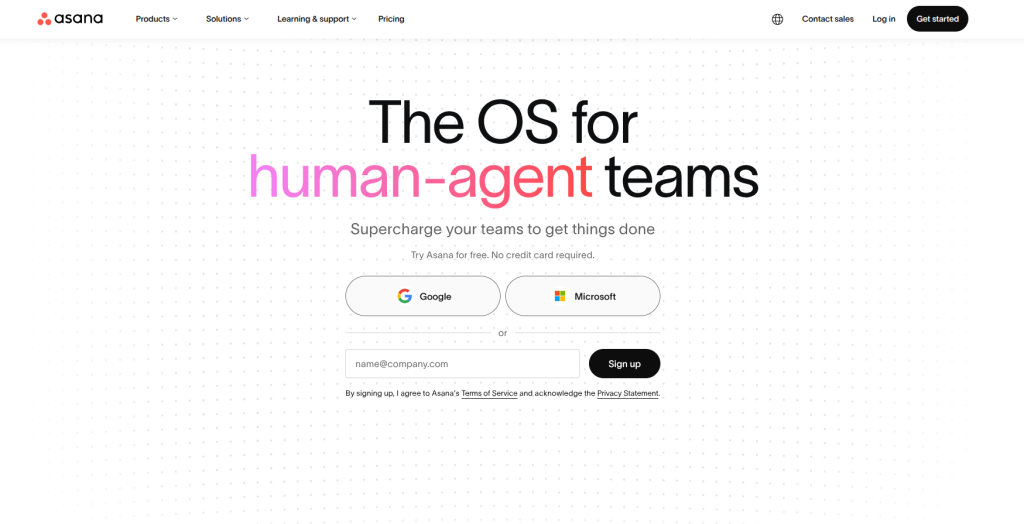
Asana is a work management platform built for teams that need visibility across many moving projects at once. It grew out of a simple task list and evolved into a full portfolio management tool, which is why mid-sized to large organizations gravitate toward it. The core idea is that every task lives inside a project, every project can roll up into a portfolio, and managers get a top-down view without chasing updates in Slack or email. Asana’s interface uses a three-pane layout, a navigation sidebar, a central task or board view, and a detail pane for individual tasks, which keeps context visible without forcing users to click in and out of screens constantly.
Key features
- Timeline view, a Gantt-style chart with drag-and-drop rescheduling
- Four dependency types (finish-to-start, start-to-start, finish-to-finish, start-to-finish) with automatic date cascading when a predecessor task shifts
- Workload management to visualize how much each team member is carrying across projects
- Rule-based automation for repetitive actions like reassigning tasks or updating status fields
- Asana Intelligence, including AI-generated project summaries and an AI workflow builder
- Over 300 native integrations plus deep support for Slack, Salesforce, and Google Workspace
Pros
- Clean, low-friction interface that most new users pick up within a day
- Dependency automation genuinely saves manual rescheduling work on multi-step projects
- Strong reporting dashboards with real-time portfolio status
- Reliable mobile apps for status updates on the go
Cons
- Free plan is one of the more limited in this list, capping collaborators and hiding Timeline view
- Automation rule actions are capped on the Starter tier, which can frustrate growing teams
- Heavy customization requires real setup time to get real value
- Lacks native Gantt-level resource management without add-ons
Pricing
Paid plans carry a two-user minimum. The Starter tier runs around $10.99 per user per month and unlocks Timeline, unlimited dashboards, and basic automation. The Advanced tier, priced near $25 per user per month, adds portfolio-level reporting, workload views, and higher automation limits, making it the plan most growing teams actually need.
Best for
Mid-size to large teams managing complex, interdependent projects, particularly marketing, product, and operations teams that need cross-project visibility without building it manually.
Why choose it over Monday.com
Asana’s dependency engine automatically shifts every downstream due date the moment a predecessor task slips, something Monday.com handles through manual formulas or extra automation setup. A product team running a software release with 40 interlocking tasks feels this difference immediately: change one launch date and the rest of the timeline reflows on its own.
ClickUp
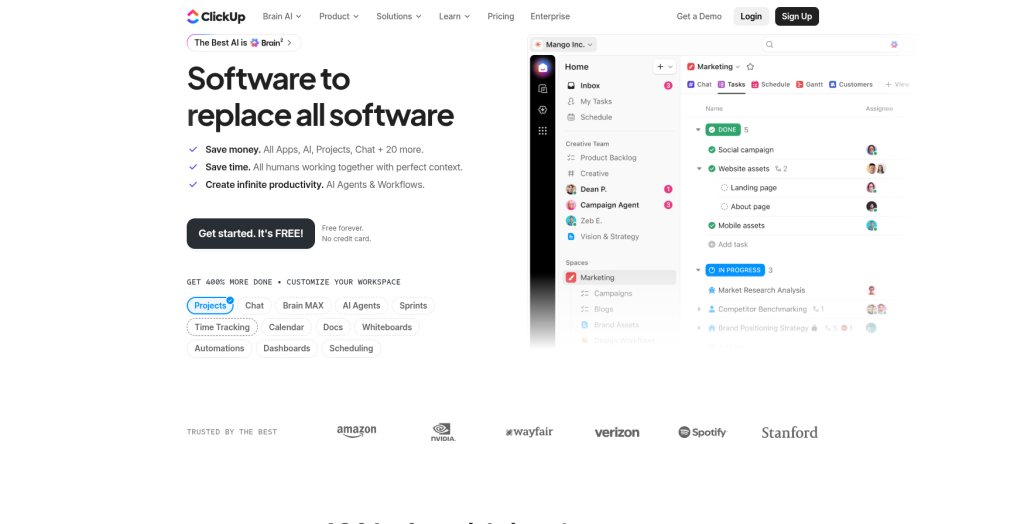
ClickUp markets itself as the app that replaces other apps, and for many teams it comes close. It combines task management, docs, native chat, whiteboards, goal tracking, and time tracking inside one hierarchy of Spaces, Folders, Lists, and Tasks. That hierarchy is both its biggest strength and its steepest learning curve. Teams that invest a few weeks into setup end up consolidating tools they were paying for separately, while teams that skip setup often end up using a fraction of what they are paying for.
Key features
- 15-plus view types including List, Board, Gantt, Calendar, Mind Map, and Workload
- Native time tracking built into every paid plan, not sold as an add-on
- ClickUp Docs for wikis and knowledge bases alongside task tracking
- Custom fields and statuses that can be configured per team or per project
- Sprint points, velocity tracking, and Agile dashboards for dev teams
- ClickUp Brain, an AI add-on for task generation, status summaries, and document drafting
- Over 1,000 integrations included at every paid tier, not gated behind higher plans
Pros
- Genuinely unlimited free plan with no user cap, unusual for this category
- More native functionality per dollar than almost any competitor on this list
- Strong for consolidating separate subscriptions (docs, time tracking, chat) into one bill
- Frequent feature releases keep the product competitive
Cons
- The sidebar and hierarchy can overwhelm new users on day one
- Some users report bugs and performance lag tied to rapid feature shipping
- AI features cost extra ($7 per user per month) on top of the base plan
- Deep customization means teams without a dedicated admin can end up with a messy workspace
Pricing
The Free Forever plan supports unlimited members with core task management, custom views, and basic automation. Paid plans start with the Unlimited tier at roughly $7 per user per month, well below Asana’s $10.99 starting price, and the Business tier runs closer to $12 per user per month for advanced automation, workload views, and unlimited integrations.
Best for
Agencies managing multiple clients, startups building an operating system from scratch, and any team that wants to consolidate tasks, docs, and time tracking into a single platform rather than paying for three separate tools.
Why choose it over Monday.com
ClickUp’s free plan has no seat cap and includes time tracking and workload views, while Monday.com’s free tier stops at two users, three boards, and no automation at all. For a small agency onboarding its first few clients, that gap is the difference between running the business for free versus paying immediately.
Trello
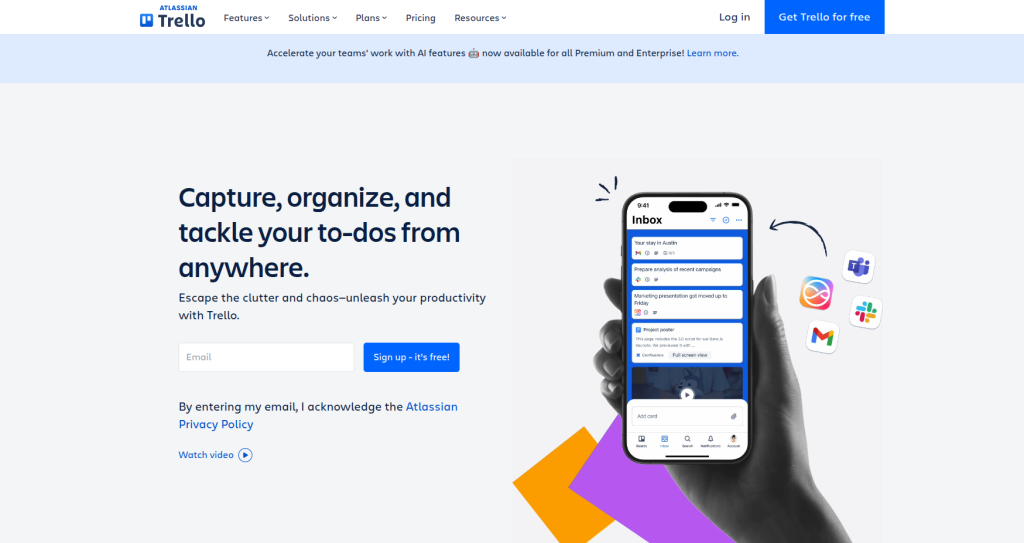
Trello is the tool that made Kanban boards mainstream, and it remains the simplest entry point into project management on this list. Everything lives on a board: lists represent stages like “To Do,” “In Progress,” and “Done,” and cards represent individual pieces of work that move across those lists. Now owned by Atlassian, Trello has slowly added more sophisticated views, but its core identity, drag cards across a board, has not changed since 2011, and that consistency is exactly why so many teams still choose it.
Key features
- Classic drag-and-drop Kanban boards with unlimited cards
- Butler automation for rule-based actions like auto-moving cards or assigning due dates
- Over 200 Power-Ups (Trello’s term for integrations) connecting to Slack, GitHub, Google Drive, and Jira
- Atlassian Intelligence, included free on all paid plans, for summarizing cards and drafting descriptions
- Paid-tier views including Timeline, Calendar, Table, Dashboard, and Map
- Checklists, custom fields, and labels for lightweight task detail
Pros
- The most intuitive tool in this comparison; new users need almost no onboarding
- Strong free plan supporting up to 10 collaborators and 10 boards
- AI features included at no extra cost on paid plans, unlike ClickUp’s paid AI add-on
- Excellent for client-facing boards where simplicity matters more than depth
Cons
- No native story points, velocity charts, or burndown charts, so Agile software teams outgrow it fast
- Boards get visually cluttered once a project passes 100 to 150 active cards
- Every view beyond basic Kanban (Timeline, Calendar, Table) is locked behind the Premium tier
- Weak native reporting compared to Asana or Monday.com
Pricing
The Free plan covers up to 10 boards and 10 collaborators with unlimited cards. Standard costs $5 per user per month billed annually and removes the board limit while adding unlimited Power-Ups and custom fields. Premium runs $10 per user per month and unlocks every alternate view plus unlimited automation. Enterprise pricing starts near $17.50 per user per month for organizations needing advanced admin controls.
Best for
Freelancers, small teams, and content or client-facing boards where visual simplicity beats deep reporting and configuration.
Why choose it over Monday.com
Trello’s $5 Standard tier and genuinely usable free plan undercut Monday.com’s cheapest paid plan while covering the same core need most small teams actually have: a visual board that anyone can understand within minutes of logging in.
Wrike
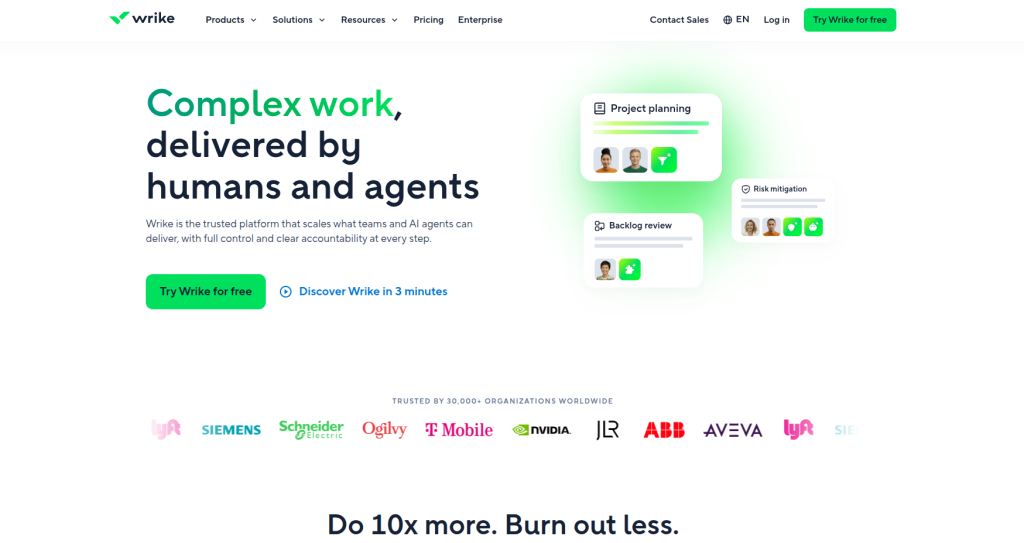
Wrike is built for organizations where work does not move through one team but through several, sales handing off to delivery, delivery handing off to finance, creative handing off to legal for approval. Its folder-based hierarchy enforces more structure than Trello or ClickUp, which some teams find restrictive and others find exactly what they need to keep hundreds of concurrent projects organized. Wrike has also invested heavily in AI-powered risk prediction, flagging projects likely to miss deadlines before they actually slip.
Key features
- Interactive Gantt charts with automatic downstream rescheduling when dates shift
- Built-in proofing and approval workflows for reviewing creative assets, documents, and designs
- Custom request forms that route incoming work to the right team automatically
- Wrike Datahub and Wrike Analyze for advanced cross-project reporting and KPI dashboards
- No-code automation builder for project blueprints and repeatable workflows
- AI-powered risk prediction that flags at-risk projects before deadlines are missed
Pros
- Among the most enterprise-ready platforms in this comparison for governance and permissions
- Proofing and review cycles are more mature than most competitors, valuable for creative teams
- Strong resource and capacity planning across departments
- Scales cleanly for global organizations with many concurrent projects
Cons
- Layered interface takes real time to master compared to Trello or Basecamp
- Advanced dashboards and reporting require the Business tier or higher
- Proofing and approval modules add cost as teams scale
- Folder-based structure can feel rigid for teams that prefer flexible, ad hoc organization
Pricing
Wrike offers a free plan for individuals and small teams, with the Team tier priced around $9.80 per user per month. Business runs closer to $24.80 per user per month and unlocks custom fields, advanced reporting, and resource management. Pinnacle and Enterprise tiers are quote-based and aimed at large, complex deployments.
Best for
Enterprises and agencies with heavy approval chains, particularly creative, marketing operations, and cross-departmental teams that need structured handoffs.
Why choose it over Monday.com
Wrike’s proofing and approval workflows come built in rather than bolted on, so an agency routing a design through three rounds of stakeholder feedback does not need a separate tool or a workaround, which is a common complaint from Monday.com users handling creative review cycles.
Notion
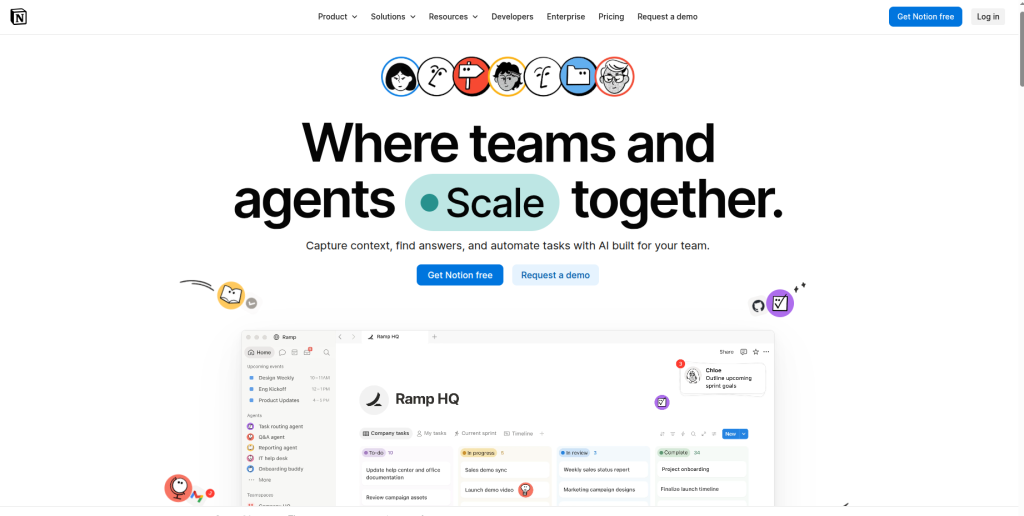
Notion is not a dedicated project management tool in the traditional sense, it is a flexible workspace that happens to handle project tracking well when configured thoughtfully. Everything in Notion is a block: text, images, embeds, and most importantly, databases that can be displayed as a Kanban board, a table, a calendar, or a simple list. That flexibility means a marketing team can build a content calendar, a product team can build a lightweight roadmap, and a founder can build a personal wiki, all inside the same workspace without switching tools.
Key features
- Databases that double as Kanban boards, tables, calendars, or timelines
- Linked docs and wikis that connect directly to tasks and projects
- Templates for roadmaps, sprint boards, meeting notes, and OKRs
- Notion AI for drafting content, summarizing pages, and auto-filling database properties
- Relational databases that let tasks, projects, and people reference each other
- Real-time collaborative editing across docs and databases
Pros
- Exceptional for teams that need documentation and project tracking in the same place
- Highly customizable structure that adapts to almost any workflow
- Affordable entry pricing compared to dedicated PM tools
- Clean, minimal interface that many teams find genuinely pleasant to work in
Cons
- No native Gantt charts or automatic dependency cascading
- Reporting and dashboards require manual database setup rather than built-in analytics
- Can sprawl into disorganized chaos without a team member enforcing structure
- Not built for complex resource or workload management at scale
Pricing
Notion offers a functional free plan for individuals, with paid tiers including Personal around $4 per month and Team around $8 per month for shared workspaces. Enterprise pricing runs near $24 per month per user for advanced admin controls and security.
Best for
Startups, content teams, and knowledge-heavy organizations that want lightweight project tracking bundled with a wiki rather than a standalone PM tool.
Why choose it over Monday.com
Notion centralizes documentation, meeting notes, and lightweight task tracking in one workspace, cutting down on the tool-switching that Monday.com does not solve, since Monday.com’s docs feature is far less developed than its board and automation tools.
Jira
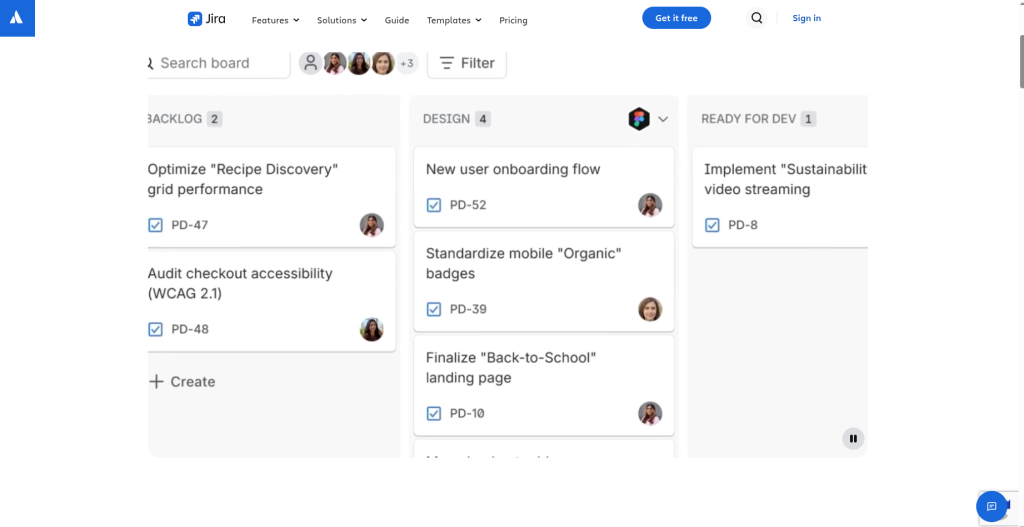
Jira, also from Atlassian, has been the default choice for software teams for over a decade, and it remains the tool most engineering organizations reach for first. Unlike general-purpose PM tools, Jira is built around the Agile methodology from the ground up: backlogs, sprints, epics, and issue types are first-class concepts, not features bolted onto a generic task board. Its depth is also its biggest barrier: non-technical teams often find Jira’s terminology and configuration options genuinely confusing.
Key features
- Sprint planning and backlog grooming with drag-and-drop prioritization
- Burndown and velocity charts for tracking sprint progress in real time
- Fully customizable workflows, issue types, and permission schemes per project
- Deep native integration with Bitbucket, Confluence, and the broader Atlassian ecosystem
- Scrum and Kanban board templates purpose-built for software teams
- Advanced roadmap views for tracking epics across multiple sprints or quarters
Pros
- Unmatched depth for engineering workflows compared to any general PM tool on this list
- Highly configurable per project, letting different teams run different processes in one instance
- Strong native reporting for release cycles, bug tracking, and sprint retrospectives
- Tight integration with code repositories keeps engineering and project tracking in sync
Cons
- Steep learning curve for anyone outside a technical or product role
- Overkill for simple task tracking or non-technical teams
- Initial setup typically requires a dedicated Jira admin
- Interface can feel dense and cluttered compared to Trello or Basecamp
Pricing
Jira starts around $7.75 per user per month for the Standard plan, which covers core Scrum and Kanban boards. Premium runs closer to $15.25 per user per month and adds advanced roadmaps, unlimited storage, and priority support. Enterprise pricing is custom for large organizations needing centralized administration across multiple sites.
Best for
Software development teams, product managers, and IT departments running sprints, tracking bugs, and shipping releases on a regular cadence.
Why choose it over Monday.com
Monday dev approximates Agile workflows, but Jira’s native story points, velocity charts, and burndown reporting are purpose-built for engineering teams, which is why it remains the industry standard rather than a general-purpose alternative wearing an Agile skin.
Smartsheet
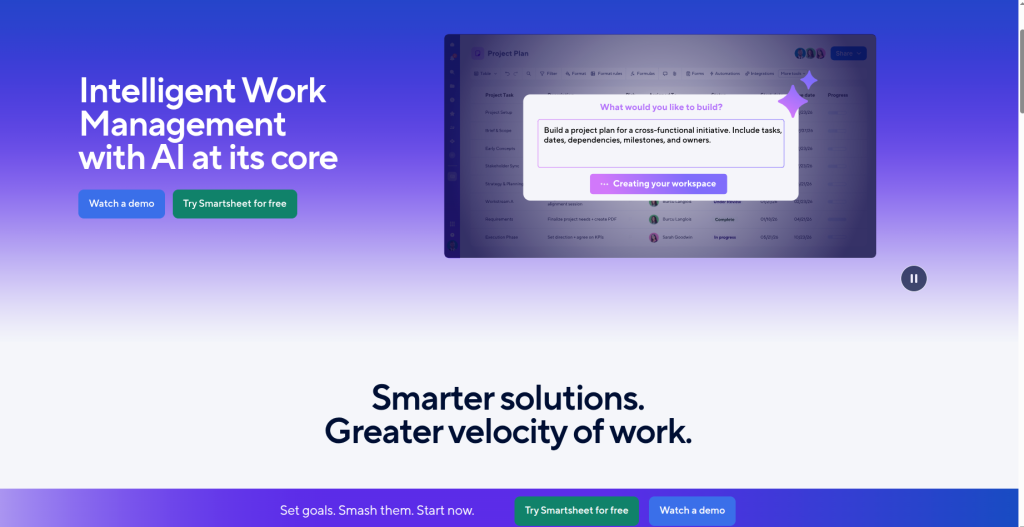
Smartsheet takes a different approach entirely: instead of boards or cards, it presents work as a spreadsheet, rows and columns, with project management features layered on top. For teams that already live in Excel or Google Sheets, this is the fastest onboarding path in the entire category, since the interface looks and behaves like a tool they already know. Underneath the familiar grid, Smartsheet supports genuinely powerful automation, approval routing, and account-wide standardization for organizations running many similar projects.
Key features
- Grid-based project sheets with formulas, similar to a spreadsheet
- Automated alerts and approval workflows triggered by cell changes or dates
- Control Center for standardizing project templates and processes account-wide
- Portfolio-level dashboards rolling up data across multiple sheets
- Resource management views for tracking capacity across teams
- Extensive template gallery for budgeting, event planning, and project setup
Pros
- Minimal learning curve for teams comfortable with Excel or Google Sheets
- Strong for standardizing repeatable processes across a large organization
- Robust automation for approval chains and status alerts
- Good template library that speeds up initial setup
Cons
- Sharing and linking data across multiple sheets can be clunky
- Interface gets visually cluttered with many active projects running at once
- Enterprise-grade security features, like local hosting outside AWS, cost extra
- Less visually engaging than board-based tools like Trello or ClickUp
Pricing
Pricing starts around $7 to $9 per user per month for the Pro plan, covering core sheets and automation. Business runs near $25 per user per month and adds unlimited automation, SSO, and portfolio reporting. Enterprise pricing is quote-based and often required once organizations pass 100-plus seats.
Best for
Operations and finance teams, and enterprises standardizing repeatable processes across multiple departments or regions.
Why choose it over Monday.com
Teams already living in spreadsheets adopt Smartsheet noticeably faster than Monday.com’s board-based paradigm, since there is no new mental model to learn, just familiar rows and columns with automation layered underneath.
Basecamp
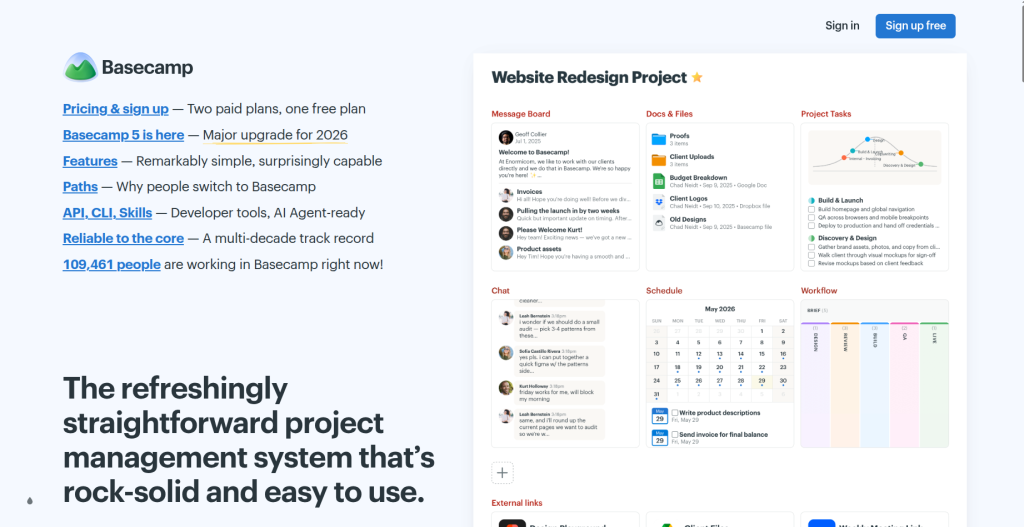
Basecamp takes the opposite philosophy from nearly every other tool on this list. Instead of granular task fields, dependencies, and dashboards, it strips project management down to communication: message boards, to-do lists, schedules, and file storage, all organized around the idea that most project chaos comes from scattered conversations, not missing features. Its flat-rate pricing model, rather than per-seat billing, also makes it a financial outlier in a category dominated by per-user costs.
Key features
- Threaded message boards for organized, topic-specific discussions
- Simple to-do lists with assignees and due dates, without complex custom fields
- Campfire, Basecamp’s real-time group chat for quick conversations
- Automatic check-in questions that collect async status updates from the team
- Centralized file and document storage tied to each project
- Hill Charts, a visual way to show whether work is still uncertain or nearing completion
Pros
- Predictable flat-rate cost regardless of how many people join
- Genuinely minimal setup, teams can be productive within an hour
- Reduces internal email significantly by centralizing conversations
- Clear, calm interface with none of the notification noise found in Monday.com or ClickUp
Cons
- No Gantt charts, dependency tracking, or resource management
- Reporting and analytics are extremely limited compared to every other tool here
- Not built for complex, multi-team portfolios with intricate workflows
- Automation and integrations are far more limited than ClickUp, Wrike, or Asana
Pricing
Basecamp charges a flat rate of $15 per user per month, or $299 per month for unlimited users on the Pro Unlimited plan, which becomes markedly cheaper than per-seat tools once a team passes roughly 20 members.
Best for
Small to medium businesses and teams that value clear communication and simplicity over deep feature sets or granular reporting.
Why choose it over Monday.com
At 20-plus users, Basecamp’s flat $299 monthly rate becomes cheaper than Monday.com’s per-seat, bucket-based pricing, and it eliminates the seat math entirely, no rounding up to the next tier of five just because you hired one more person.
Best Alternatives to Slack in 2026(Free & Paid) : Read More
Feature and Pricing Comparison
| Tool | Starting Price | Free Plan | Automation | Best Use Case |
| Asana | ~$10.99/user/mo | Limited | Rule-based, capped on lower tiers | Cross-team dependency tracking |
| ClickUp | ~$7/user/mo | Yes, unlimited users | Included at all paid tiers | All-in-one consolidation |
| Trello | ~$5/user/mo | Yes, up to 10 members | Butler automation | Simple visual Kanban |
| Wrike | ~$9.80/user/mo | Yes | Advanced, tier-gated | Approval-heavy creative work |
| Notion | ~$8/user/mo | Yes | Basic | Docs plus lightweight tasks |
| Jira | ~$7.75/user/mo | Yes, small teams | Workflow-based | Agile software development |
| Smartsheet | ~$7-9/user/mo | Limited trial | Blueprint automation | Spreadsheet-native teams |
| Basecamp | Flat $15/user or $299/mo | No | Minimal | Communication-first teams |
Workflow Comparison by Use Case
- Agile software teams: Jira first, ClickUp second
- Client and agency management: Trello or ClickUp for visual boards clients can view
- Software development sprints: Jira, with Confluence for documentation
- Marketing campaigns: Asana or Wrike for approval chains and timelines
- Cross-functional collaboration: ClickUp or Smartsheet for shared visibility across departments
Real-World Workflows
Beginners typically start with a simple task board, one list for “to do,” “in progress,” and “done.” Trello or ClickUp’s free tier handles this without configuration.
Professionals managing multiple projects benefit from Timeline or Gantt views paired with dashboards. Asana’s Timeline or Wrike’s interactive Gantt chart fits here, letting downstream dates shift automatically when a task slips.
Businesses scaling past 20 people need resource planning and portfolio reporting. Smartsheet’s Control Center or ClickUp’s workload view prevents overallocating team members across concurrent projects.
Agencies juggling client work lean on proofing and approval features. Wrike’s request forms and review cycles, or Trello boards shared with client guest access, keep feedback organized without email chains.
Developers running Scrum need backlog grooming, story points, and burndown charts. Jira remains the standard, with sprint boards that connect directly to code repositories.
Best Practices for Choosing an Alternative
Match tool complexity to your team’s actual maturity rather than its ambitions. A five-person startup rarely needs Wrike’s approval chains. Audit the integrations you actually rely on daily, not the ones you might use someday, before committing to annual billing. Test automation workflows during a trial period rather than assuming they will work like Monday.com’s. Factor in onboarding time honestly: ClickUp and Jira reward setup investment but punish teams that skip it. Prioritize adoption over feature count. A tool your team actually uses beats a more powerful one that sits half-configured.
Limitations and Considerations
Switching platforms always carries friction. Migrating boards, custom fields, and historical data rarely transfers perfectly, even with import wizards. Expect a real learning curve for tools like Jira, ClickUp, or Wrike, and budget two to four weeks for team retraining. Integration lock-in matters too: if your stack depends on Monday.com-specific automations, rebuilding them elsewhere takes time. Enterprise tiers across nearly every tool in this list carry custom, often opaque pricing, so get a written quote before assuming a plan tier covers what you need. Running both tools in parallel for a week or two before fully cutting over reduces the risk of workflow disruption.
Final Verdict
There is no single best replacement for Monday.com, only the best fit for your team’s size and workflow. ClickUp earns the broadest recommendation for its balance of price and depth. Trello and Basecamp suit small teams that want simplicity over configuration. Jira remains essential for software teams running Scrum. Wrike and Smartsheet fit enterprises with complex approval chains and reporting needs. Notion works best as a companion tool for documentation-heavy teams rather than a full PM replacement.
Start with a two-week trial of your top candidate, migrate one active project first rather than your entire workspace, and evaluate adoption before committing annually. As AI-assisted workflow automation continues expanding across this category through 2026, expect pricing models to keep shifting, so revisit your plan choice at each renewal rather than defaulting to auto-renewal.
Frequently Asked Questions
What is the best alternative to Monday.com?
ClickUp is the strongest all-around alternative for most teams, offering comparable features at a lower starting price with an unlimited free plan.
Is there a free alternative to Monday.com?
Yes. ClickUp’s Free Forever plan has no user cap, and Trello’s free tier supports up to 10 collaborators with unlimited cards.
Which project management software is easier than Monday.com?
Trello and Basecamp both have shorter learning curves, since they focus on a narrower set of core features.
Is ClickUp better than Monday.com?
ClickUp generally offers more functionality per dollar and a more generous free tier, though Monday.com’s interface is often considered more polished out of the box.
What is the best Monday.com alternative for small businesses?
Trello or Basecamp, both for their low cost and minimal setup time.
What is the best Monday.com alternative for software teams?
Jira, due to native sprint planning, burndown charts, and deep developer tool integration.
Does any alternative offer flat-rate pricing instead of per-seat billing?
Yes, Basecamp charges a flat monthly rate that becomes cost-effective for larger teams.
Which alternative is best for agencies managing multiple clients?
ClickUp or Wrike, both of which support client-facing views and approval workflows.
Can I migrate my data from Monday.com to another tool?
Most alternatives, including ClickUp, Asana, and Smartsheet, offer CSV import or dedicated migration wizards, though some manual cleanup is typically required.
Is Notion a real project management tool or just a notes app?
Notion can function as lightweight project management through its database views, but it lacks native Gantt charts and dependency automation found in dedicated PM tools.