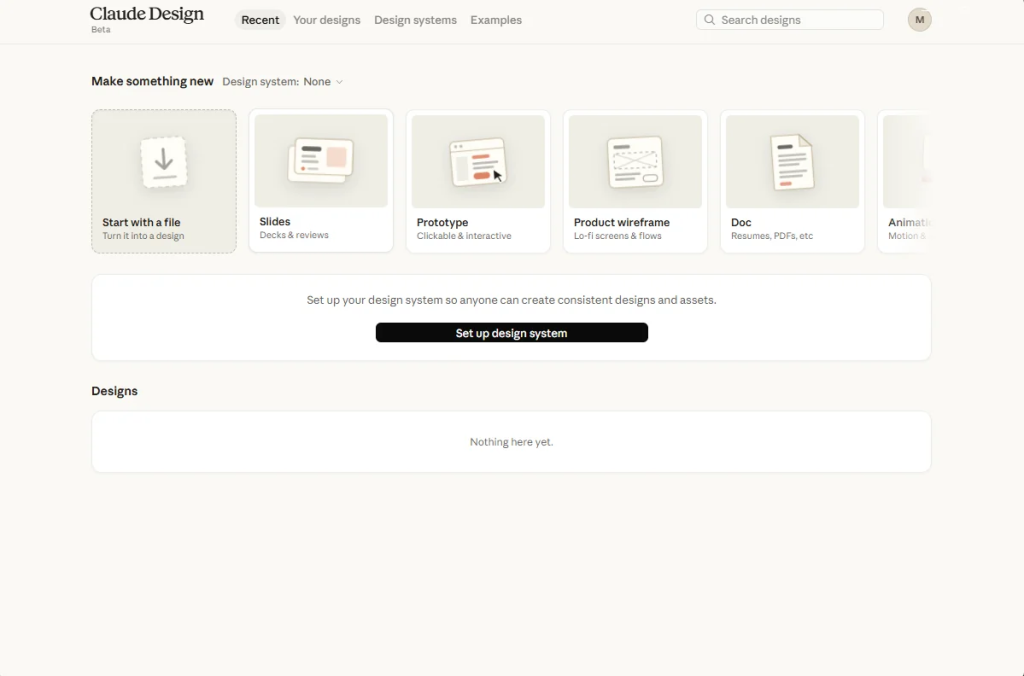
Bye-bye designers, and say hello to the new Claude Design, a visual design and prototyping tool from Anthropic that lets you create designs by talking to Claude in natural language. With this tool, you can generate and edit designs by simply instructing the LLM, instead of manually designing the interfaces, as is done in traditional designs.
Anthropic recently released this design tool to simplify designing tasks. However, it appears that they don’t want people to exit this tool once they open it. Many folks who are trying this new design tool are now reporting that it is not letting them exit or go back to the AI chat interface.
Claude Users Unable to Exit Claude Design or Go Back to AI Chat
As per the reports doing the rounds on X (formerly Twitter) and Reddit, many Claude users have been complaining that they are unable to exit Claude Design or go back to the chat. When users open the Claude Design tool, they get stuck in the tool itself, with no button or options to go back or exit the tool.
Ironically, this appears to be a design issue in the tool, which fortunately has been resolved in the new update. If you are having this issue, then simply updating your desktop app should fix it, and you’ll get the missing back button. All you need to do is relaunch and check for an update.
Workarounds to Try Until You Receive The Fix
However, if you haven’t received the new update yet, then you can also try the workarounds that seem to have resolved this problem for some users.
The most confirmed, albeit janky, solution is to sign out of your account and then sign back in.
Read More: Best AI Tools in 2026
Since the desktop app is built on Electron, you can use browser shortcuts. The Alt + Left Arrow keyboard command will act as a back button and get you out.
A few users also had success by fully quitting the app (sometimes needing Task Manager to do it) and restarting.
That said, this obnoxious bug that is bothering almost every Claude Design user has been acknowledged by Anthropic and has been fixed in the latest update.
For what it’s worth, some Claude users are also facing “Conversation too long” error while using the AI tool.